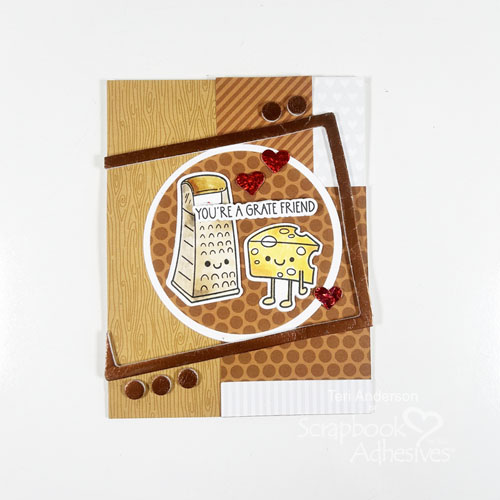
Hi, friends! Do you like to add glitz and dimension to your stamped cards? Teri here to show you how to use 3D Foam Products with Metallic Transfer Foil to do just that like the You’re a Grate Friend Card!
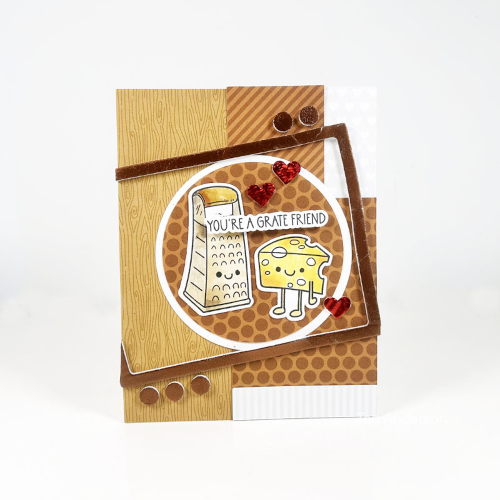
Set Up the Grate Friend Card
Make a standard A2-size (4.25 x 5.5″) card base out of white cardstock. Decorate it with patterned paper strips using the E-Z Dots® Permanent Refillable Dispenser. Next, stamp a few images, color and cut them out. To anchor the stamped images, I die-cut two circles in different sizes (larger one in white cardstock and the smaller in patterned paper) and mat together with the E-Z Runner® Permanent Strips Refillable Dispenser. Then place the stamped images on top before centering it on the card front.
Anchor the Focal Point with a 3D Foam Frame
Place a 3D Foam Frame that fits the circled focal point on an angle on the card front, letting some of it hang off. Designer’s Tip: Be sure to leave the release paper on it to keep its shape. Trim excess that is hanging off the card.
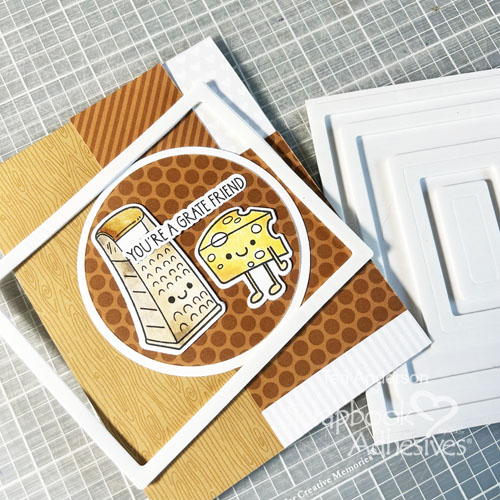
One of the reasons why I love the 3D Foam Frames is not only they can be used as traditional frames but they are versatile enough to get creative with – use a portion of them, cut them up or make a wonky shape!
Embellish More with 3D Foam Hearts + Other 3D Foam Products
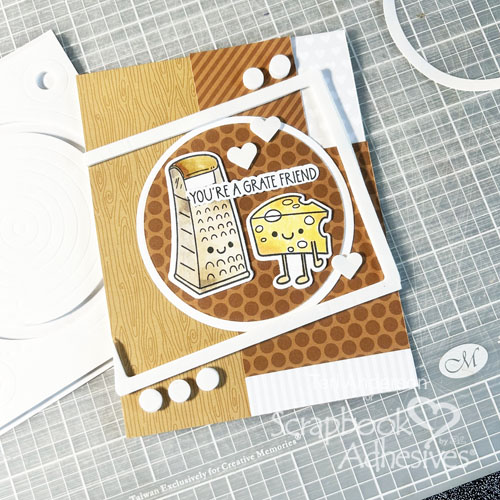
Why stop with the 3D Foam Frames? Add a few more 3D Foam shapes as accents (think sequins!). So, I added a few 3D Foam Hearts around the layered focal point. Then place a few circles from the 3D Foam Circle Frames outside of the frame. Designer’s Tip: Leave the top release paper on them – it will make easier to foil around them.
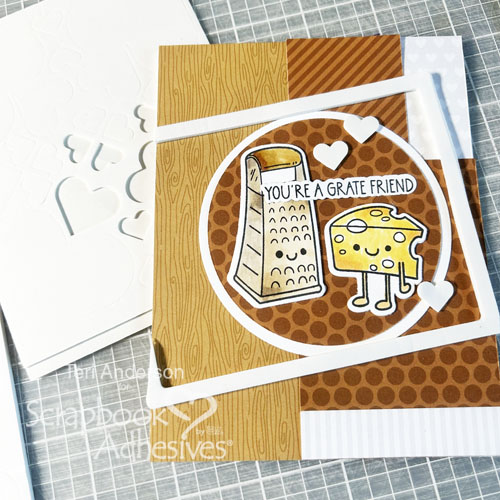
Wear Your Adhesive on the Outside with Metallic Transfer Foil Sheets
Remove the release paper from the frame. Grab a piece of bronze foil from the Metallic Transfer Foil Sheets in Nature Color. With the color side facing you, place the foil on top of the exposed adhesives and gently rub the foil to transfer the color to the frame. Peel to reveal the beautiful shine! Repeat this process with the foam hearts and circles using colors from the Metallic Transfer Foil Sheets Celebrate Colors. Designer’s Tip: Foil the foam shapes a few at a time rather than all of them at once.
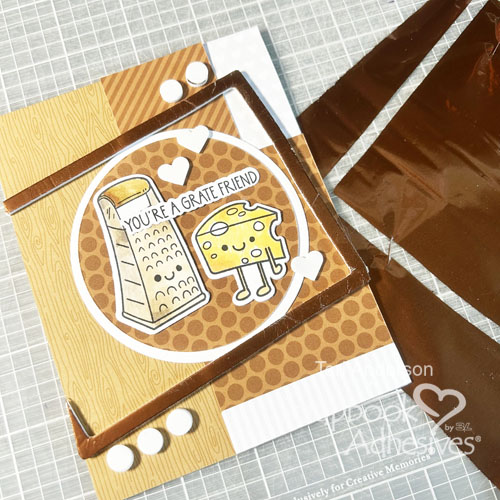
Fixing a Problem
I managed to get some adhesive onto the sentiment so some of the foil transferred on it when I applied foil to my 3D foam elements – Whoops! BUT I have a solution! Stamp and cut the sentiment a second time. To make it pop, I cut a little bit of foam from the 3D Foam Frames to fit behind the second sentiment. Place over the old sentiment. Designer’s Tip: Make sure when you enough foam to cover the second sentiment completely to avoid any sagging.
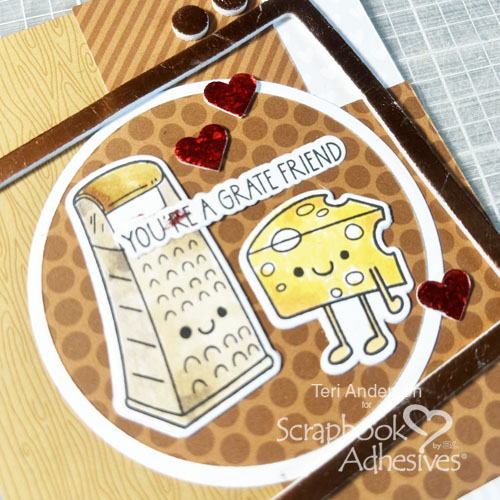
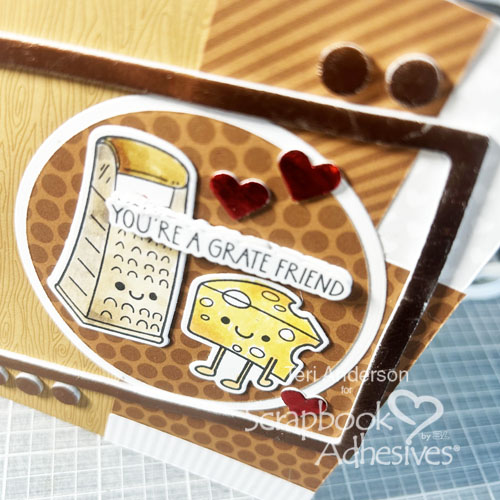
I hope you are inspired by today’s You’re a Grate Friend Card tutorial to try the Wear Your Adhesive on the Outside technique with some of 3D Foam Shapes and Metallic Transfer Foil Sheets!
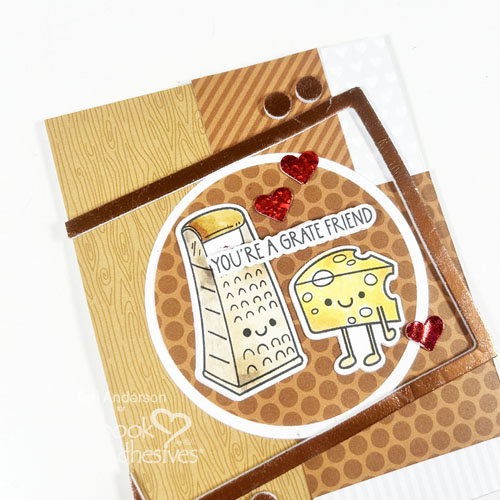
Thanks for stopping by!
Happy Creating!
Creative Time: 60 minutes
Skill Level: Intermediate
Materials needed:
Scrapbook Adhesives by 3L®:
3D Foam Circle Frames, 3D Foam Hearts and 3D Foam Frames
E-Z Runner® Permanent Strips Refillable Dispenser
E-Z Dots® Permanent Refillable Dispenser
Metallic Transfer Foil Sheets Celebrate Colors and Metallic Transfer Foil Sheets Nature Colors
Other: Cardstock: Neenah; Stamps and Cutting Dies: Trinity Stamps (Grate, Grater, Gratest Stamp Set and Dies); Patterned Paper: Sunny Studio Stamps and Doodlebug; Black Ink Pad: Ranger; Markers: Copic
Save to Pinterest!
Visit our Website and Blog!
Sign up for our Newsletter so you never miss a contest or giveaway!