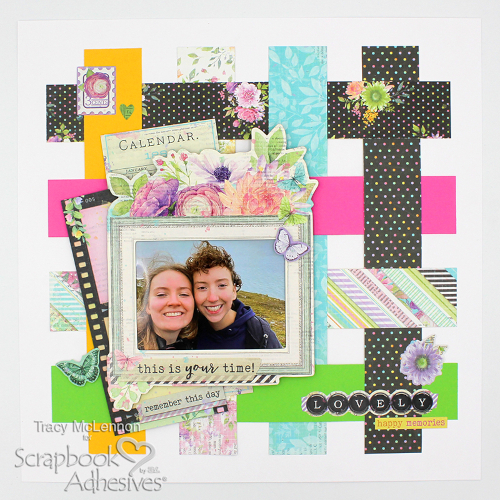
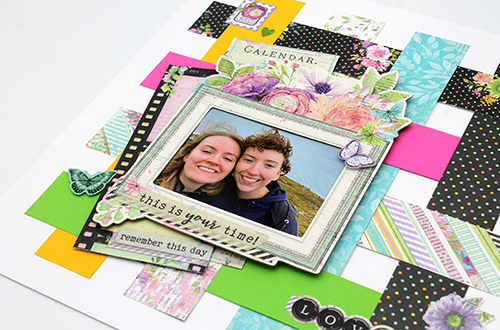
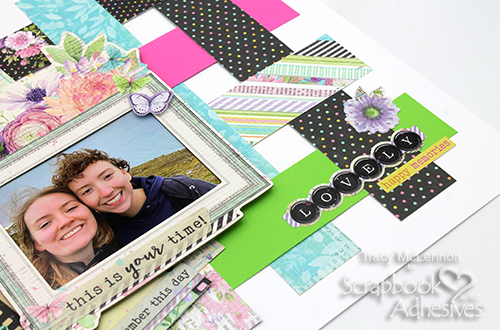
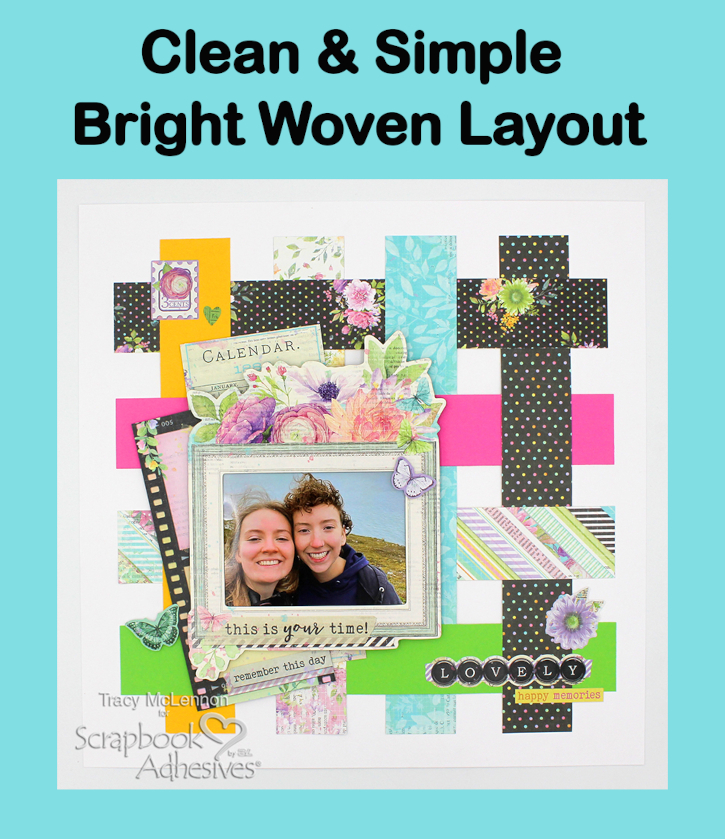
Hello scrappy friends! Tracy here, and today I have a fun and bright layout to share using a simple weaving technique. Here are all of the details on how I created this bright woven layout.
Let’s Get Crafty!
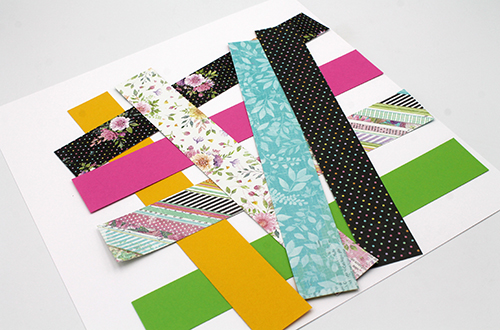
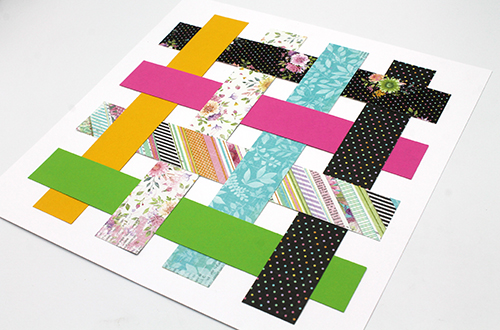
White cardstock is the background of this layout, and that makes the bright patterns and cardstock just pop beautifully. Cut strips of patterned paper and coordinating cardstock that are 1.5×10.5. You will need 8 in total.
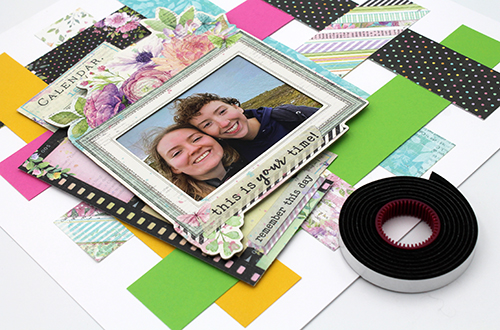
Lay down the strips evenly. I started by adhering one end of the horizontal strips using E-Z Runner® Grand Refillable Dispenser. Now weave the vertical pieces in. Once all pieces are set in place. Adhere all of the ends in place.
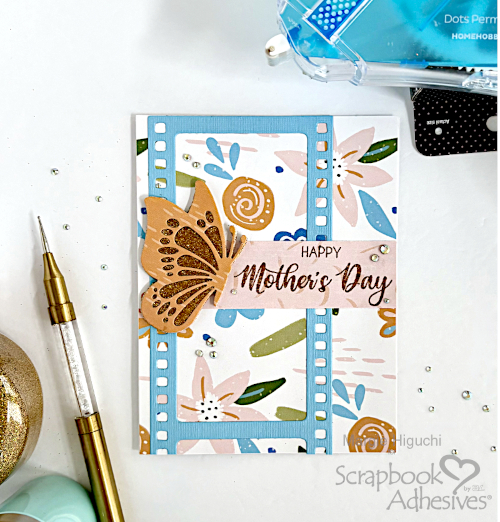
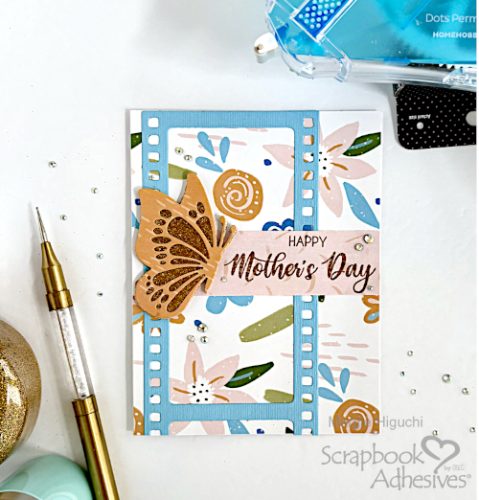
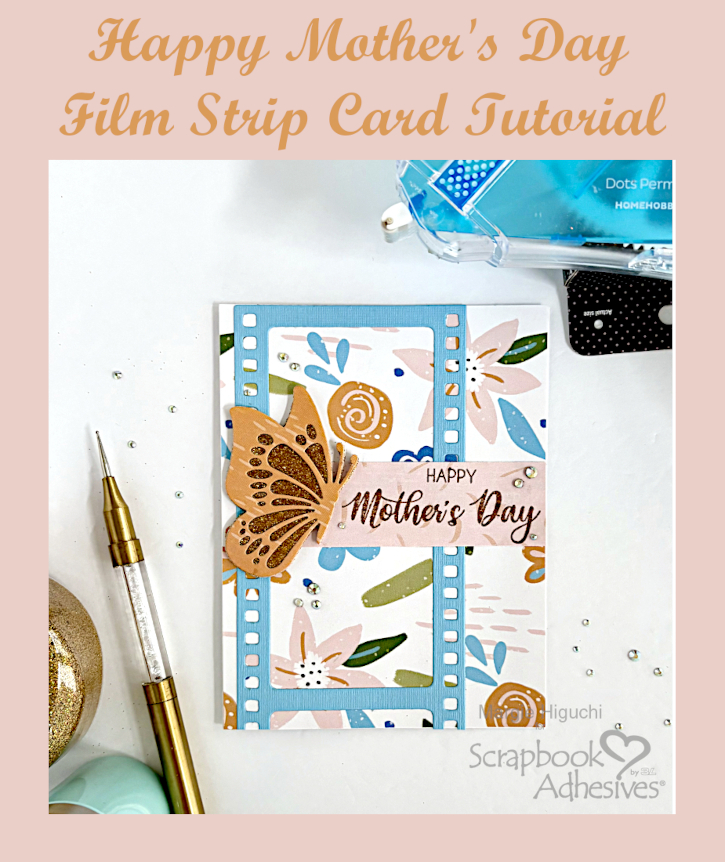
Mother’s Day is tomorrow so I am scrambling to get a card together for mom! Hi, Margie here today and I am sharing my process in creating my Happy Mother’s Day Film Strip Card so come along!
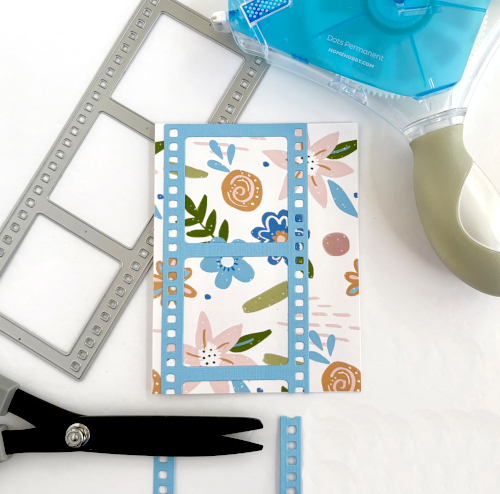
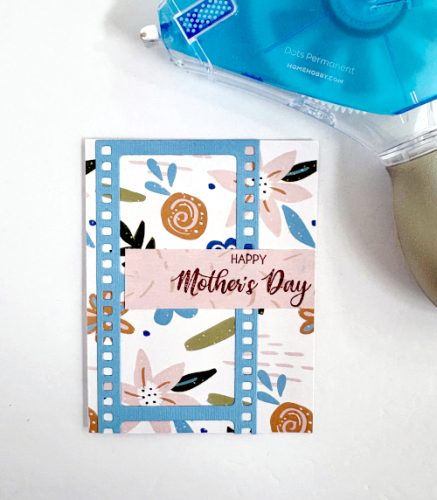
Assembling the Film Strip Card Front
The card base was created by folding a 8.5 x 5.5 inch white cardstock in half to make a side-fold A2 standard card size (4.25 x 5.5 inch). Then I cut a 4.25 x 5.5 inch patterned paper panel and covered the card base front with the E-Z Runner® Grand Permanent Dots Refillable Dispenser.
Die-cut a film strip die with light blue cardstock and secure it on the left side of the card front with the E-Z Runner® Grand Permanent Dots Refillable Dispenser. I love using this adhesive tape because the dots hit the shape and skips over the gaps. Usually I use an Adhesive Sheets 4 x 6in. but ran out – GASP! LOL! Trim off the excess film strip and set aside.
Wear Your Adhesive on the Outside with 3D Creative Foam Sheet
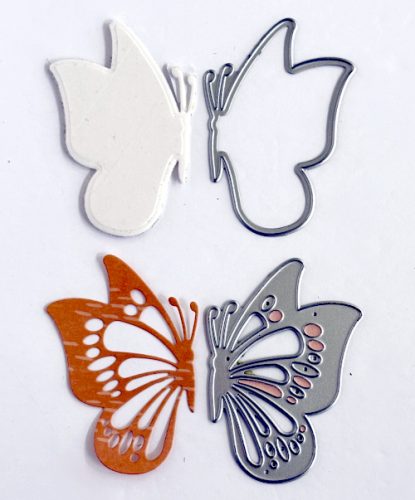
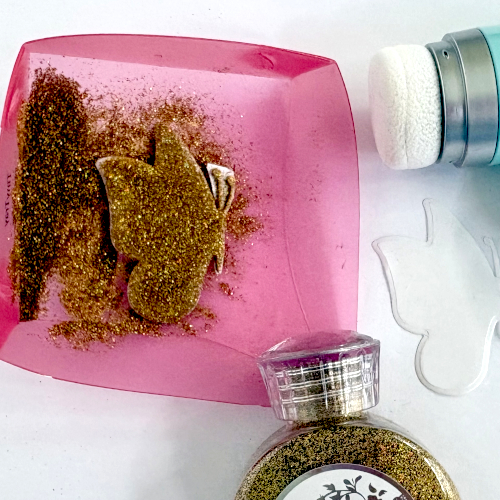
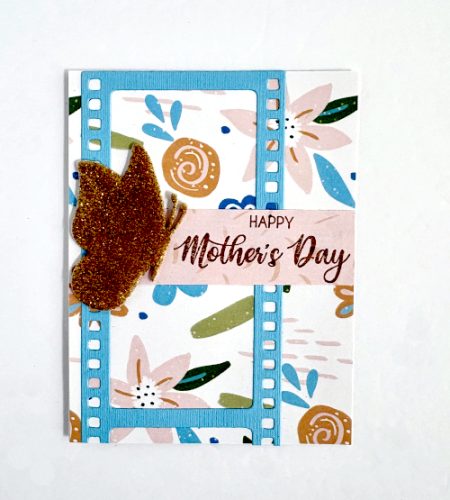
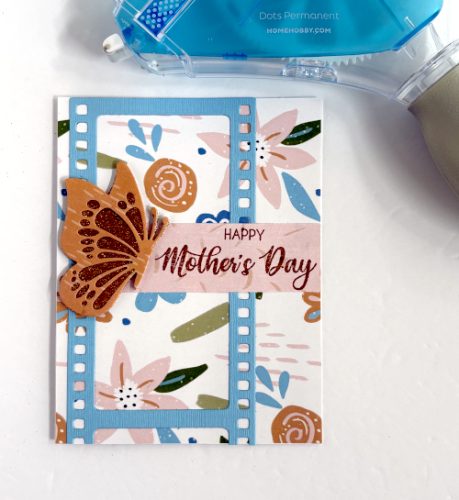
Die-cut a solid butterfly with 3D Foam Creative Sheets Small White and a detailed butterfly from patterned paper. Cover the glitter with the solid butterfly (after removing the top liner), press to secure and tap off the excess. Set aside to create the sentiment.
Stamp the Sentiment
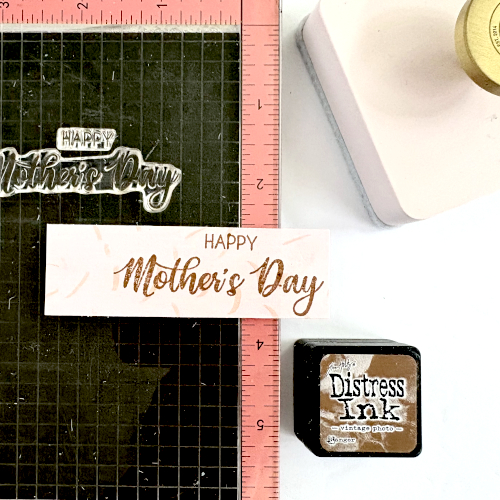
Using the stamp positioner, stamp the sentiment with dark brown ink on a piece of patterned paper and cut into a strip. With the glittered butterfly as a placement guide, adhere the sentiment with the E-Z Runner® Grand Permanent Dots Refillable Dispenser on top of the film strip.
To finish, accent with crystal glass rhinestones using the Adhesive Dots Micro. For smaller stones, I pull the adhesive dot to smaller piece to secure.
Now it’s ready to be sent to mom! Hope you enjoy my Happy Mother’s Day Film Strip Card tutorial and give it a try!
Thanks for stopping by and Happy Mother’s Day! Margie Higuchi
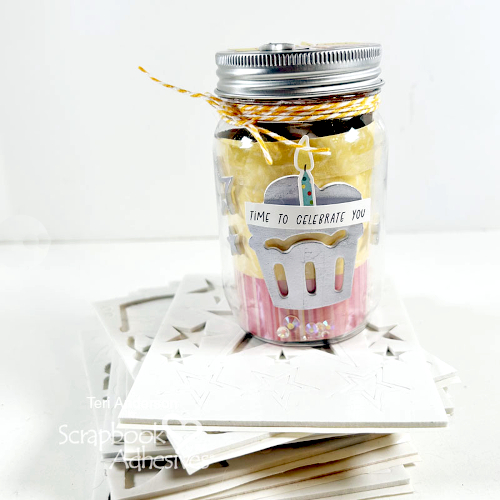
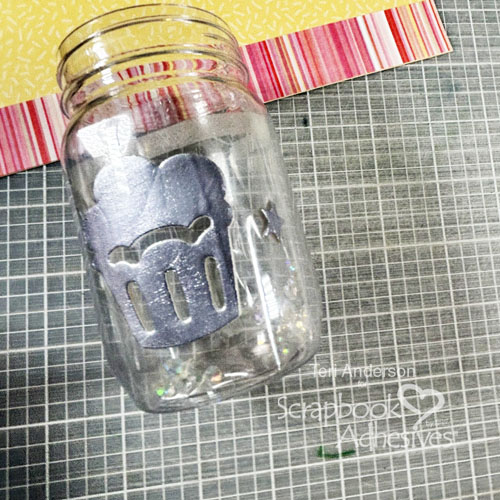
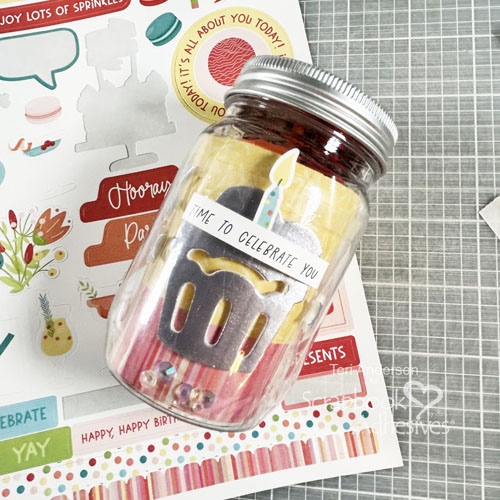
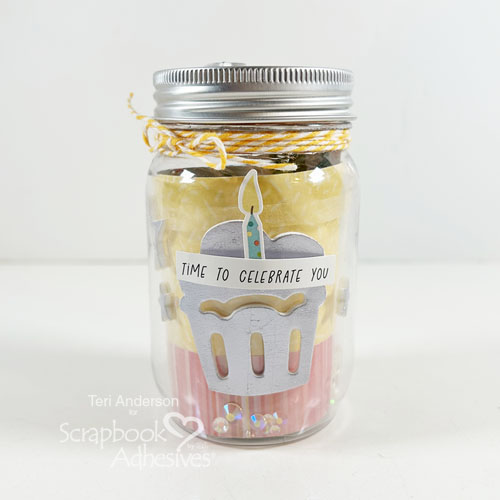
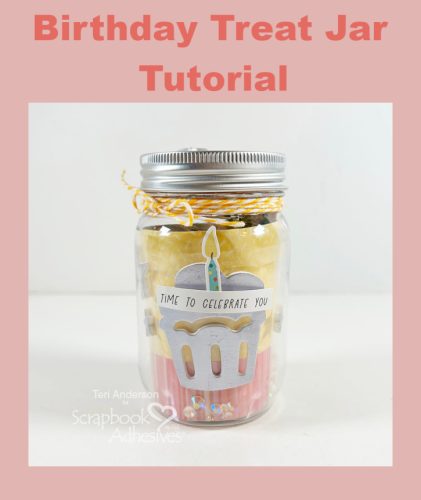
Hi, friends! Got a friend with a birthday coming up? Teri here to show you to make a super cute Birthday Treat Jar! While I filled this little jar with treats, you could easily use it to place money or gift card inside instead.
Create the Inner Pieces for the Jar
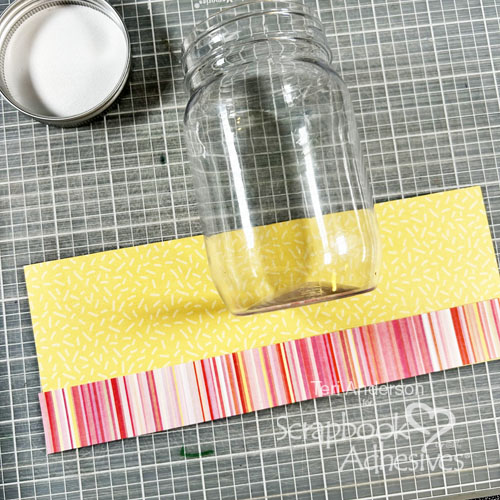
For this project, you’ll need a small jar with a lid. You can use a glass jar or a plastic one. Don’t feel like buying one to use for the project? Upcycle an old jar for it.
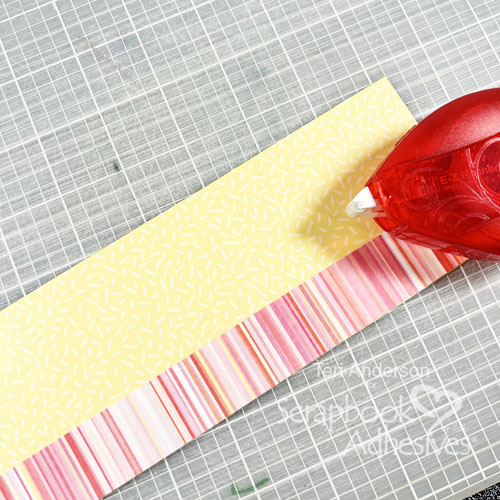
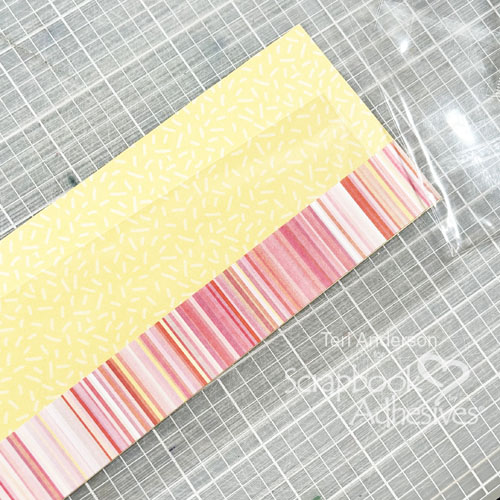
Start by cutting a piece of patterned paper to fit inside the jar. You want the panel to be able to roll up so you can fit it inside it. Decorate it by adding another strip of paper to it.
Cut a clear transparency to fit in the jar. Make sure you can fold the transparency in half. Don’t have a transparency? Recycle a piece of clear plastic packaging. It will work just fine.
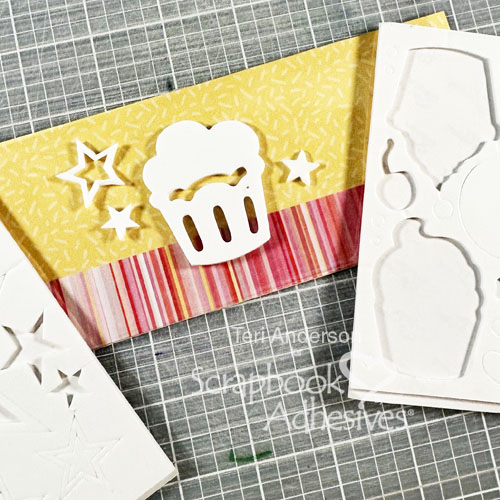
Set your transparency on your patterned paper piece. You’ll need to do this for placement. Adhere some 3D Foam Shapes onto it. Pick ones with a birthday theme.
Use Metallic Transfer Foil
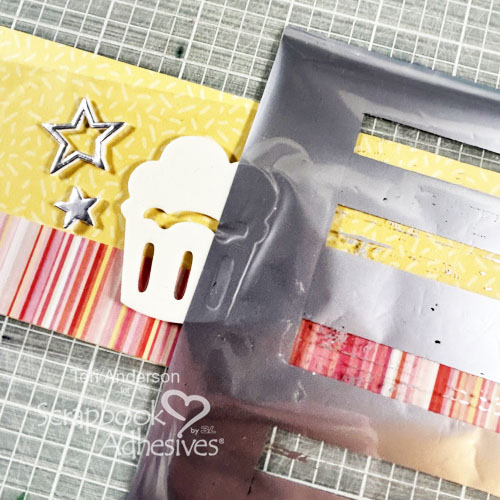
Set a piece of Metallic Transfer Foil onto the shapes one at a time with the pretty side up. Burnish the foil onto it. If you are using a piece of foil that you’ve used before and have open spaces, that’s OK. Just apply a little bit of foil at a time. Start with one side of the shape and then do the other. Work toward the middle until the shape is completely covered.
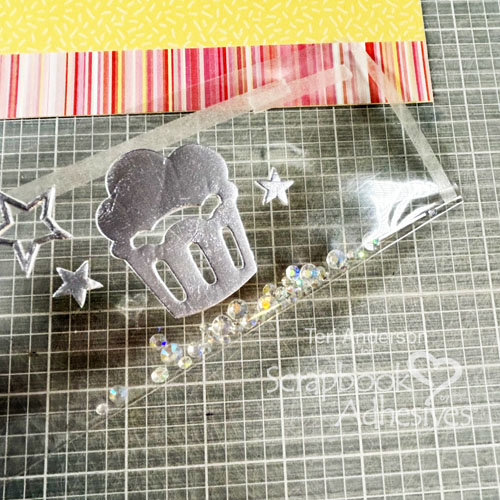
Apply Crafty Power Tape to the inside of your transparency. Add some sequins and seal up the panel. Roll the panel into a circle and place it in your jar. Roll your patterned paper panel and do the same.
Decorate the Jar’s Outside and Lid
Decorate the outside of your jar with stickers or additional 3D Foam Shapes.
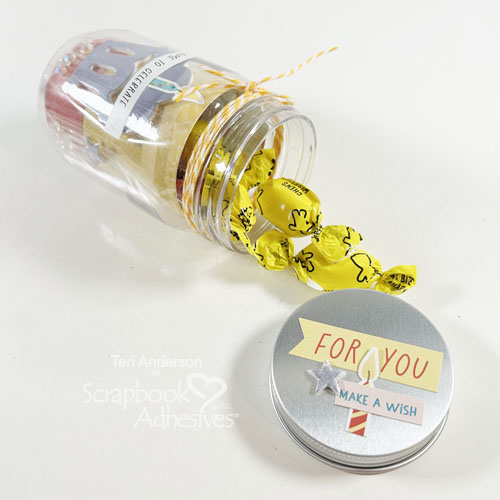
Take the lid and decorate it with stickers and additional 3D Foam Shapes. Apply Metallic Transfer Foil to any of the shapes you add.
Complete the jar by tying some ribbon or twine onto it. Use an Adhesive Dot Micro to hold the twine or ribbon in place. Fill the inside of the jar up with candy or whatever you desire.
I hope you are inspired to decorate a jar to give as a gift! Let me know if you do!
Other: Patterned Paper and Stickers: Photo Play (Birthday Sparkle Collection); Twine: The Twinery; Sequins: This Calls for Confetti; Jar: Dollar Tree; Candy
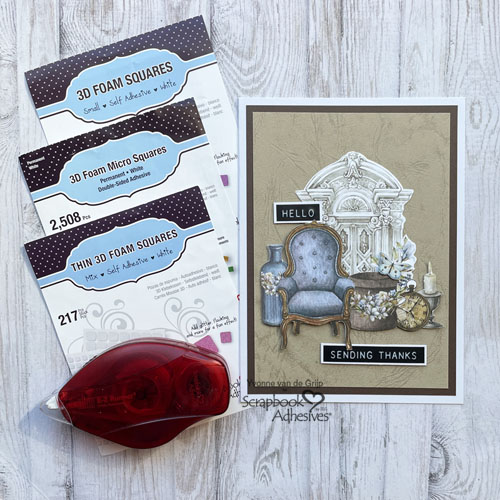
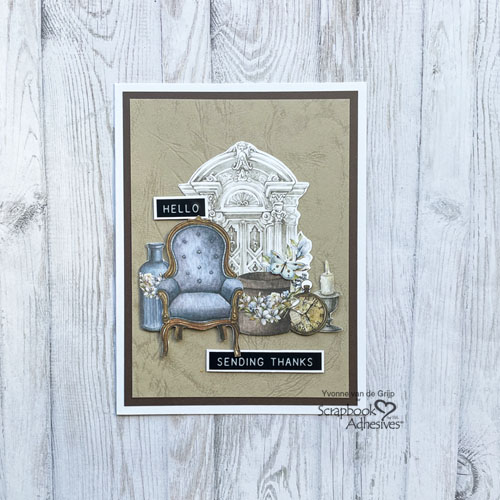
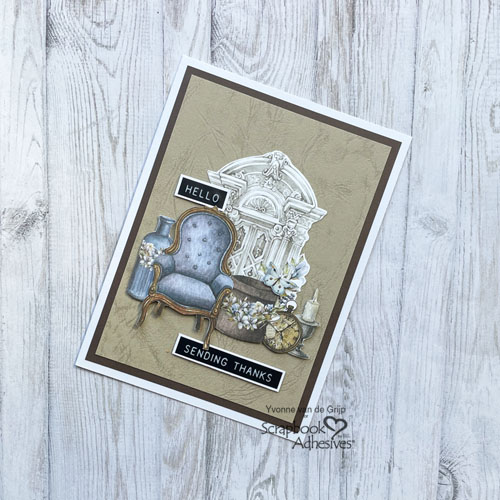
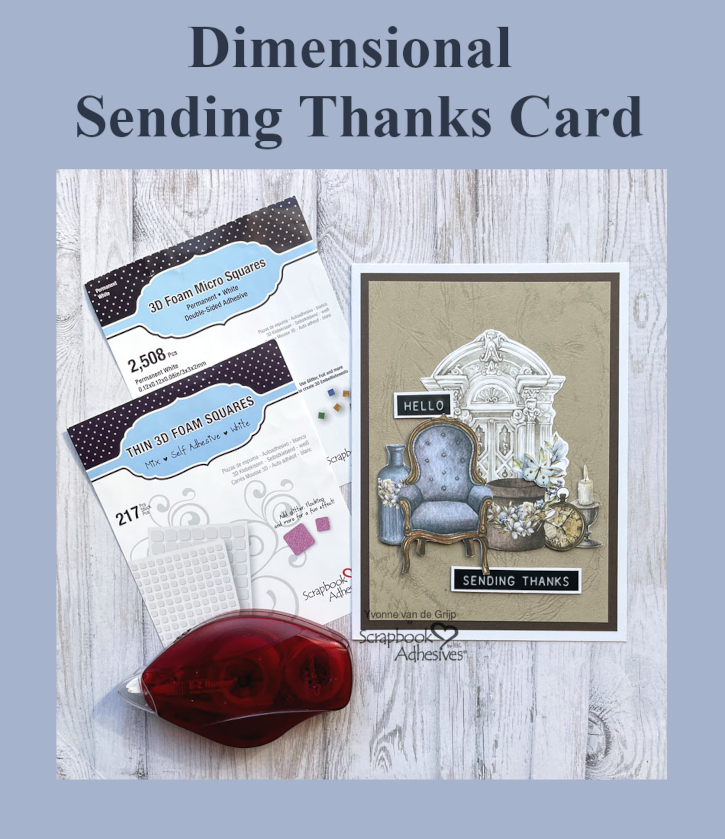
Hi everyone, Yvonne here with a new card. I love clustering together fussy cut elements. To level up, create layers for an interesting Dimensional Sending Thanks Card. I love the elegance and classical vibe this card brings 🙂 This card is suitable for beginner card makers too. Shall we get started?
Dimensional Sending Thanks Card Panel
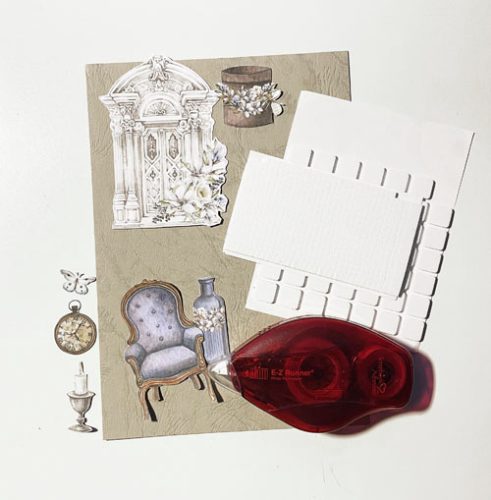
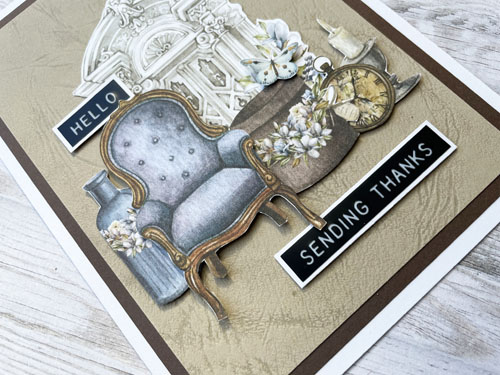
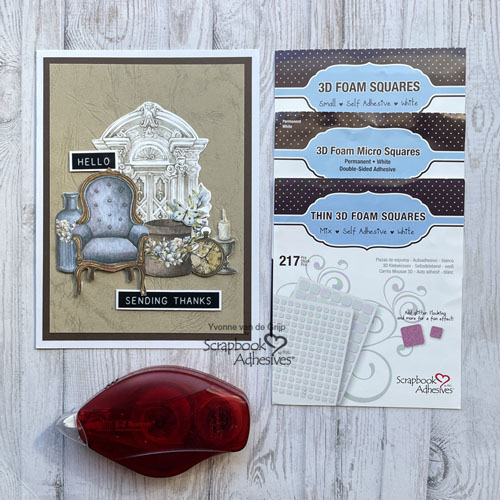
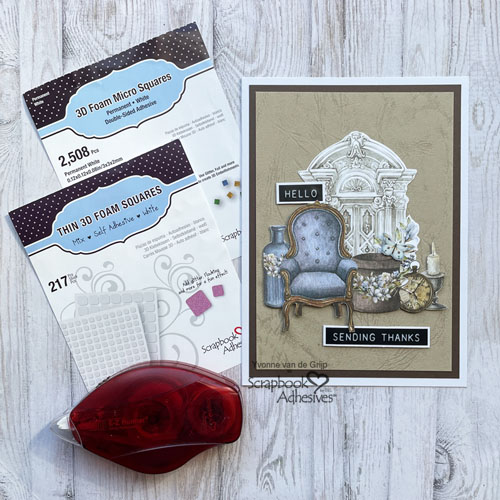
Start by fussy cutting elements. I always like to cut more elements than I need so I can pick the best combination for my Dimensional Sending Thanks Card. Then adhere onto a beige cardpanel. Start by adhering the back element (the arch) using the E-Z Runner® Permanent Strips Refillable Dispenser as your adhesive.
For a finishing touch I adhered some sticker sentiments onto white cardstock and cut it (using scissors) to a banner. Then adhered them onto the card using Thin 3D Foam Squares White Mix.
And voilá….your Dimensional Sending Thanks Card is ready. I hope you enjoyed this simple tutorial and wish you happy crafting.
Other: Paper Elements: Craft O’Clock (Vintage Sky Extras Set); Sentiments: Tim Holtz® (Sentiment Label Stickers); White, Beige and Brown Cardstock; Paper Trimmer; Scissors; Tweezers
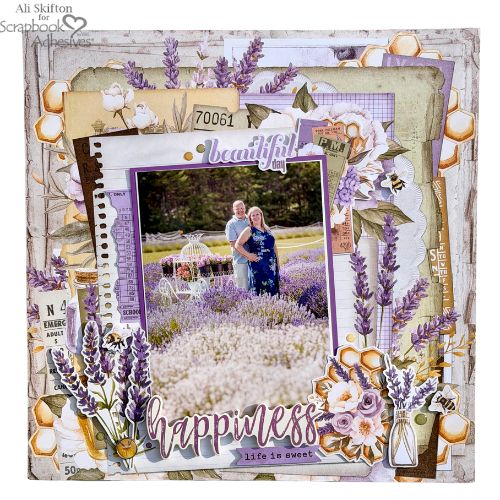
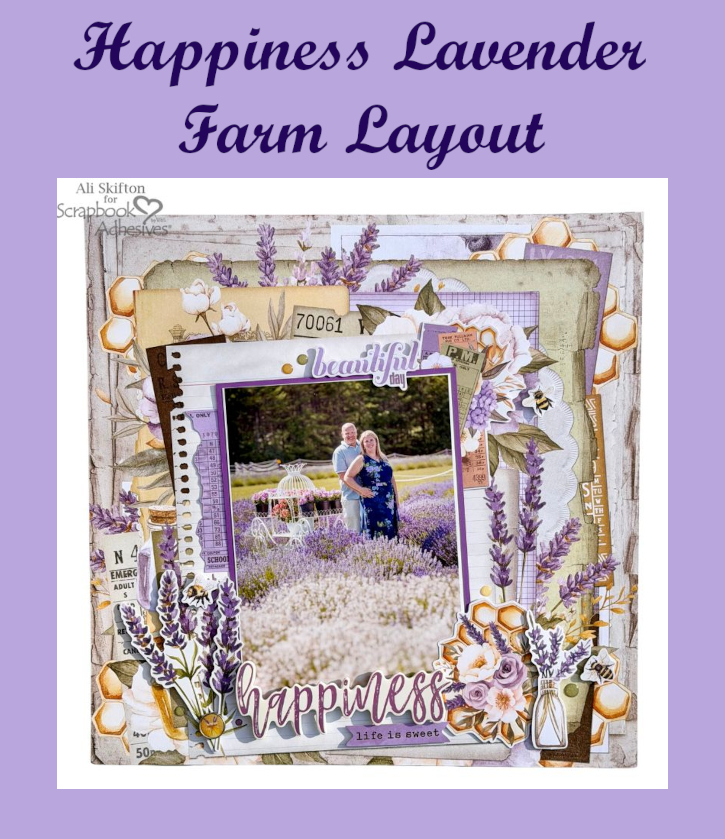
Hello my crafty friends! It’s Ali, @funadventureswithali, and I’m so excited to share a new Happiness Lavender Farm Layout with you today that is full of texture, layers, and all my favorite foam adhesives! If you know me, you know I absolutely love adding dimension to my pages, and this layout is a perfect example of how mixing different foam products can really bring everything to life.
Happiness Lavender Farm Layout Design
This very special 5 x 7″ photo was taken at a lavender farm in Door County WI during a summer trip with my husband, Jeff. It was our first visit there and fell in love with the endless rows of soft purples and white over a peaceful atmosphere. Of course, the incredible and truly unforgettable lavender scent! I picked colors and patterns that mirrored the tones in photo. The background paper had layered details but I added even more layers to enhance the effect.
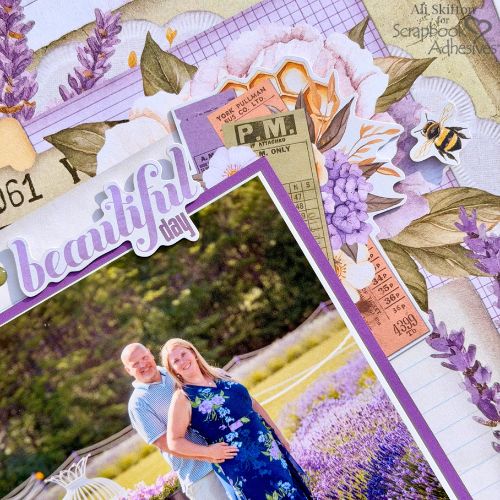
For varying heights, I used a combination of Crafty Foam Tape White 108ft., 3D Foam Squares White Mix, to create depth and interest across the entire page. It helps each element stand out while still working together beautifully. To make my 5×7″ photo the focal point, I double matted it for extra definition. I added crafty foam tape behind the photo, which allowed me to tuck in embellishments underneath for a more dynamic, layered look. In the top right corner, I used 3D Foam Squares White Mix to pop up ephemera pieces, creating a soft cluster that draws your eye across the page.
Add the Elements
Place a 3D Foam Strips behind the word “Beautiful” and add it in the upper right area. Then a 3D Foam Squares Micro White behind an adorable bee. A few enamel dots sprinkled around that cluster help tie everything together and add just the right finishing touch.
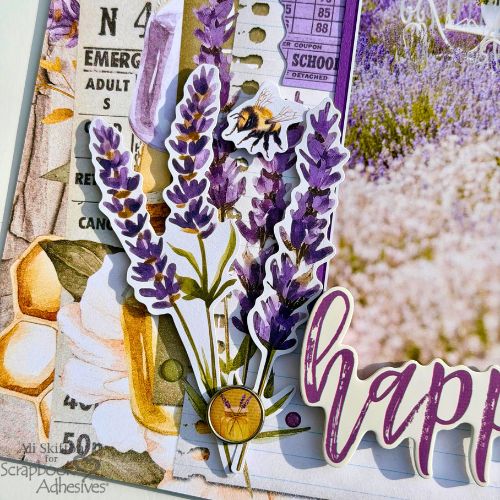
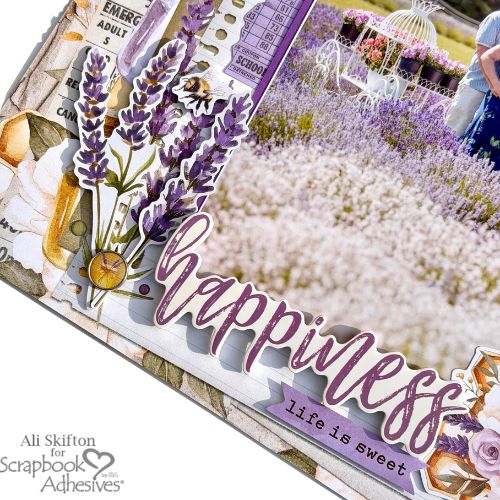
Underneath the photo, tuck a torn piece of purple paper for a bit of texture and softness. On the bottom left side, I created another cluster using lavender sprigs layered over the background with 3D Foam Strips. They’re perfect for those longer, thinner pieces. I love how full and dimensional this area feels with just a few added elements. In finishing that cluster, a cute enamel brad to hold the sprigs together, another popped-up bee, and—of course—more enamel dots.
Add the Title
For my main title, “Happiness,” I used 3D Foam Strips to give it lift and placed it toward the bottom center of the page, slightly overlapping the photo. I layered in a banner that says “Life is Sweet” using 3D Foam Strips as well, adding even more dimension and interest.
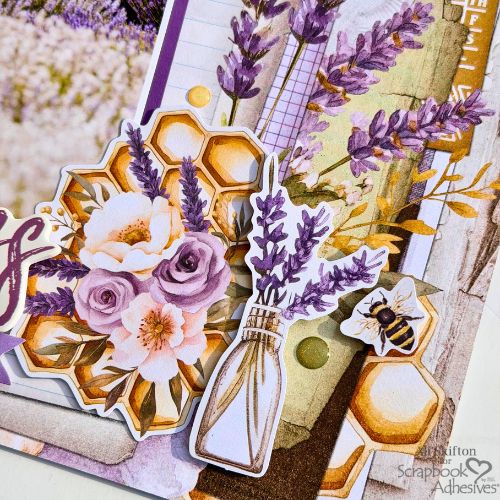
To balance everything out, I created a final cluster in the bottom right corner. 3D Foam Squares White Mix were added behind a floral honeycomb ephemera piece. Next, add an even thicker foam square behind a small flower vase to really make it stand out. I overlapped the elements slightly and finished it off with another sweet bumblebee and a few more enamel dots.
With all these layers and textures, it truly brings me right back to that beautiful day in the lavender fields. I can almost smell the lavender and hear the soft buzzing of the bees all around. It’s amazing how a page can hold not just a memory, but a feeling.
I’m already dreaming about our next visit back!
Happy spring vibes, friends!
Thanks for visiting! Ali Skifton (FunAdventuresWithAli)
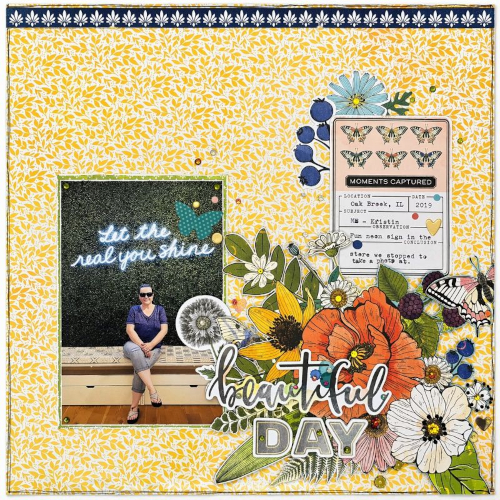
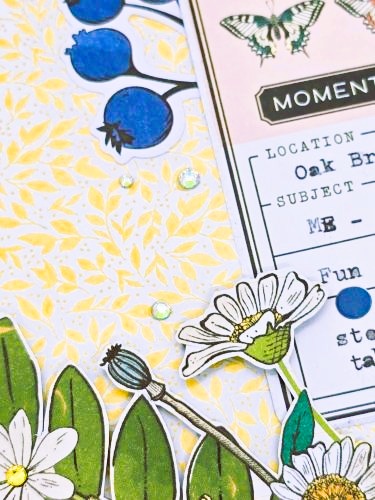
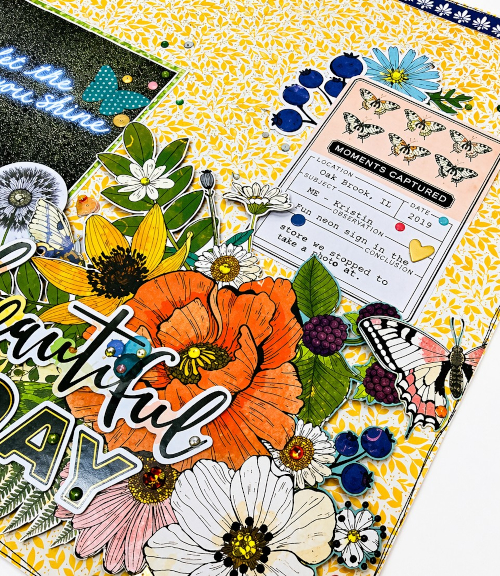
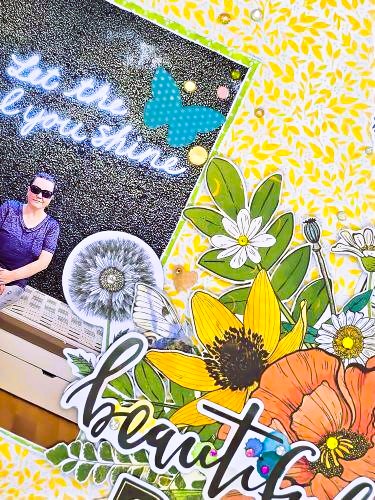
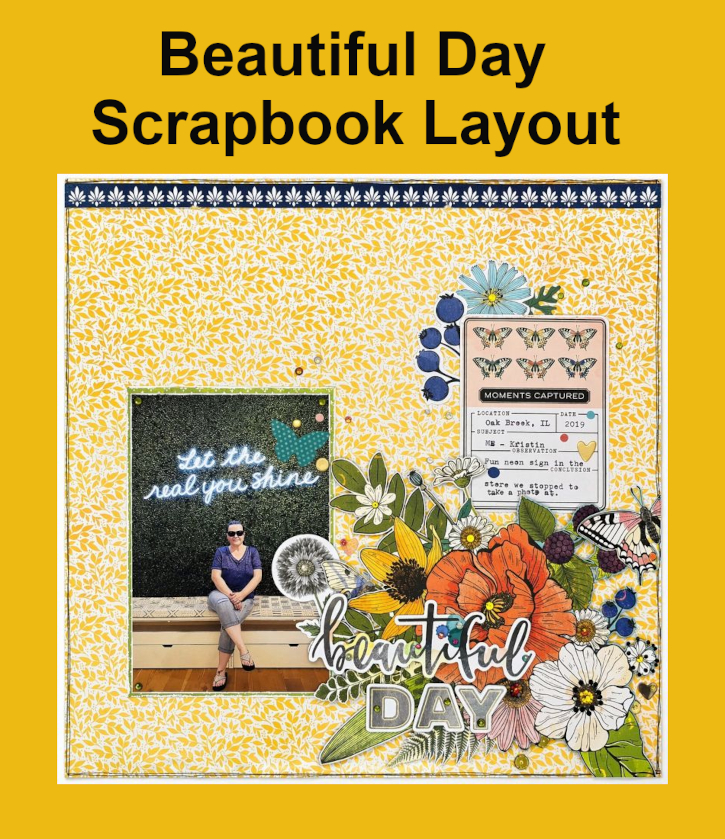
Hello, it’s Kristin and today is iNational Scrapbooking Day! On this occasion, I am sharing a Beautiful Day 12×12 layout. Inspired by the wonderful patterned paper and its embellishments, I highlighted a picture of me at a photo spot of my favorite store. The message, “Let the real you shine”, behind me felt empowering, so I wanted the design to reflect that same uplifting energy.
Creating the Beautiful Day Background
Start with this yellow tone-on-tone design paper, it adds interest while keeping the page light and fresh and it allows the photo and embellishments to really stand out. For my photo, I matted it with a green patterned paper using my E-Z Runner® Grand Refillable Dispenser. The contrast between the yellow and green helps frame the photo.
Building the Floral Clusters
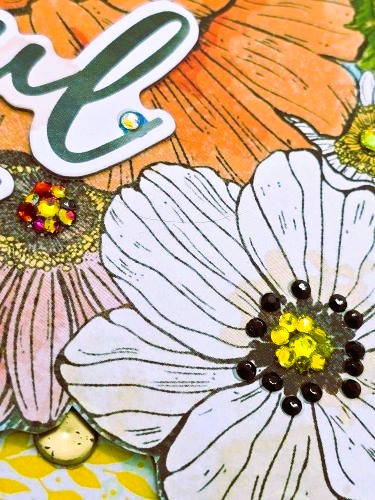
For my floral clusters. I fussy cut a large floral piece from one of the patterned papers in the collections and popped it up with Crafty Foam Tape White 108ft to add the page. Next, I used ephemera and decorative elements to tuck them underneath – some were adhered flat and others were popped up with 3D Foam Squares White Mix. Use the Dual Tip Glue Pen to add crystals to give the page extra light and movement to the page.
The layering on the layout added depth, but it also helps guide your eye toward the photo and the inspiring message. The mix of textures and heights keeps the design visually interesting.
Beautiful Day Title and Finishing Touches
Place the chipboard title, “Beautiful Day”, near the photo with the Dual Tip Glue Pen to anchor the design and highlight the moment. It pairs perfectly with the encouraging message in the photo. I added a few more elements using 3D Foam Squares White Mix and 3D Foam Circles White Mix above the large floral arrangement for extra dimension.
This layout celebrates confidence and self-expression. The yellow leaf background and green dotted photo mat create a bright foundation. The collection adds playful color and texture with lots of layers and some crystals to give the page the most perfect finishing sparkle.
Happy scrapping & thank you for visiting! 💕✂️ Kristin Rizzo
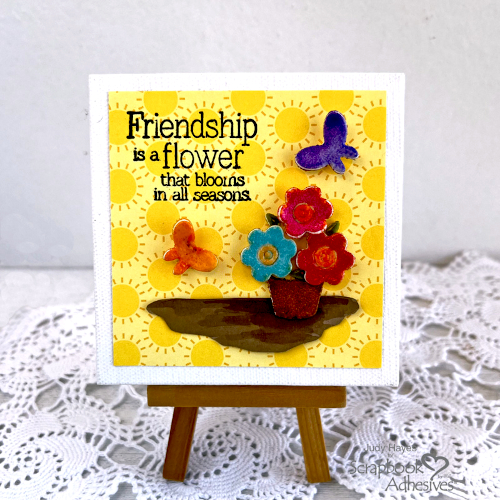
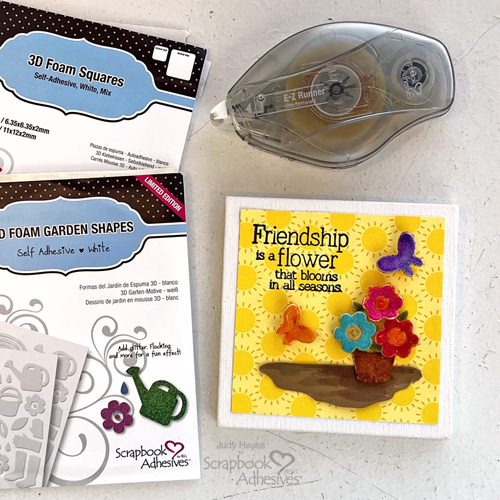
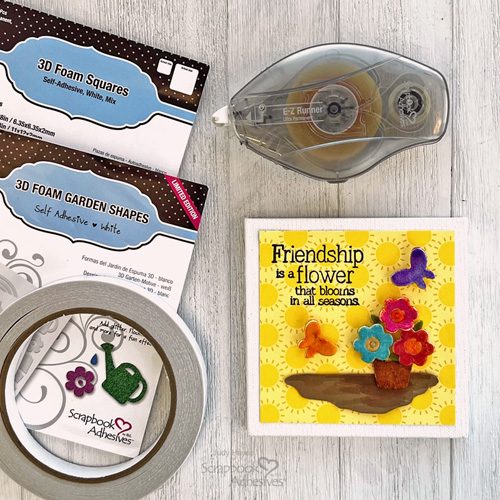
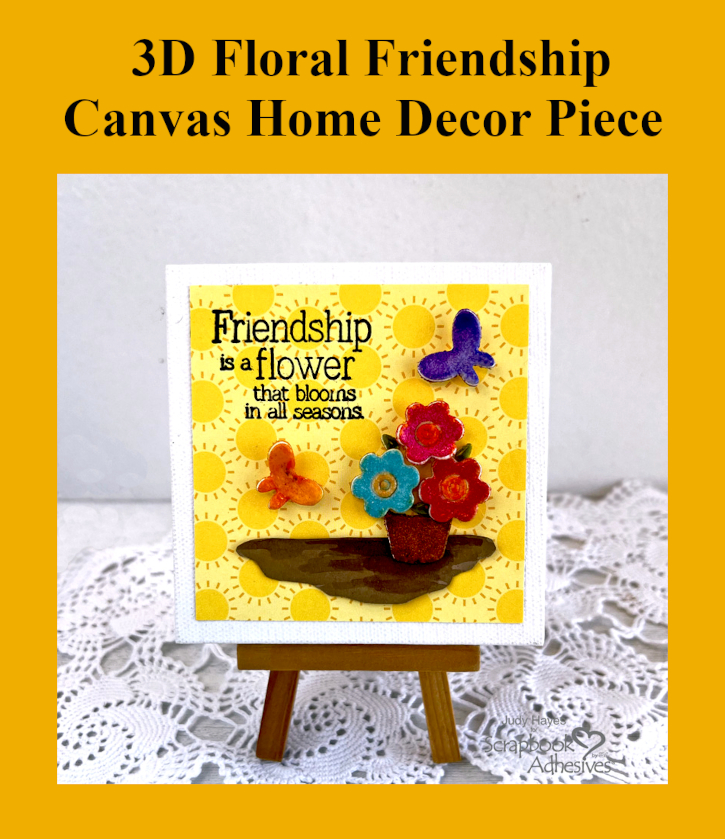
Hi, Judy here today! I put together this bright cheery little 3D Floral Friendship Canvas using heat embossed shapes from 3D Foam Garden Shapes. I think it turned out so cute!
Friendship Canvas Background and Verse
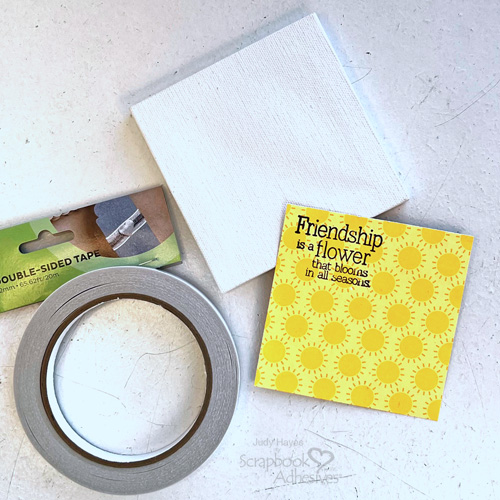
Cut Summer Fun paper 3.5 x 3.5 inches to fit the canvas. Stamp verse with black ink on the top left corner. Designer’s Tip: Use a stamp positioner for stamping to get good image.
Apply strips of Premium Double-Sided Tape 1/2in along all the back edges and one to two strips in the center. Peel away the liners and secure it to the 4 x 4 inch stretched canvas.
Create the Ground
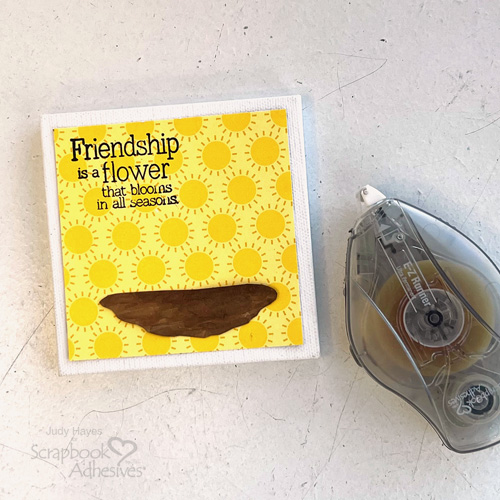
Cut piece of medium brown cardstock about 2.75 x .75 inches and cut as shown in photo. Use brush with brown watercolor to add shading or use medium brown brush marker. Apply adhesive to back with E-Z Runner® Ultra Strong Refillable Dispenser and fasten on canvas.
Glaze Garden Shapes
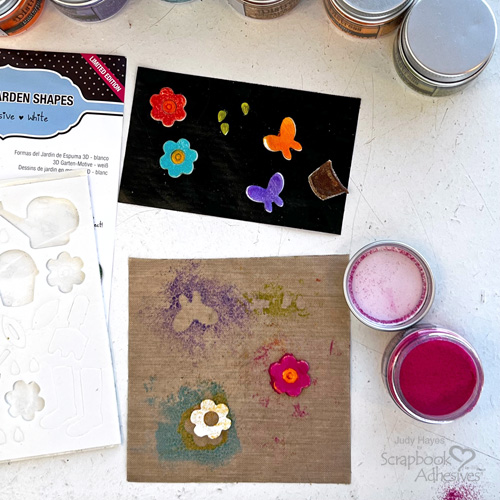
Flower Pot – Remove pail shape from the 3D Foam Garden Shapes and cut off handle to make the pot. Place it on non stick craft mat, peel the liner away and cover with Rusty Hinge Distress Embossing Glaze. Tap off the excess and melt with heat tool. Heat evenly by moving the tool until the glaze melts. Set aside to cool.
Flowers – Place three flowers from the 3D Foam Garden Shapes on the non stick craft mat with at least inch between them. Remove one flower’s center liner, cover with Wild Honey Distress Embossing Glaze, remove excess and heat with heat tool to emboss. Next, repeat glazing steps with the flower petals and the Distress Embossing Glaze Broken China. Now glaze the other two flowers using Distress Spice Marmalade Embossing Glaze on for the centers and Distress Embossing Glaze Abandoned Coral for one and Distress Embossing Glaze Picked Raspberry for the other one.
Leaves – Remove three “rain drops” from 3D Foam Garden Shapes and place on non stick craft sheet. Repeat embossing process using Distress Embossing Glaze Crushed Olive.
Butterflies – Use same process to glaze two butterflies. Color one with Distress Embossing Glaze Wilted Violet and other with Distress Embossing Glaze Spice Marmalade. As butterflies cool, pull wings away from craft sheet so they will hold that shape when fully cooled.
Assembly
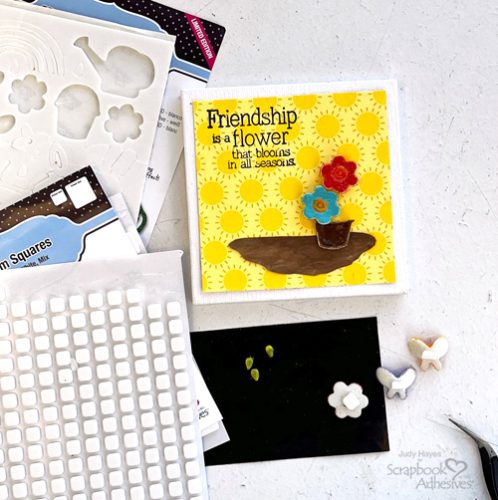
Place flower pot on brown ground and press in place. Adhere it with a small square from 3D Foam Squares White Mix to the back of each flower. Peel away the liners and place flowers above the pot. Use tweezers to pick up leaves and place near flowers. Cut small square from 3D Foam Squares White Mix in half, place each half on the back of each butterfly. Then adhere them on the canvas.
Place your canvas on an easel for display. I hope this 3D Floral Friendship Canvas tutorial inspires you to give it a try!
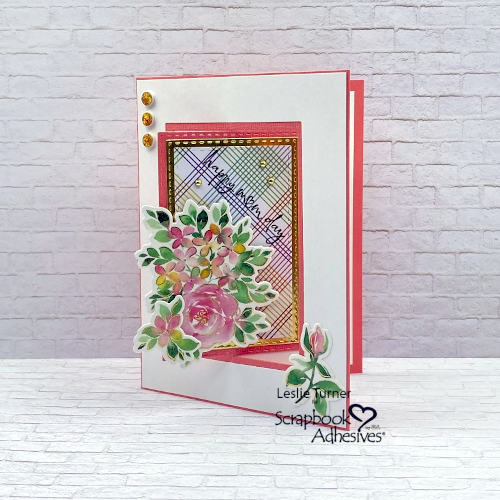
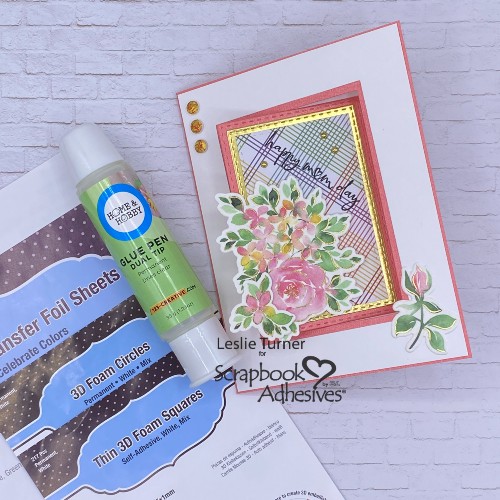
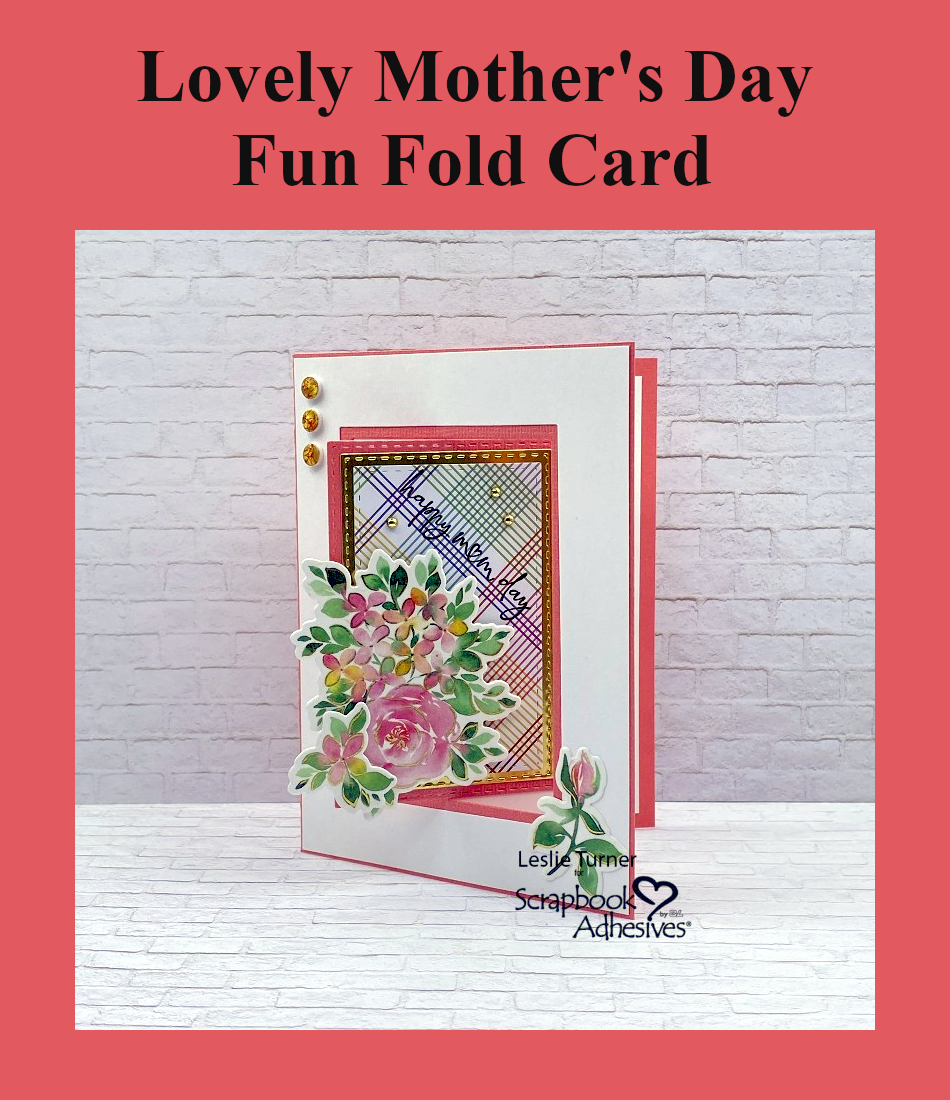
Hi everybody, happy Monday! Hope you had a good weekend and got to enjoy some nice Spring weather! Have you started on your Mother’s Day cards or crafts yet? It will be here soon! Leslie here with you today, and I have a pretty Mother’s Day fun fold to inspire you. For this anchored swing flap, I used some products in my stash that haven’t been loved in a while. Also used some pretty amazing adhesives and other complimentary products from Scrapbook Adhesives to put it together! So let me show you how I made this!
Cut the Card Base & Swing Flap
FLAMINGO CARDSTOCK: Card base: 5-1/2″ x 8-1/2″, scored at 4-1/4″.
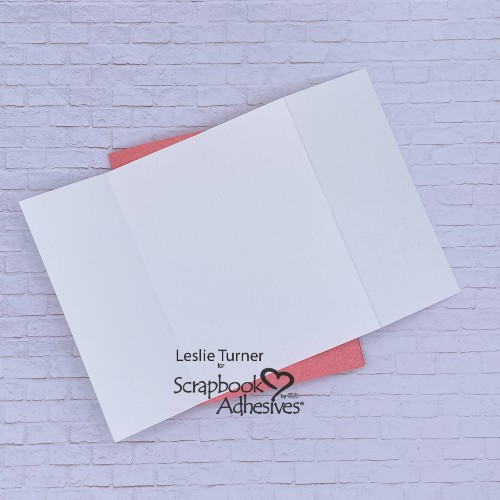
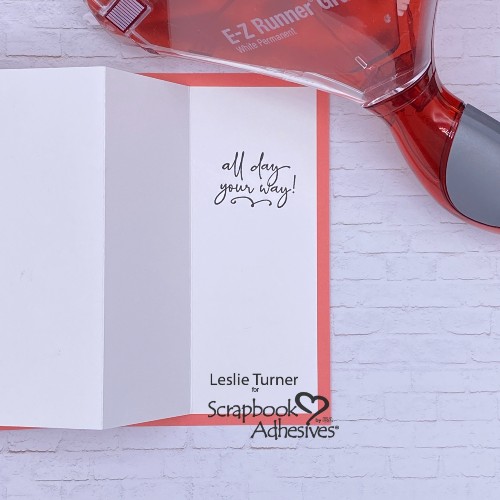
WHITE CARDSTOCK: Swing flap: 5-1/4″ x 7-7/8″, scored at 2″, 4″ and 6″ with the 7-7/8″ edge across the top of your trimmer. Fold on the score lines and burnish with a bone folder. I just noticed that the score line at the 4″ mark is not visible in my photo, but it’s there.
Die Cut the Aperture for Mother’s Day Fun Fold
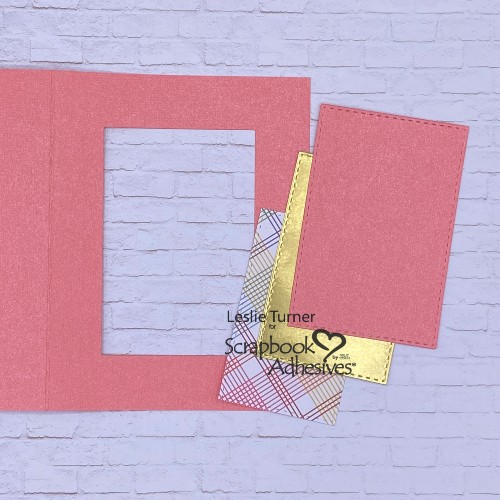
Use a die approximately 2-1/4″ x 3-5/8″ to cut an aperture into the front flap. Save the die cut rectangle as it’ll be needed for the layered focal panel.
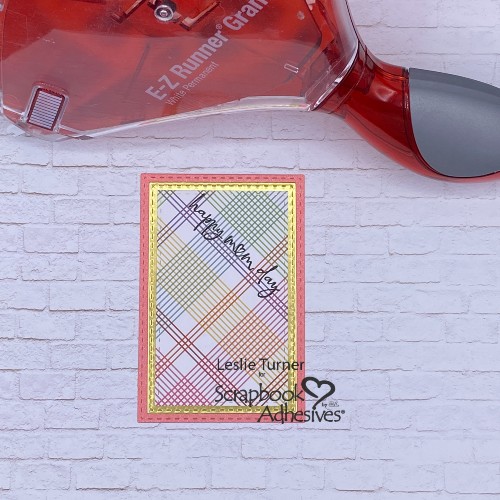
Now cut a slightly smaller rectangle from gold foil and another one just a bit smaller from patterned paper. Dies are not necessary for this step – these can all be cut with a knife or trimmer.
Adhere the Swing Flap
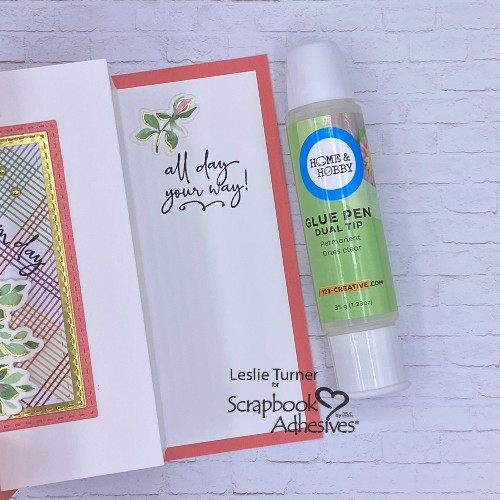
Firstly, let’s get the swing flap for this Mother’s Day fun fold in the correct position. Fold it in half. You’ll notice there is a 1/8″ difference in the size of the two outside sections. Be sure the 2″ section is on the right and the 1-7/8″ section is on the left. Stamp a sentiment on the right side and then adhere that section to the right side of the card base. The E-Z Runner® Grand Permanent Strips Refillable Dispenser is a wonderful tool for these steps.
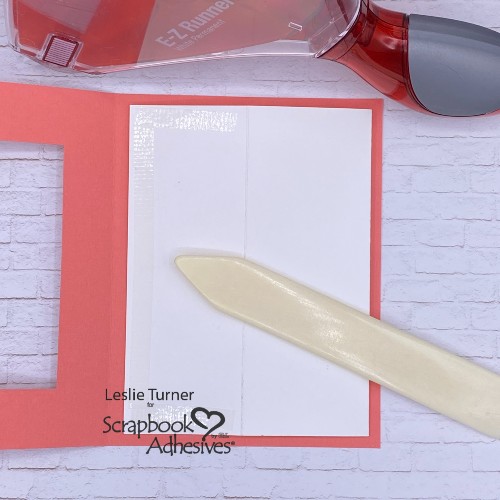
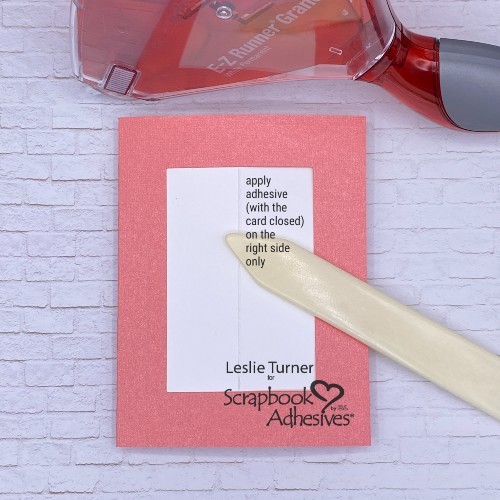
Secondly, fold the two sections on the left over toward the right and apply adhesive to the left-most section. Apply the adhesive in a C-shaped fashion, avoiding the right side of this section with the score line.
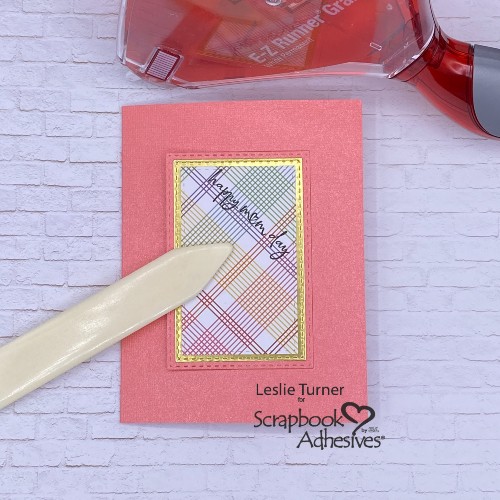
Thirdly, simply close the card base and press the left side to secure the adhesive.
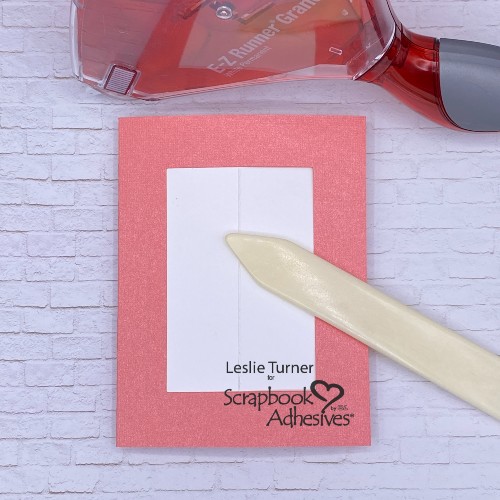
Place the layered focal panel into the negative space and press to secure the adhesive.
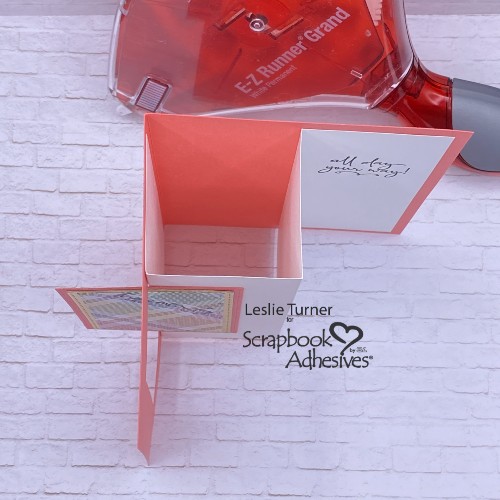
Open the card and stand it up. Looking down from the top, it should look like this so far.
Add Panel to the Mother’s Day Fun Fold
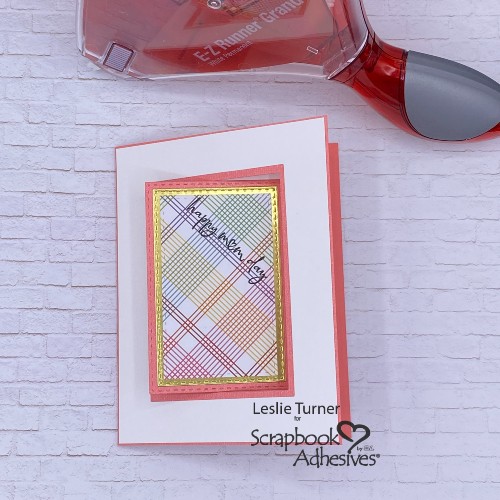
To give this Mother’s Day fun fold a fresh clean and simple look, I added a white panel to the card front. Simple process of using a die slightly larger than the one used for the original aperture, then trimming to fit.
Wear Your Adhesive on the Outside!
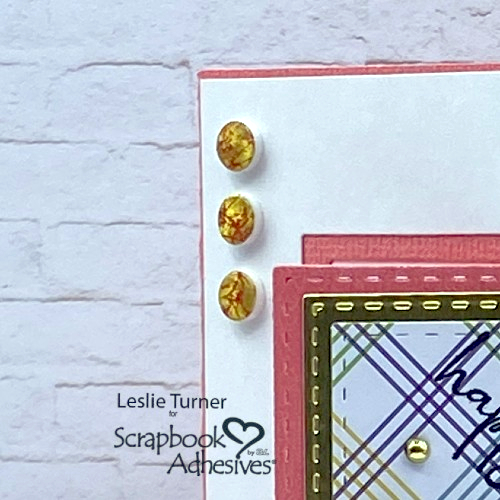
Additionally, I employed my new favorite Wear Your Adhesive on the Outside technique to create three pretty embellishments. Red and gold foil from the Metallic Transfer Foil Sheets Celebrate Colors complimented the Flamingo cardstock. Wrinkle the red foil and apply (color side up) to several 3D Foam Circles White Mix. Repeat the process with wrinkled gold foil to fill in the areas missed with the red foil. Worked like a charm! What card for Mother’s Day would be complete without pretty shiny embellishments?!
Complete the Mother’s Day Fun Fold
Finally, I added several die cut washi tape embellishments, adhered with Thin 3D Foam Squares White Mix. A few more small die cuts were adhered with Dual Tip Glue Pen. This Mother’s Day fun fold is now complete!
Other: Cardstock/Paper: CutCardStock Flamingo and Bright Gold Foil cardstock, Neenah Classic Crest 80# Solar White cardstock, Recollections Bold Basics Paper Pad Stamps: Stampin’ Up Happy & Heartfelt Stamp Set Ink: Versafine Onyx Black Ink Dies/Punches: PinkFresh Studio Hydrangea & Rose Die, Love From Lizi Stitched Rectangle Nested Cutting Dies Accessories: Fiskars 12″ ProCision Rotary Bypass Paper Trimmer, Big Shot, PinkFresh Studio Hydrangea & Rose Washi Tape, Mini MISTI, Kat Scrappiness Gold Pearl Mix
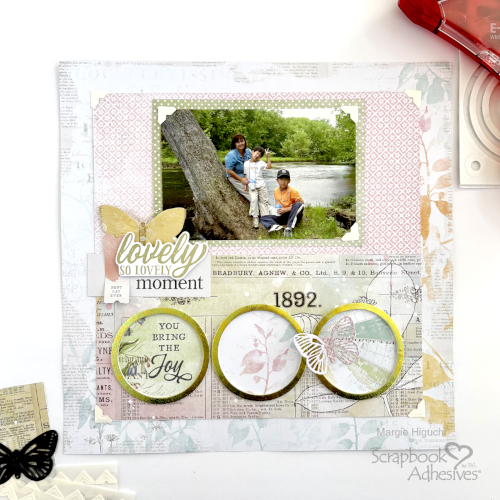
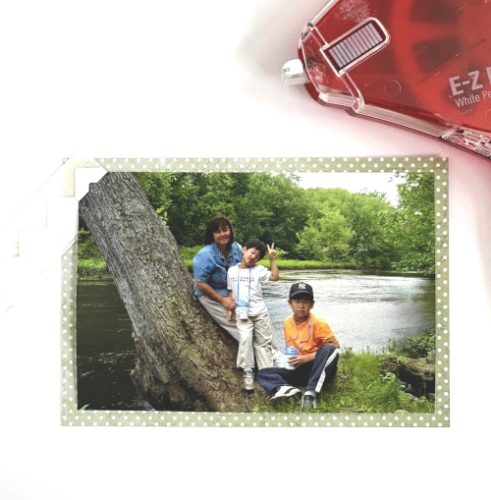
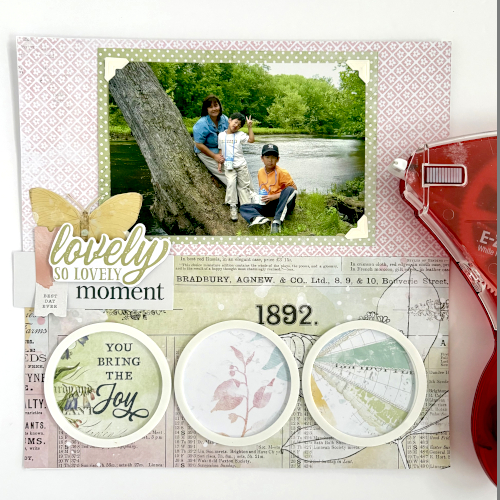
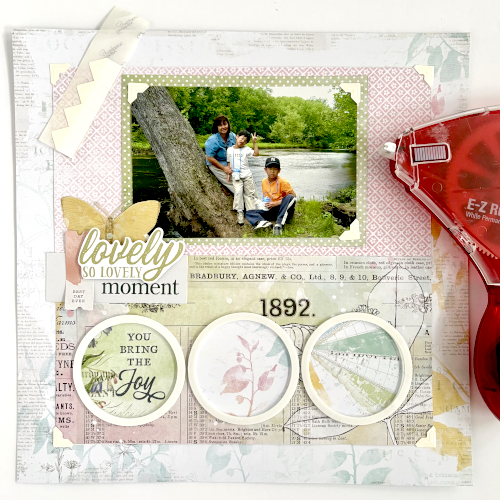
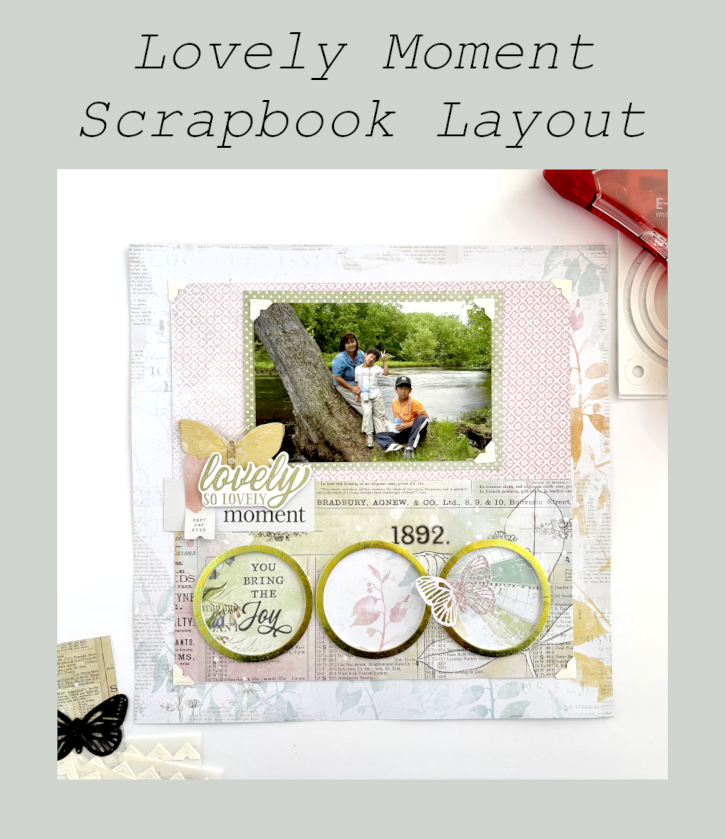
Have you ever started cleaning your craft area? Well, I did…until I came across a sweet picture of me and my not so little boys (currently) and well, SQUIRREL! LOL! This scrapbook layout came together with sparkle and dimension. Hi, Margie here today and I would like to walk you through my process 🙂
Lovely Moment Panel
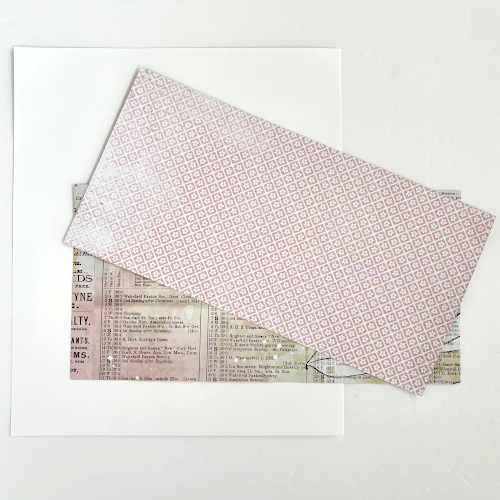
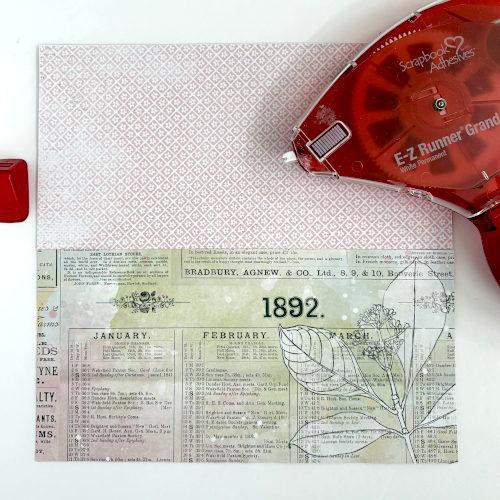
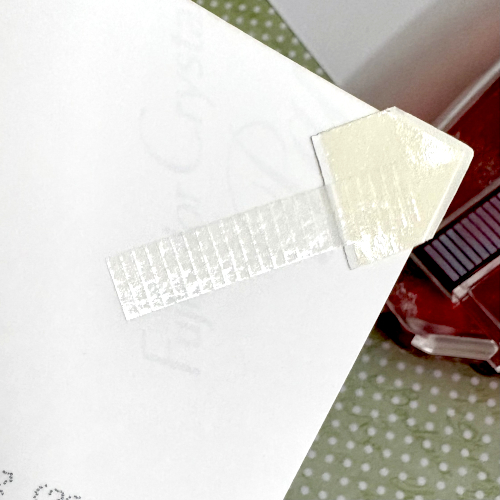
The 10 x 10″ panel is created with two 10 x 5″ of the same paper – just flip to the other side for a different look. Designer’s Tip: Use a piece of white cardstock (smaller than 10 x 10″) to anchor the panel with the E-Z Runner® Grand Permanent Strips Refillable Dispenser.
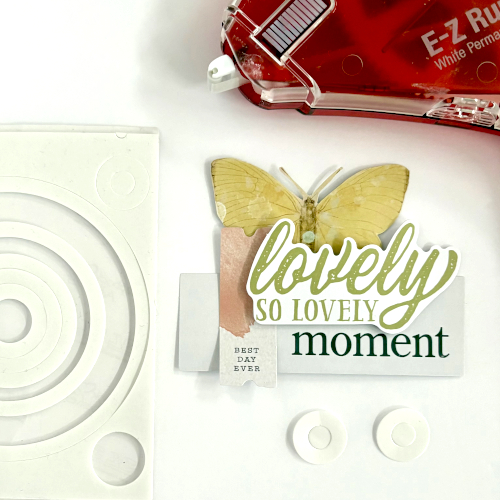
Use ephemera elements to make the title “substantial” by clustering them. Secure them with the E-Z Runner® Grand Permanent Strips Refillable Dispenser. Then pop it up with the smaller 3D Foam Circle Frames White. The butterfly was fussy cut from patterned paper and really anchors the title. Set aside later to determine placement in the page design.
The Circle Elements
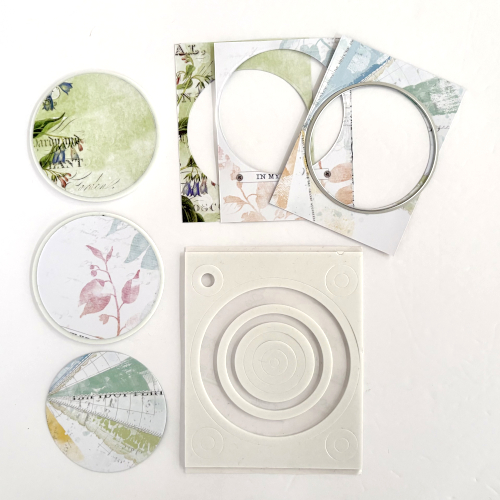
Die-cut three 2.75″ circles from a sheet of 3 x 4″ journal boxes. Frame each one with the 3rd largest 3D Foam Circle Frames White. Designer’s Tip: Use the top liner to keep the foam shape when framing the circle shape. Using the title as a guide, adhere the framed circles to the bottom section of the panel with the E-Z Runner® Grand Permanent Strips Refillable Dispenser.
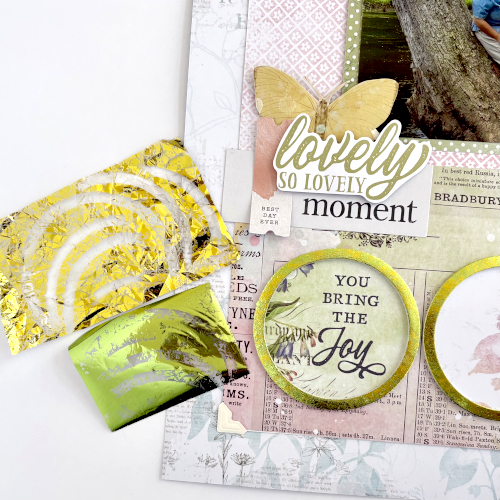
Wear Your Adhesive on the Outside with 3D Foam Circle Frames
Remove the top liner to one of the framed circle. I picked two foil colors (green and yellow) from the Metallic Transfer Foil Sheets Pastel Colors. First wrinkle the yellow foil, apply it on top of the circle frame and rub to transfer the color. Remove the foil to see the distressed lines – this is the exposed adhesive. Next, cover it with a solid green foil and repeat the foiling step. Reapply the foil in missed areas.
Finishing Touches
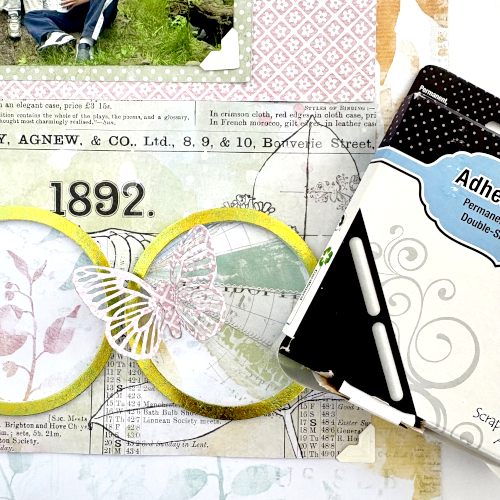
Die-cut a detailed butterfly with patterned paper. Then attach it to the right circle element with an Adhesive Line – it’s the perfect size with an inch length! Designer’s Tip: Any excess adhesive, I tuck into the shape or trim off.
Thanks for stopping by…now, back to cleaning…maybe….HA! Margie Higuchi
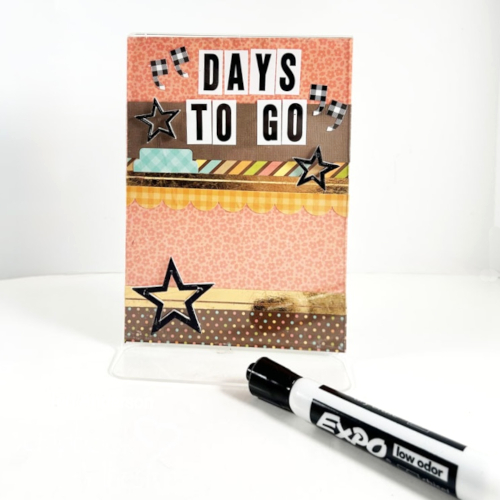
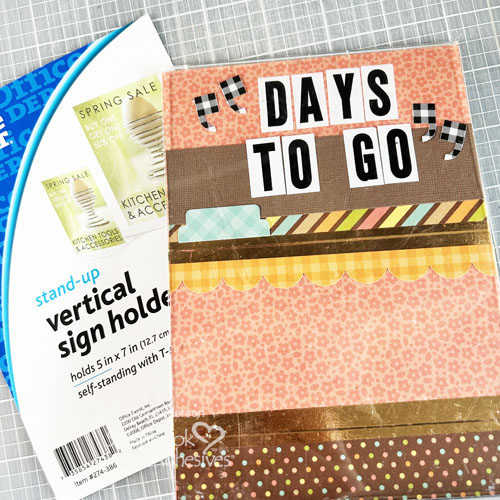
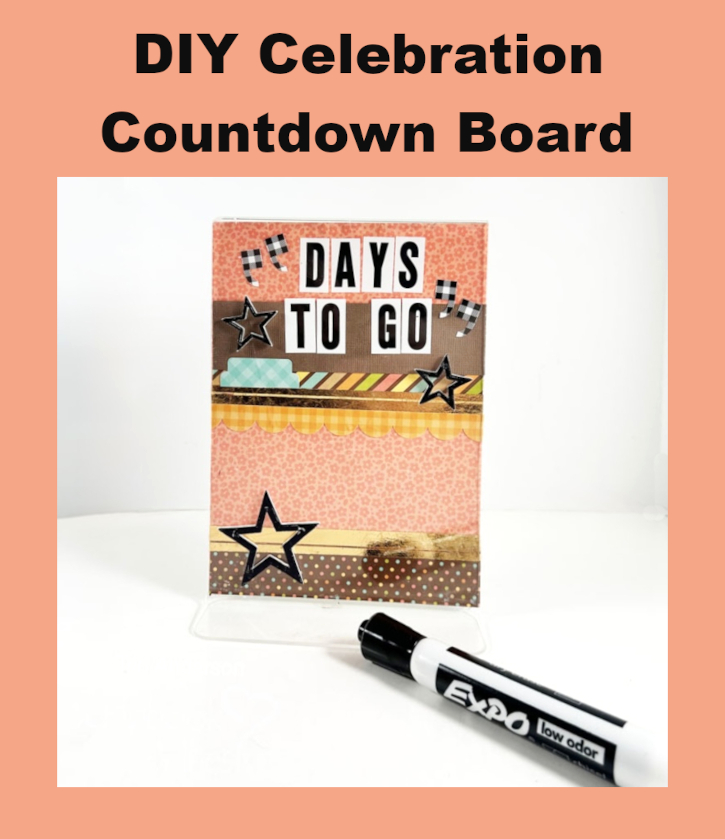
Hi, friends! Counting down to graduation, wedding or even a vacation? Teri here to show you how to make a super cute and totally practical dry-erase DIY Celebration Countdown Board! For this project, you’ll need a plastic sign easel. Don’t have one? A photo frame with glass or plastic inside it would work too!
DIY Countdown Board Design
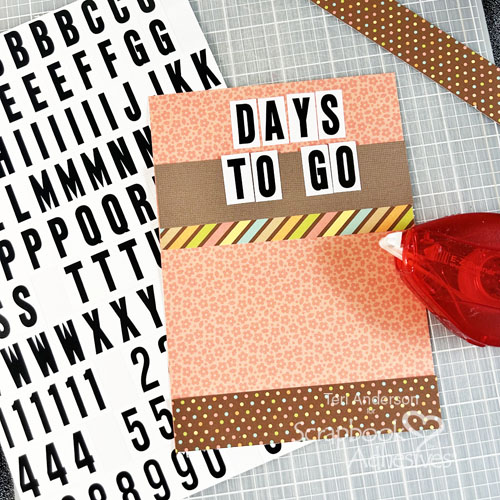
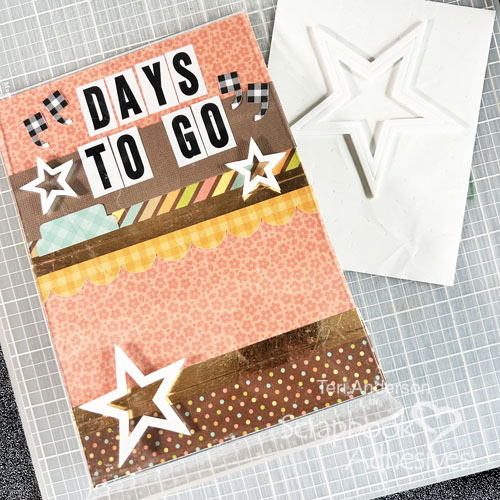
Start by creating a base to fit inside the stand or frame from patterned paper or cardstock. I used patterned paper. Add strips of cardstock or patterned paper to the panel with the E-Z Runner® Permanent Strips Refillable Dispenser. Use letter stickers or stamps to spell out “Days To Go” on the panel.
Wear Your Adhesive on the Outside with Premium Double-Sided Tape
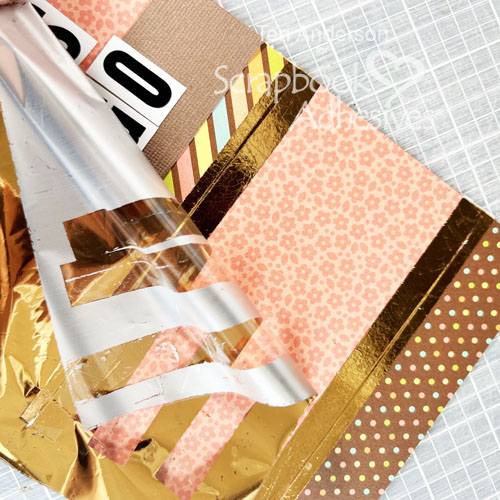
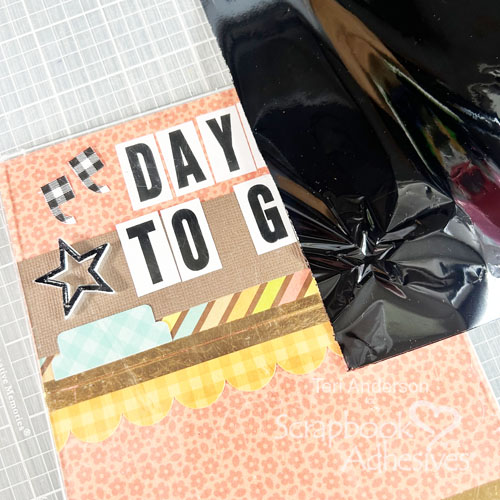
Take two strips of Premium Double-Sided Tape and place them across the panel. After removing the top liner, place a piece of bronze foil from the Metallic Transfer Foil in Nature Color on each piece of tape with the pretty side up. Gently rub the foil onto the tape pieces. Miss a spot? No worries! Reapply the foil.
Complete your design by adding some stickers or die-cuts to the panel. Insert your panel into the stand or frame.
Add 3D Foam Stars Accents with Metallic Transfer Foil
Now to decorate the outside of the stand! Place a couple of the 3D Foam Stars on the Countdown Board and pull out your black foil from the same Metallic Transfer Foil in Nature Color and apply using the same foiling steps as above!
Finishing Touch
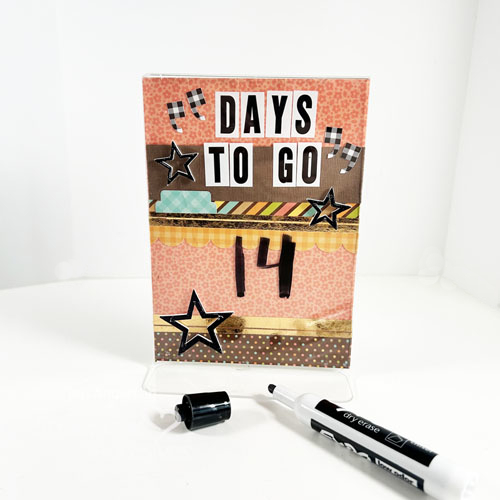
Finish with an important tool for your DIY Celebration Countdown Board, a dry-erase marker to write on! Be sure to use a dry-erase marker and not permanent one so you can update your countdown daily!
I hope you are inspired to make your own DIY Celebration Countdown Board! Let me know if you give it a shot!