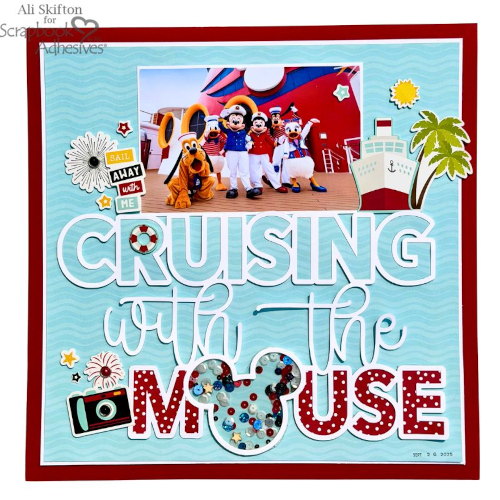
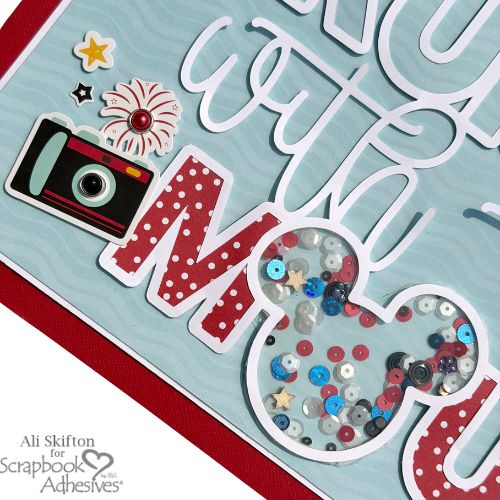
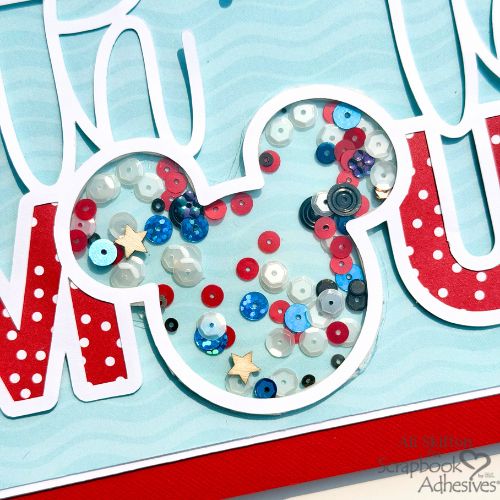
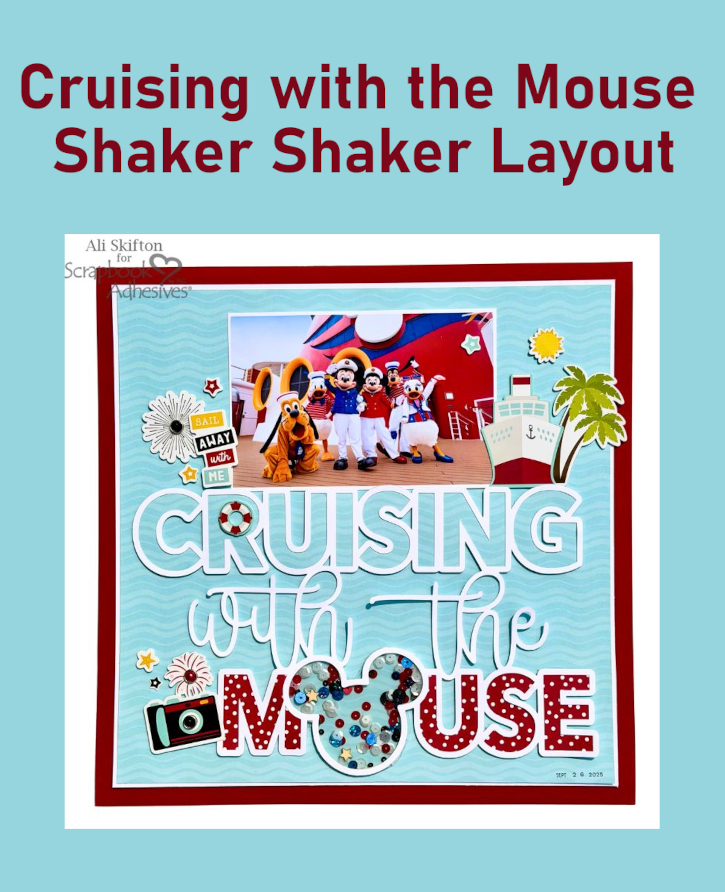
Hi, Ali (FunAdventuresWithAli) here today! This cut file was perfect for documenting my very first Disney cruise, Cruising with the Mouse Shaker Layout. Once I saw the file design, I knew that Mickey’s head had to become a shaker! I couldn’t resist adding colorful sequins and stars inside Mickey’s head, creating the perfect little bit of movement to represent the waves of the ship sailing across the water.
Cruising with the Mouse Shaker Layout Story 🚢✨
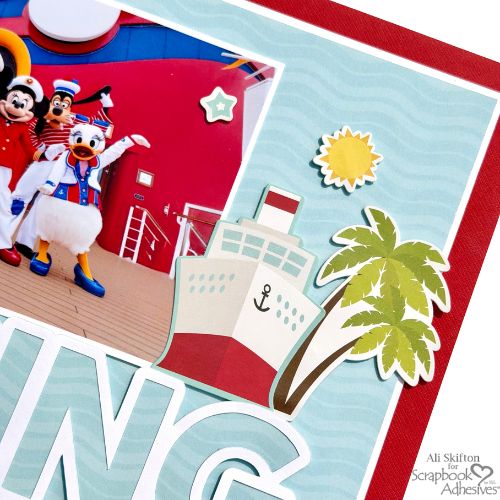
Anne and I took our first Disney cruise last September, and it was hands-down the best cruise I’ve ever been on! From the moment we boarded, we were greeted by all our favorite Disney characters, who were dressed in the cutest sailing outfits and ready to welcome us aboard. ❤️
Cut File Details
I used the Disney Cruise collection from Echo Park for this layout and absolutely loved the water-themed patterned paper. I wanted to create a sense of movement in my title, especially for the word “Cruising,” so I used the same water paper to back that word and also as my background. It makes the page feel like we’re right out on the open sea! 🌊
The Mouse Shaker Feature
I backed the word “Mouse” with the adorable red polka dot paper to make it really pop. For Mickey’s shaker, I first backed his head with acetate and then layered 3D Foam Strips around the entire opening. After adding the colorful sequins and stars, I peeled the backing from the 3D Foam Strips and adhered another piece of acetate. This lets you see the water paper behind the shaker, making it look like Mickey is floating right along the waves!
I love how classic and clean this layout turned out. The red, black, and white color combination reminds me of the classic Disney look and fits perfectly with the amazing crew who greeted us when we boarded the Wish.
Here’s to happy sailing, magical memories, and many more Disney cruises! ⚓️✨🛳️
Thanks for visiting! Ali Skifton (FunAdventuresWithAli)
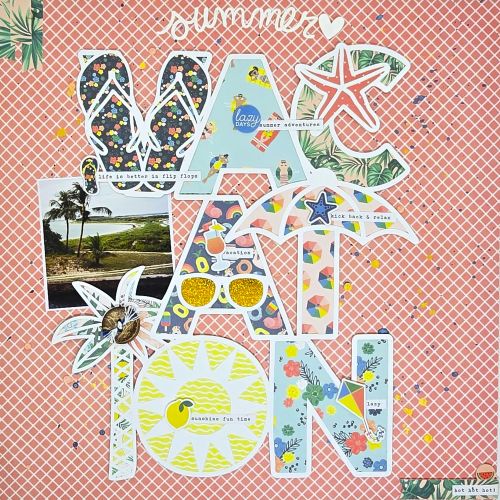
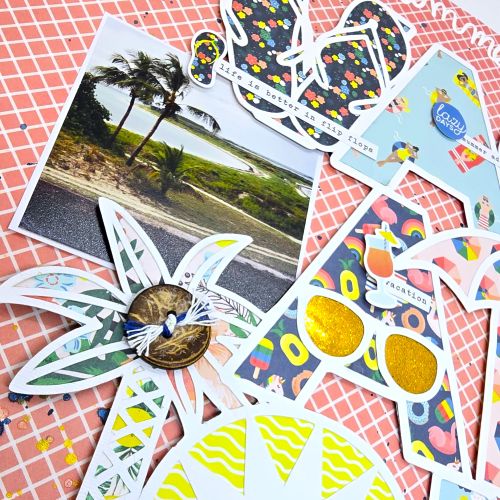
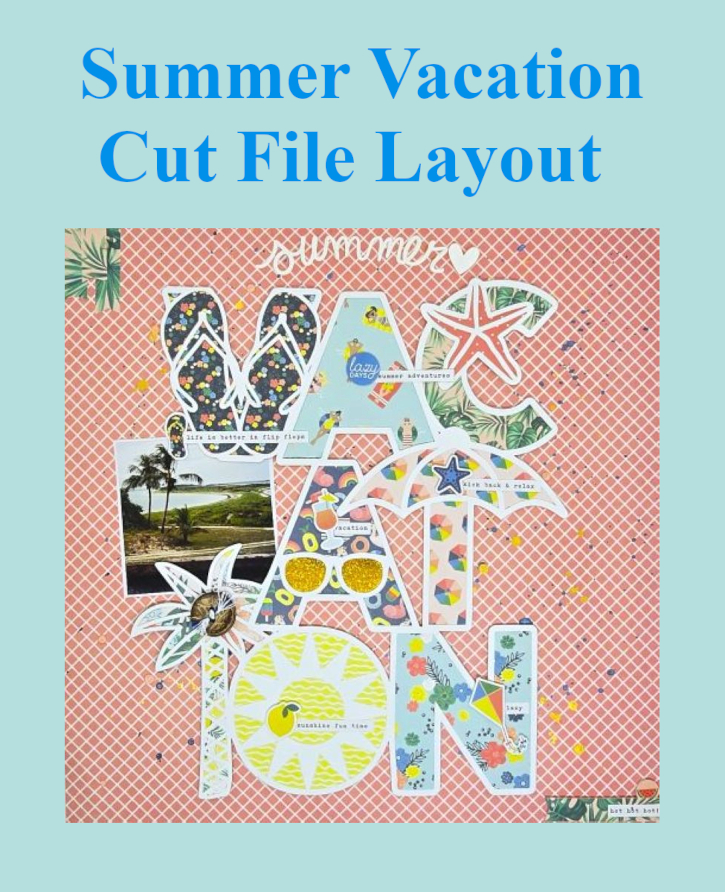
It’s Kristin here today to share a 12×12 Summer Vacation Layout with you. I combined the cheerful Simple Stories Sunshine & Blue Skies Collection with a bold vacation cut file to showcase one of my favorite vacation memories in Key West, FL.
Starting the Vacation Layout
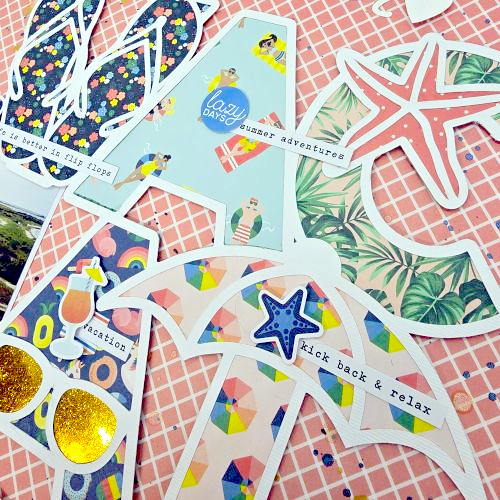
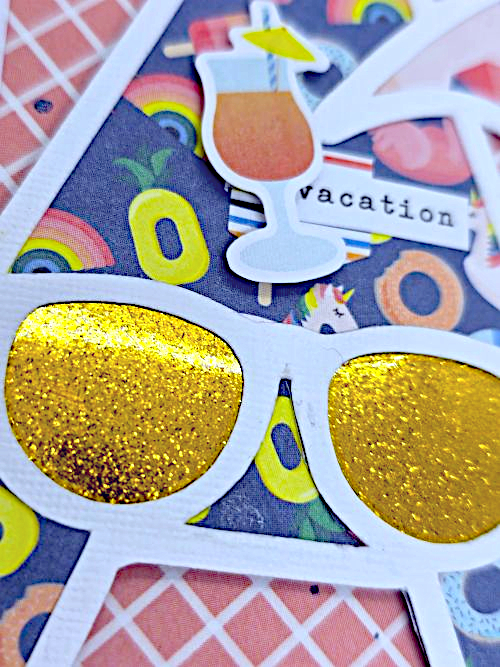
The vacation cut file immediately became the focal point of my design. To start, I backed each letter of the cut file with a different patterned paper using my favorite Dual Tip Glue Pen. To make the sunglasses stand out, I backed that portion of the cut file with yellow glitter specialty paper. The subtle sparkle catches the light and instantly draws attention to the center of the page. I popped the entire cut file using the Crafty Foam Tape White 108ft.
Building Visual Interest
The ephemera pieces are popped up with 3D Foam Circles White Mix. Raising the drink, starfish, and other embellishments creates beautiful shadows that add movement and interest. In addition, the foam adhesive separates each layer without adding bulk, making every detail stand out.
Final Touches
I used my E-Z Runner® Petite Permanent Dots Refillable Dispenser behind smaller embellishments and sentiment strips to finish the layout while keeping everything securely attached. To finish, I added paint splatters across the background. These tiny pops of color create extra texture and reinforce the playful vacation/summer theme.
Happy scrapping, I hope everyone is enjoying their summer. Thank you for visiting! Kristin Rizzo
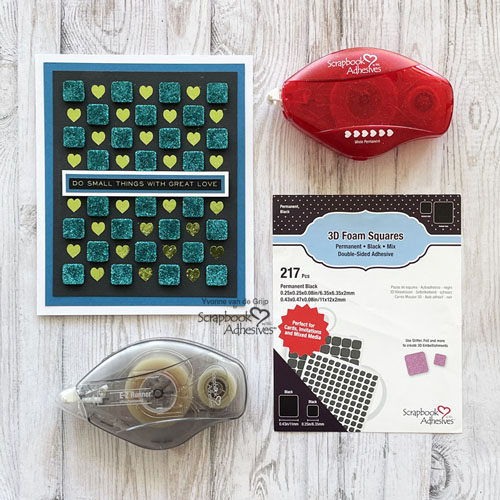
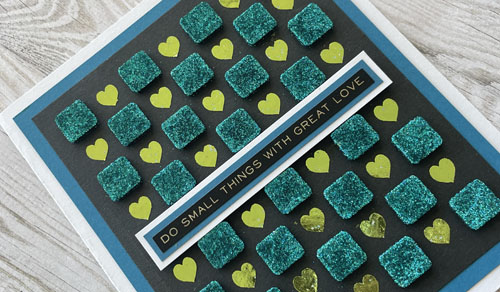
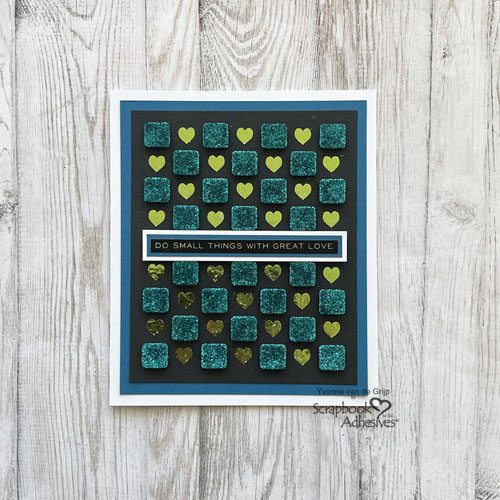
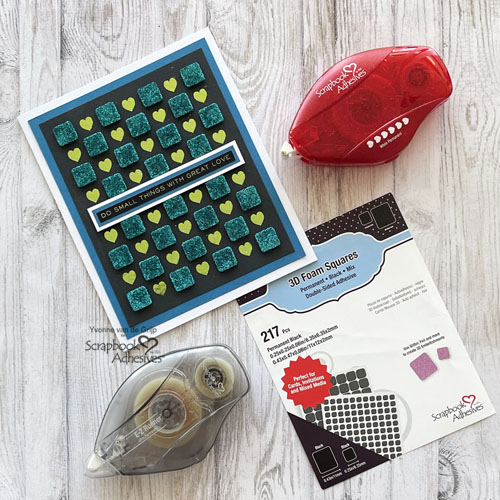
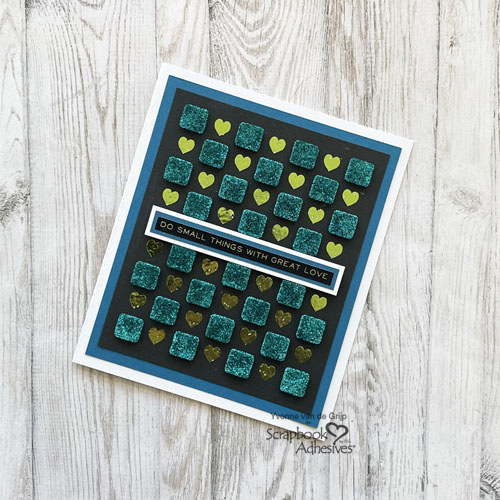
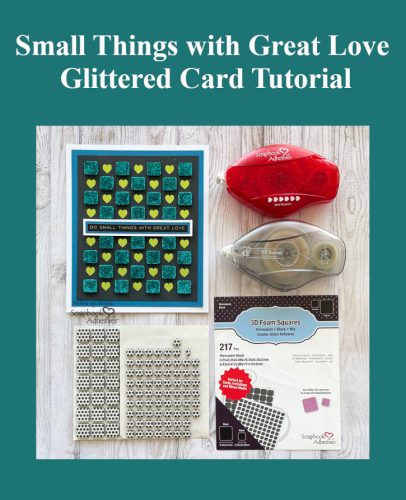
Hi everyone, Yvonne here with a Foiled and Glittered Card. This Small Things with Great Love Glittered Card is all about making your adhesive shine…. Yes, using the technique called Wear Your Adhesive on the Outside.
I would love to share how I made it. Will you join me?
Checkered Small Things Card Panel
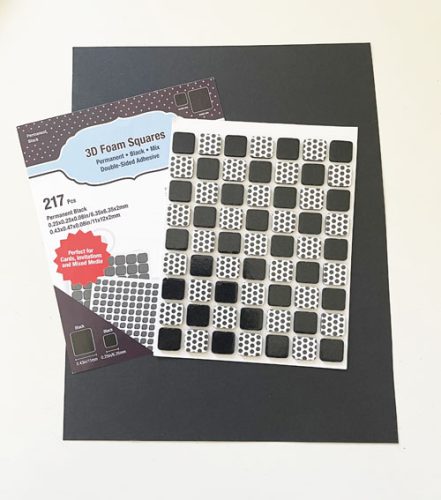
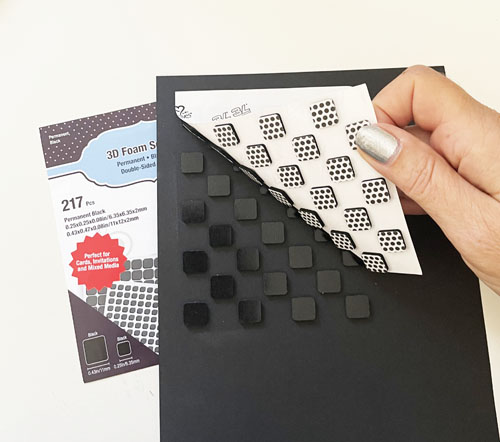
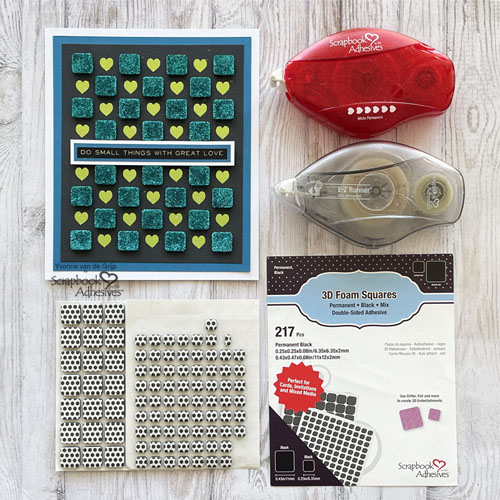
To embellish the top card panel, remove the liners of a sheet of regular size squares from the 3D Foam Squares Black Mix to create a checkered design as shown below. Carefully turn the sheet around and adhere onto a piece of black cardstock. Designer’s Note: Rub the sheet into the panel to secure. Next, carefully remove the sheet of 3D Foam Squares Black Mix.
The squares without the liners will stick to the black cardstock (checkered design). Cover with blue glitter, rub to secure, and tap off the excess. Trim the card panel to size. This easy technique making your adhesive shine is called Wear Your Adhesive on the Outside.
Foiled the Hearts
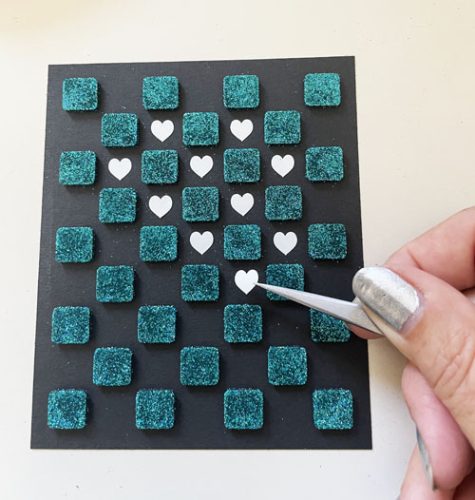
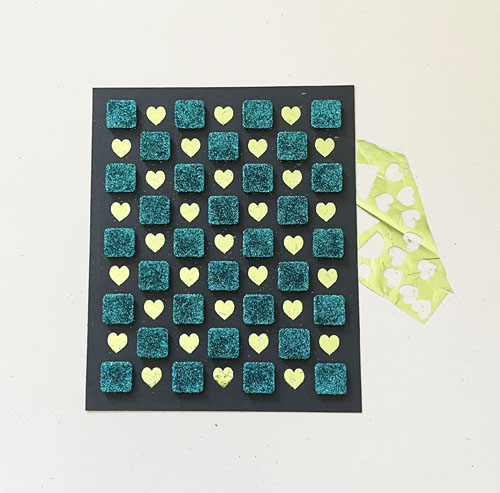
Create the heart pattern as shown in picture with the E-Z Runner® Hearts Refillable Dispenser. Designer’s Tip: For precise placement of the hearts, use a pair of tweezers.
Other: White, Black, and Petrol Blue Cardstock; Sentiment Sticker (Tim Holtz®: idea-ology®: Metallic Stickers: Quotations); Blue Glitter Blue; Paper Trimmer; Scissors
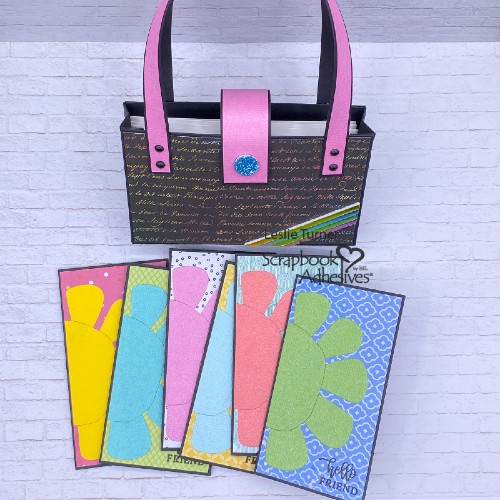
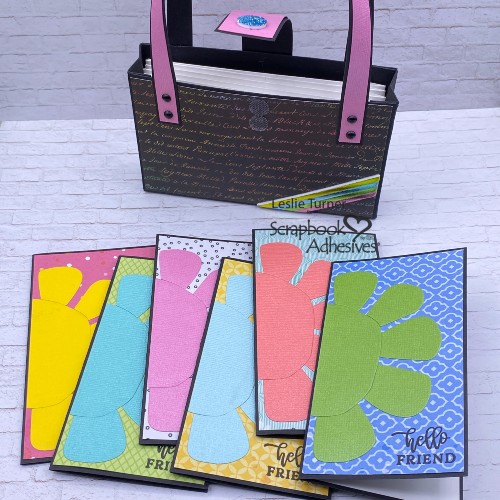
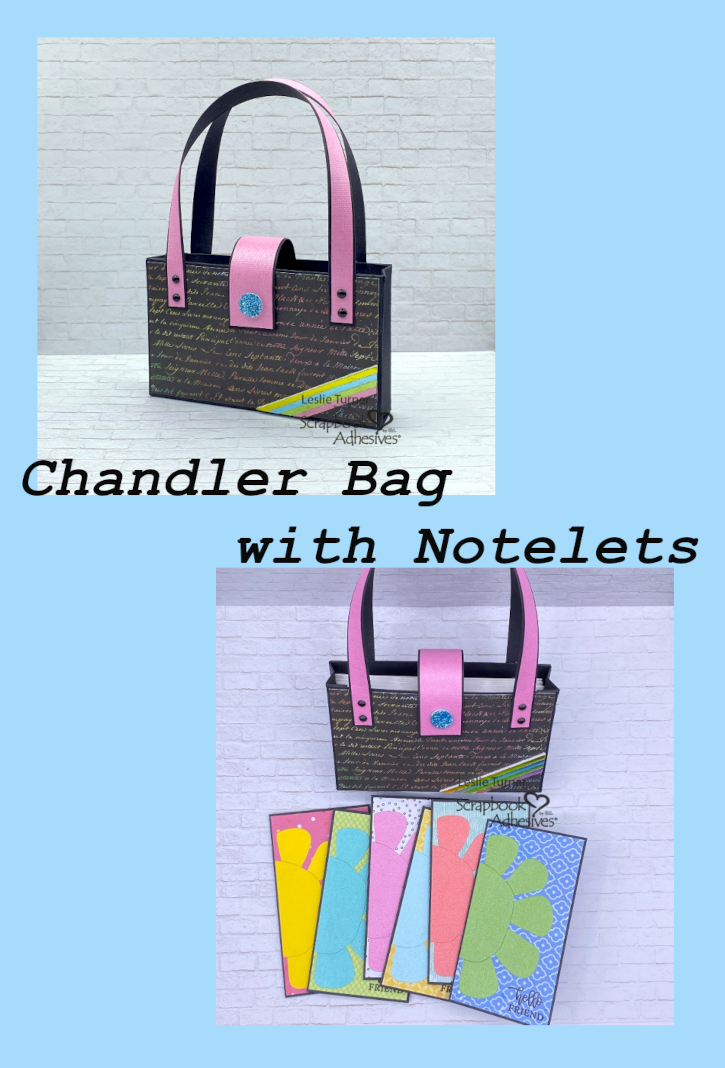
Hey everybody – I hope you’ve had a great week… it’s Friday! Are you a fan of pretty purses? I sure am, especially those made of paper! Leslie here with you today, sharing a Chandler Purse with Notelets tucked inside. The Chandler purse is actually one of my favorites to make and it’s always fun to add something extra! Notelets, small note pad, jewelry, candy, or whatever you’d like! I used lots of pretty paper and cardstock in my stash along with a nice variety of Scrapbook Adhesives products to bring this project to life.
Cut the Pieces
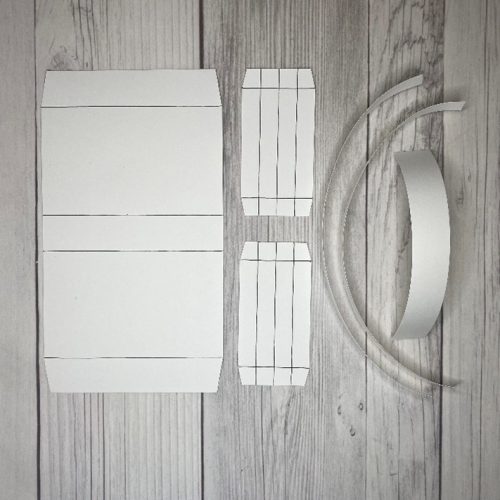
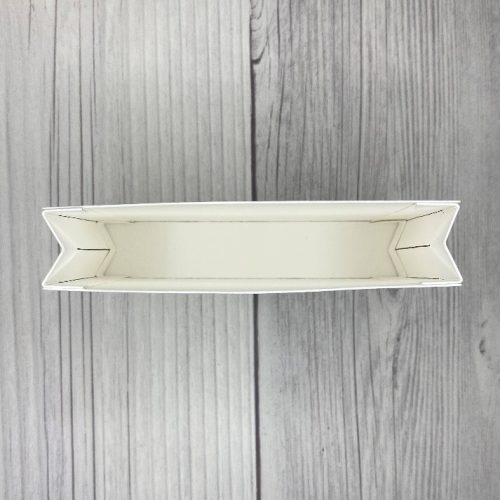
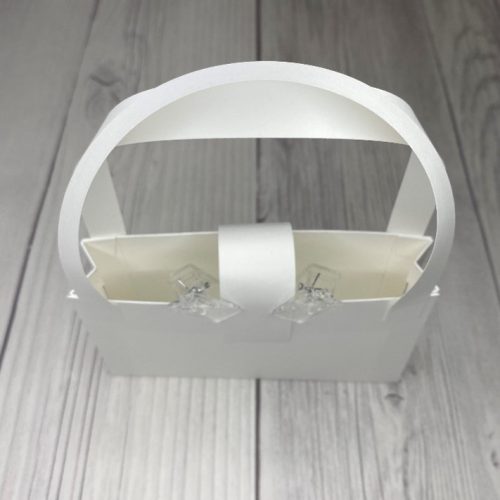
I knew it would be difficult to see score lines on black cardstock. So, for demonstration purposes, I constructed a purse from white cardstock as you’ll see in the following photos. Score lines for the base and side panels have been marked with a black pen.
PURSE BASE: Cut one at 5” x 9” and score at 1”, 4”, 5” and 8” with the 9″ edge across the top. Miter the corners of the 1” sections.
SIDE PANELS: Cut two at 2” x 4” and score at 1/2”, 1” and 1-1/2” with the 2″ edge across the top. Rotate 90 degrees and score at 1/2” and 3-1/2” with the 4″ edge across the top. Miter the corners of the 1/2” sections on both ends. Do this for both side panels.
HANDLES: Cut two at 1/2” x 11” and use a bone folder to gently curve them.
CLOSURE: Cut one at 1” x 4” and use a bone folder to gently curve the strip.
Assemble the Base
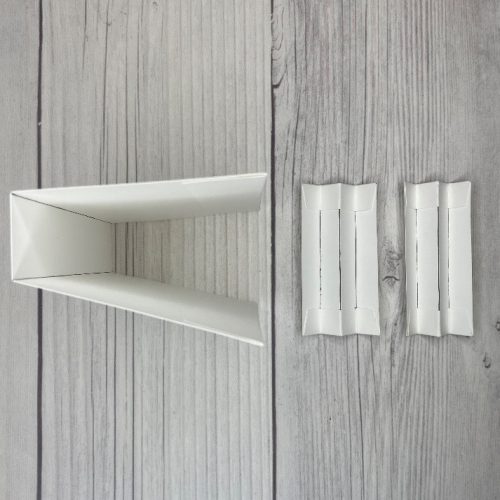
Firstly, fold on the score lines on the base (all valley folds). Adhere the 1″ flaps to the inside with Crafty Power Tape Polybag 81ft. This will create a U-shape.
Secondly, fold on the score lines on the side panels (valley-mountain-valley) in an accordion fashion. Then adhere the upper and lower flaps to the inside of the side panel with Crafty Power Tape Polybag 81ft. Do this for both side panels.
Thirdly, stand the base up with the bottom of the U on your craft surface. Now adhere one side panel to each side of the purse base with Crafty Power Tape Polybag 81ft. Make sure the 1/2″ flaps are on the inside.
Add Patterned Paper
Additionally, add your decorative patterned paper with the E-Z Runner® Grand Permanent Strips Refillable Dispenser: — 2-7/8” x 4-7/8” panels for the front and back of the purse base — 3/8” x 10-7/8” strips to the handles (cut two) — 7/8” x 3-7/8” panel for the closure strip
Adhere Handles & Closure Strip
We’re nearing the end of construction, so adhere both ends of one handle to the front of the base. Use the E-Z Runner® Grand Permanent Strips Refillable Dispenser to do this. Likewise, adhere both ends of the other handle to the back of the base. This will ensure that the handles can be separated to tuck the notelets inside.
Last step is to adhere one end of the closure strip to the back of the purse with the E-Z Runner® Grand Permanent Strips Refillable Dispenser. Attach the other end to the front of the base with Velcro circles or a magnet. Small clear clips are shown in the photo below temporarily holding the Velcro circles in place.
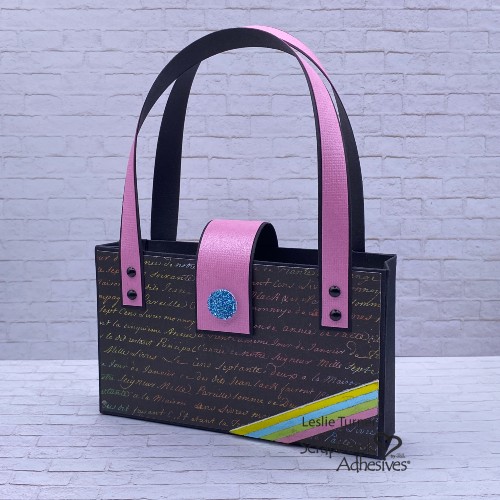
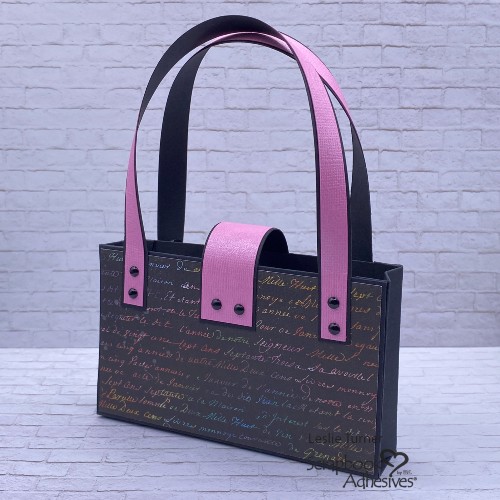
Finished Chandler Purse with Notelets
My finished Chandler purse features two embellishments made with the Wear Your Adhesive on the Outside technique. Embellishment #1 is the diagonal one in the lower right corner. It features yellow, blue, green and pink foil from the Metallic Transfer Foil Sheets Pastel Colors and 3D Foam Strips.
Embellishment #2 is the ‘button’ on the closure. Similarly, it uses blue glitter from my stash and 3D Foam Circles White Mix. Such an easy technique! Just remove the liner from the strips and press the foil (color side up) onto the adhesive. Same for the glitter… remove the liner, press the glitter onto the adhesive to secure, and tap off the excess. I also used small black brads on the handles and closure strip.
Let’s Make Some Notelets & Envelopes
Fashion a set of six 2-1/2″ x 4-1/2″ notelets from black cardstock to tuck inside the purse. Affix colorful patterned paper and a die cut to the front of each one. Stamp a simple sentiment on the front and add a white panel inside each one.
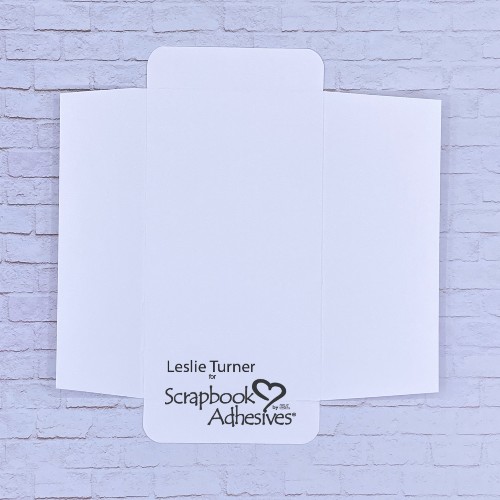
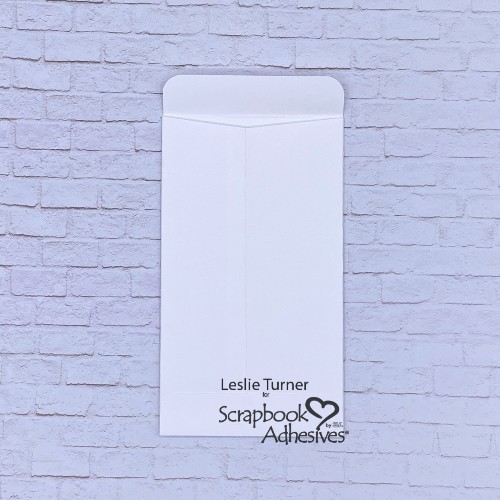
Since the notelets are an odd size, I designed a pocket envelope for them. Great choice for this is 65# copy paper, cut at 5-3/4″ x 6″. Score at 1-3/4″ and 4-1/2″ with the 5-3/4″ edge across the top. Rotate 90 degrees and score again at 5/8″ and 5-3/8″ with the 6″ edge across the top.
Miter the two wide flaps and fold the (shorter) left one over the right, and glue with Dual Tip Glue Pen. Round the corners of the upper and lower flaps and adhere the bottom flap with Dual Tip Glue Pen. I typically place a strip of Crafty Power Tape Polybag 81ft. on the top flap, leaving the liner in place. This is so the person using the cards can seal the envelopes.
That’s it for me today. Thanks for visiting! Leslie
Other: Paper/Cardstock: CutCardStock Green Curry, Jet Stream Blue, Flamingo, Rubber Ducky, Strawberry Cream, and Surf cardstock; Neenah Classic Crest 80# Solar White cardstock, Vicki Boutin Bold & Bright 6×8 paper pad Stamps: Hero Arts Here For You stamp set Ink: Versafine Onyx Black ink Dies/Punches: Vicki Boutin Floral and Butterfly Dies, Kadomaru Pro Corner Rounder Accessories: Fiskars 12″ ProCision Rotary Bypass Paper Trimmer, Making Memories blue glitter, Mini MISTI, 5/8″ Velcro circles
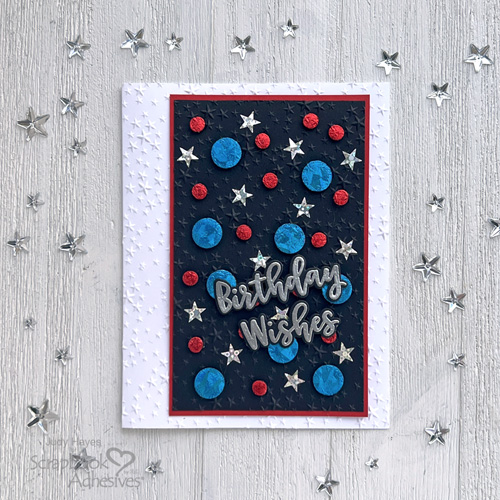
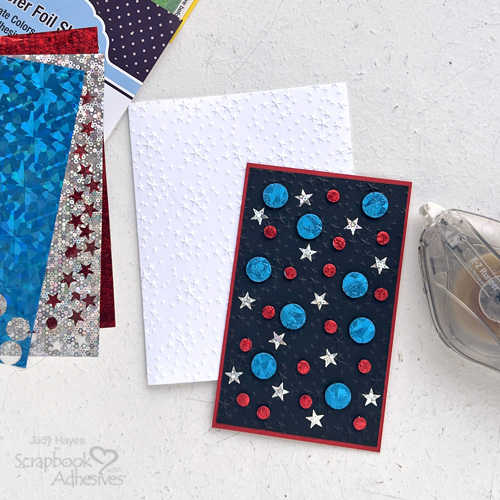
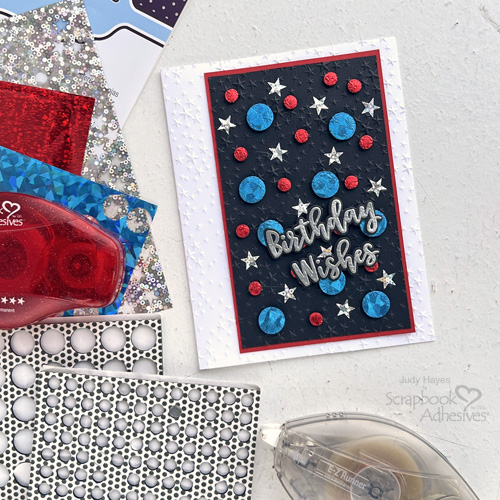
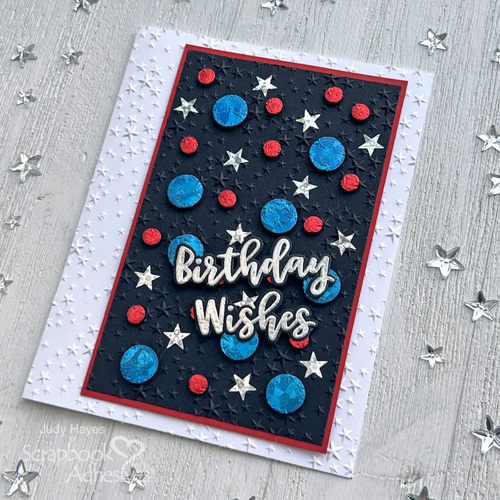
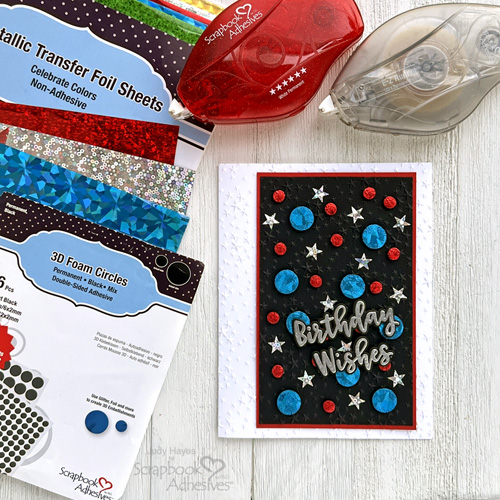
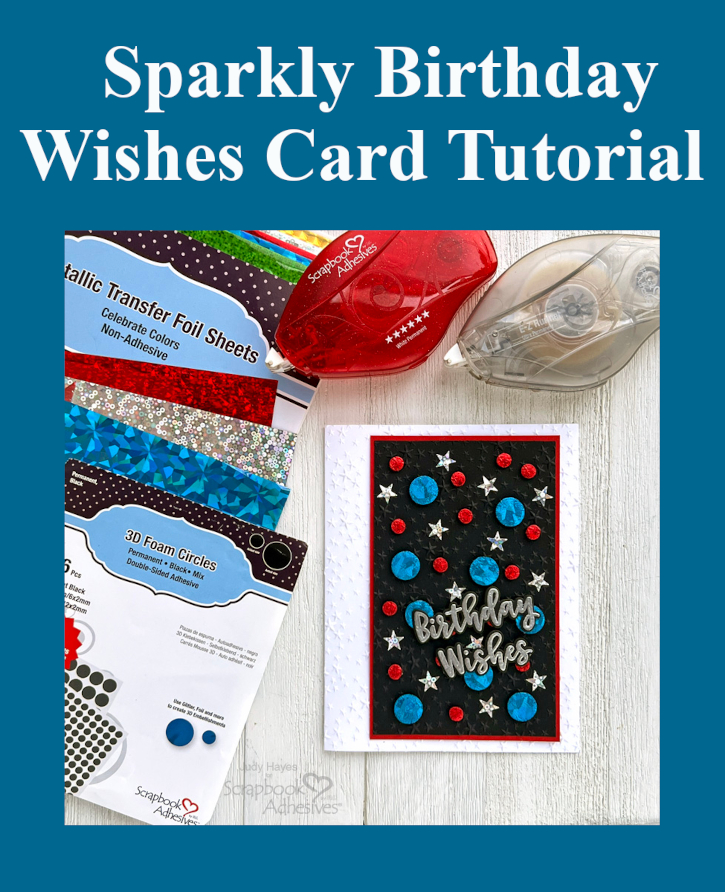
This Sparkly Birthday Wishes Card features stars covered with sparkly silver foil from Metallic Transfer Foil Sheets Celebrate Colors and circles from 3D Foam Circles Black Mix covered with red and blue foils. Embossed stars on panel and card front add texture interest. It’s a fun sparkly card!
Prepare Sparkly Birthday Wishes Layers
For the card base, cut white cardstock to 5.5 x 8.5 inches, score and fold to form 4.25 x 5.5 inch side fold card. We need card panels in 3 x 4.875 inch black cardstock rectangle and 3.125 x 5 inch red cardstock (for mat).
Emboss the Card Base Front
Use embossing folder and die cutting machine to emboss front of card with stars. Set aside
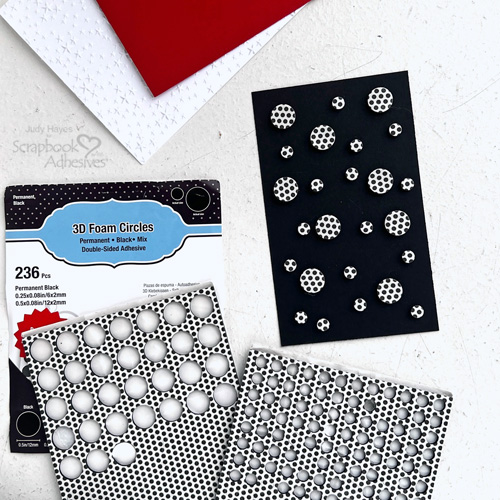
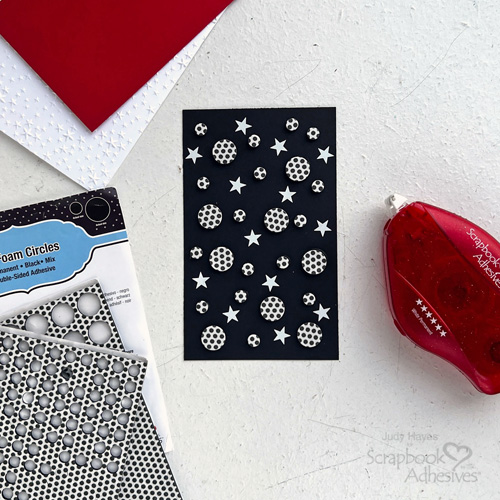
Next use E-Z Runner® Stars Refillable Dispenser to add stars between and around circles (Designer Tip: I used my fingers to rotate applicator dial so a star was at end. That way I could just press it in place.)
Apply Foil
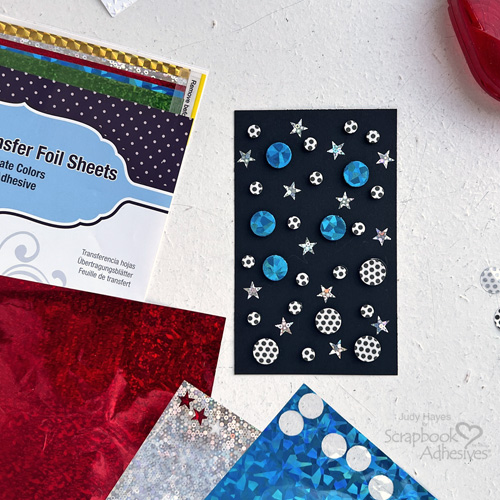
Take silver foil sheet from Metallic Transfer Foil Sheets Celebrate Colors, press on each star with the color side facing you. Peel off to reveal the color. Reapply the foil in missed areas.
Repeat the foiling steps with large 3D Foam Circles and blue foil from the Metallic Transfer Foil Sheets Celebrate Colors onto each one. Also, to the small 3D Foam Circles with the red foil.
Emboss Stars Panel
Place the embellished panel in the Shimmering Starfall embossing folder so that back of panel is on raised star side of embossing folder. Pass through machine to emboss. Reapply foil to any areas that feel sticky on large and small dots.
Stamp Birthday Wishes on black cardstock with Versamark ink. Then cover it with silver embossing powder, tap off excess and melt with a heating tool. Use coordinating die to cut out each word.
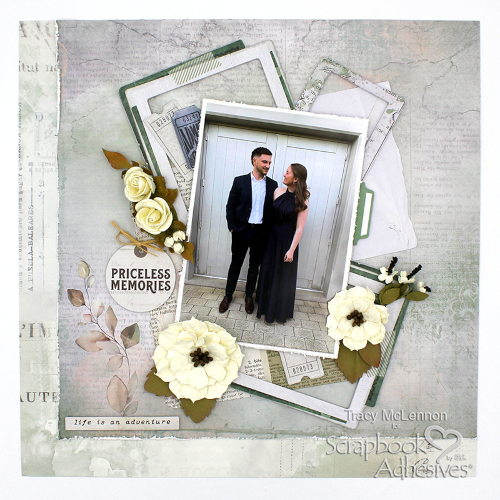
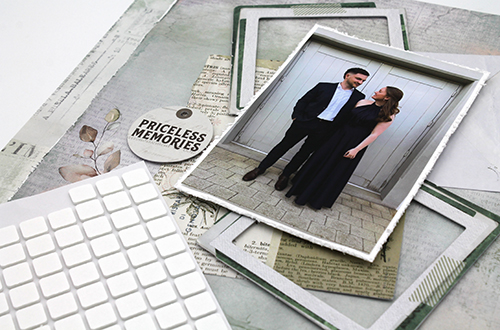
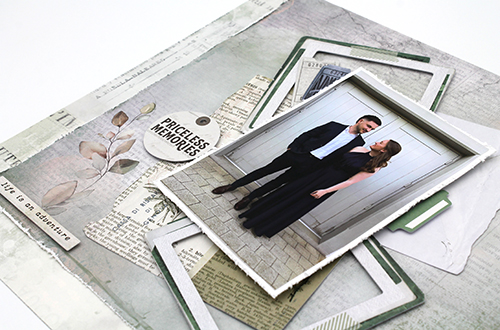
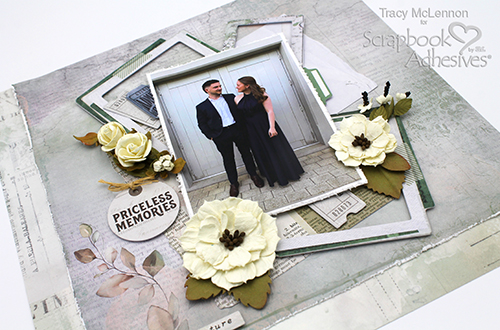
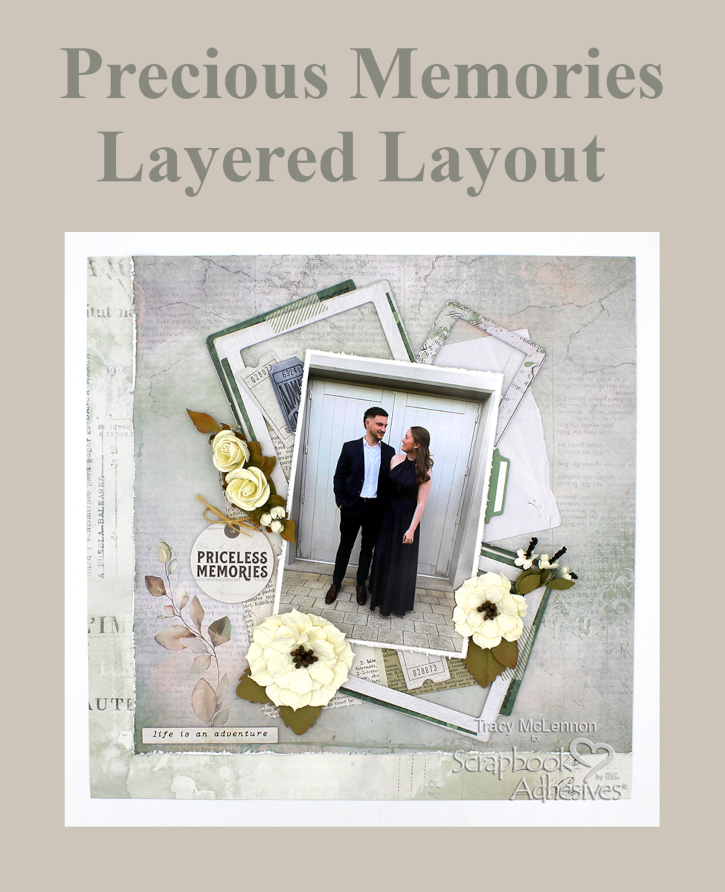
Hello scrappy friends! Tracy here and today I have a Priceless Memories Layered Layout to share. This tutorial will share how I create my multi layered layouts in just a few steps. Here are all of the details.
Let’s Get Started!
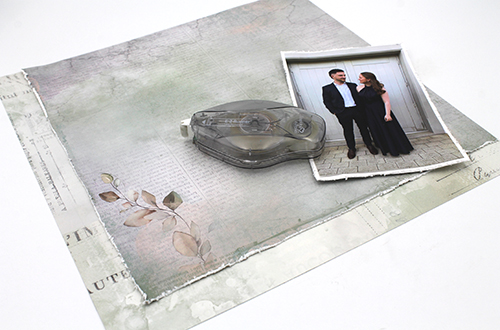
First I created a simple layered background by choosing 2 patterned papers, and cutting one down to 11×11. Distress 2 edges of the 11×11 patterned paper and adhere them together using the E-Z Runner® Ultra Strong Refillable Dispenser. Mat the 4×6 photo in white cardstock, and also distress those edges. Adhere the photo to the mat using the E-Z Runner® Ultra Strong Refillable Dispenser again.
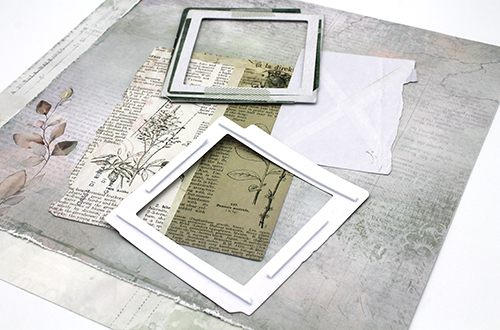
I chose a few larger ephemera pieces for the background of my lovely layered layout. The 2 bottom pieces are adhered straight to the background using the E-Z Runner® Ultra Strong Refillable Dispenser.
Helpful Hint
A little tip is to not add adhesive too close to the edges of pieces like this. This allows the edges to raise ever so slightly for a bit more dimension. Then you will add the large frames to the background using 3D Foam Strips.
Next step is to add the matted photo to the middle of the layout. I used 2 layers of 3D Foam Squares White Mix to raise the photo above the frames just slightly. Also add the sentiment tag using 3D Foam Squares White Mix.
Now is the time to start adding the smaller ephemera pieces around the matted photo. For this I used a combination of 3D Foam Squares White Mix and Thin 3D Foam Squares White Mix. This will again add dimension between all of the layers of this lovely layered layout.
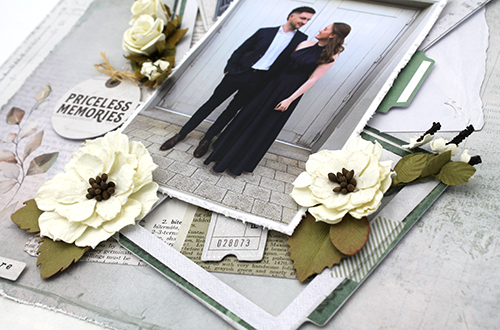
My final step is almost always to add the very dimensional flowers. Have an idea of where you would like them, but them add them in at the end. For adding anything more textured like these flowers I use Adhesive Dots 3D. This are thick and smooshy, perfect for adhering to oddly shaped items like flowers and stems. Also add a burlap string bow to the sentiment tag.
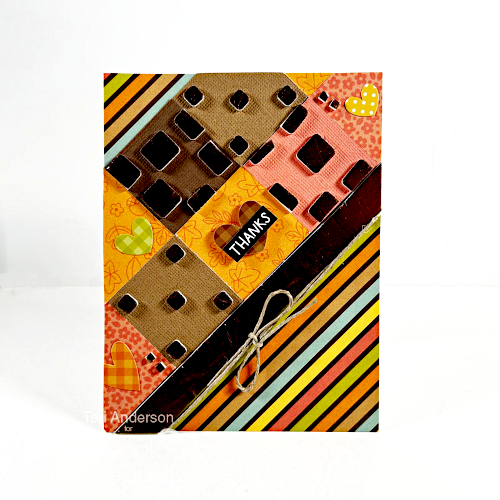
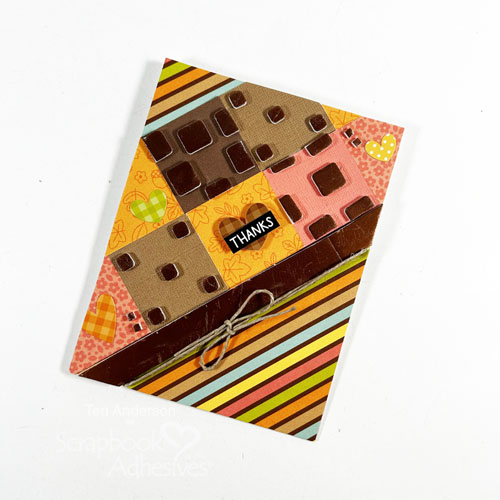
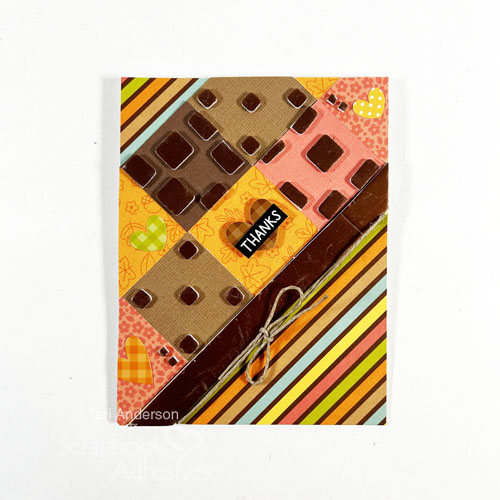
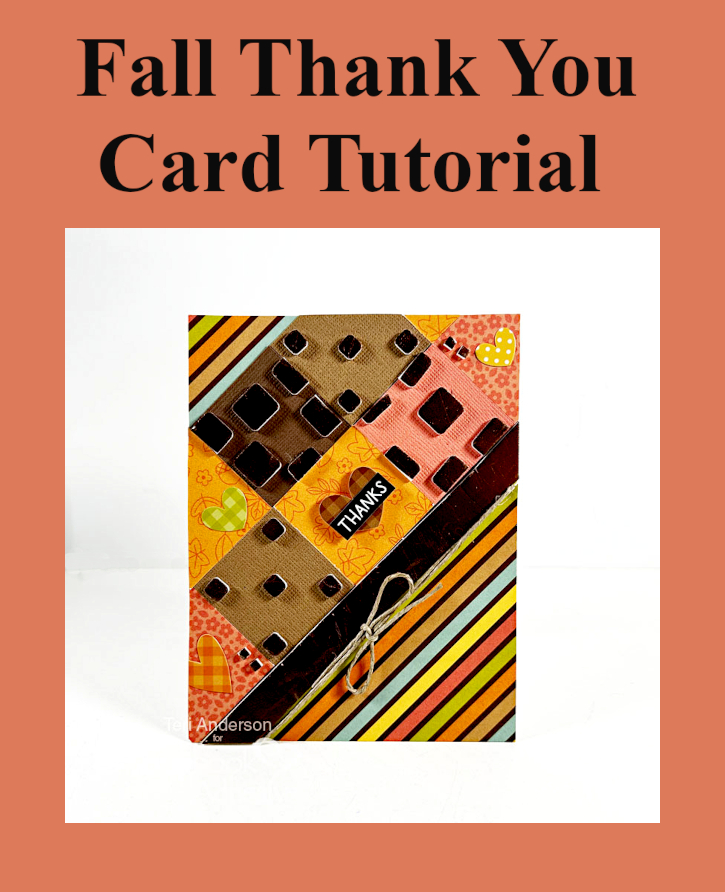
Hi, friends! Thank You cards are always appreciated, and Teri here to show you how to make a fun Thank You card that’s perfect to send out in the Fall.
Make the Card Front Design
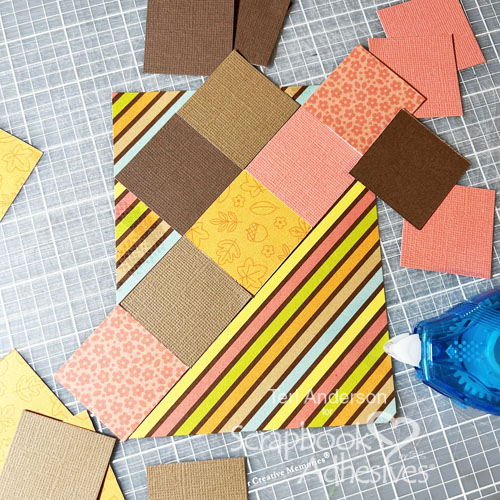
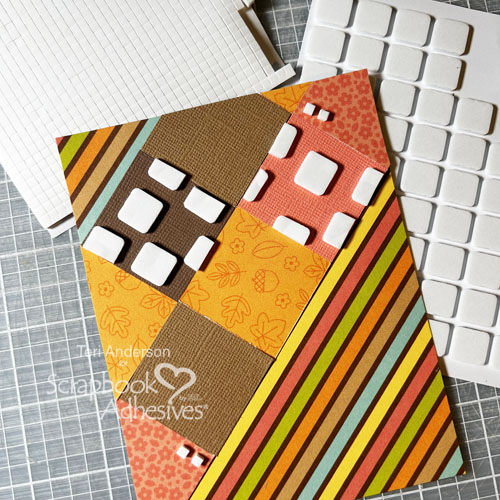
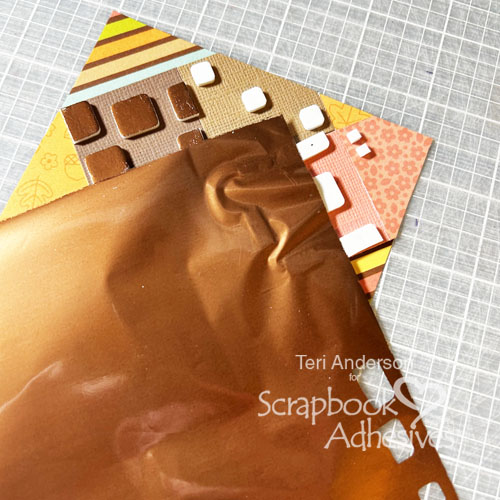
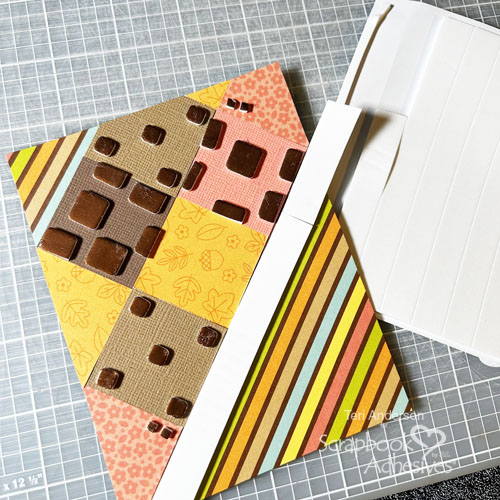
Cut several squares of cardstock and patterned paper – make sure they are fall-themed. On a patterned paper panel, line up the squares and adhered them with the E-Z Runner® Petite Permanent Dots. Trim off the excess. Place several 3D Foam Squares and 3D Foam Micro Squares onto the squares.
Wear Your Adhesive on the Outside with 3D Foam Squares and Strips
Pull out a pack of Metallic Transfer Foil Sheets in Nature Colors and apply foil to the squares. I find it’s helpful to apply it to only a few squares at a time. Remember to place the foil onto the squares with the pretty side up. Consider turning the paper as you go for easier application.
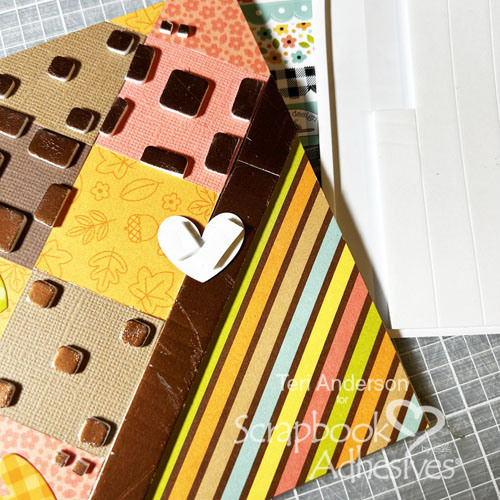
Add a strip of 3D Foam Strips Large to the bottom of your square design. If your strips aren’t long enough, no worries! Just add more strips. Trim the excess. Repeat the foiling steps as I did with the squares.
Add the Finishing Touches
Add some Fall-themed stickers (or ones that fit your color scheme) to the open spaces on your squares. Pop one of the stickers up with 3D Foam. Set the sticker on a pant leg (or your shirt) to make it less sticky. Apply a few pieces of the 3D Foam Strips Large onto it and adhere it to your card.
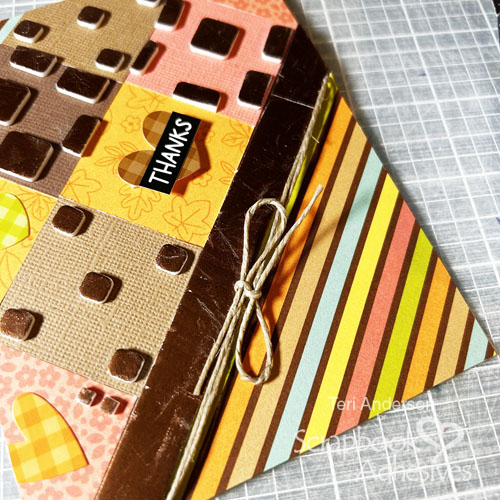
Stamp a sentiment strip (or use a sticker) to add a sentiment to your card. Place it on top of one of your stickers or put it elsewhere on the card.
Finish your card by adding some jute to it. I snipped a little notch right under the 3D Foam Strips to anchor the jute when I tied it around the card. Use Adhesive Dots to keep the bow in place.
That’s it for today! I hope you enjoyed today’s tutorial and are inspired to make a Fall-themed Thank You card of your own!
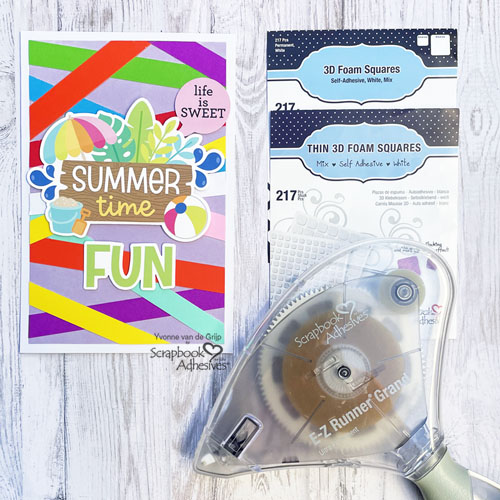
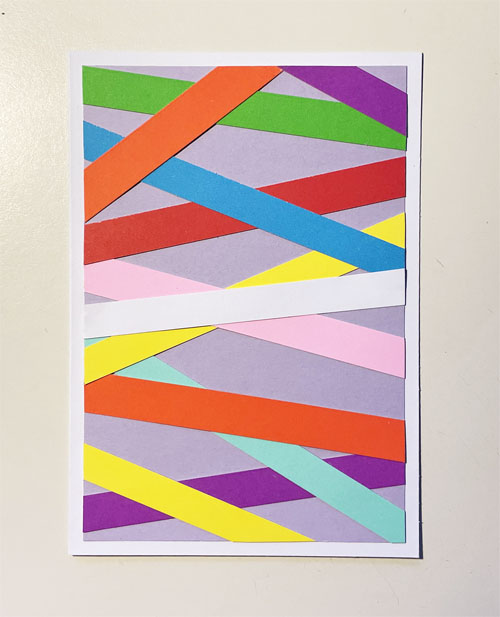
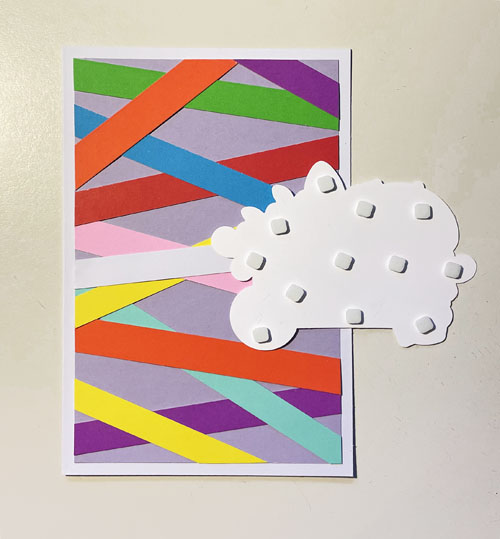
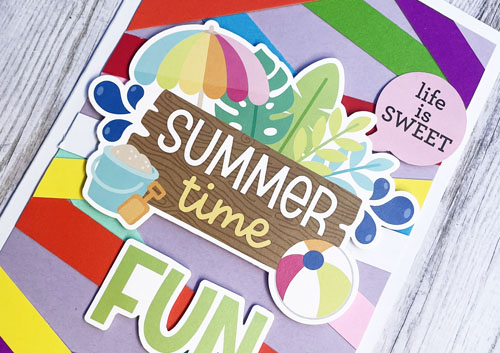
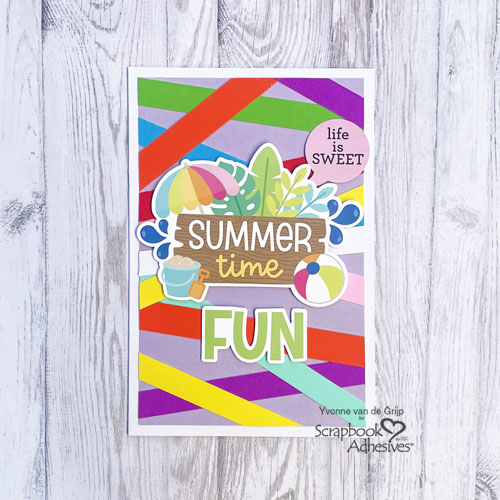
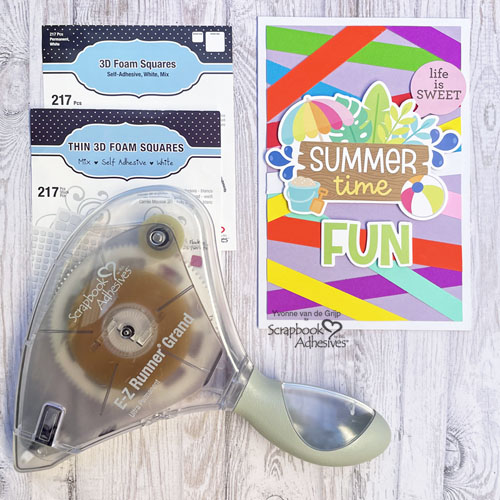
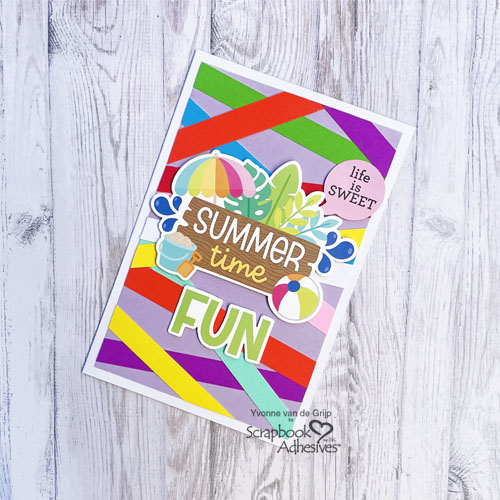
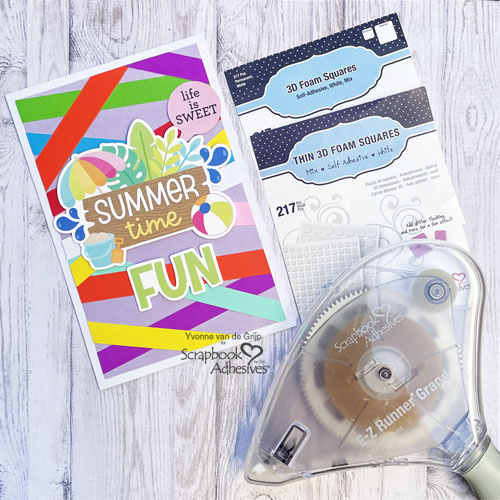
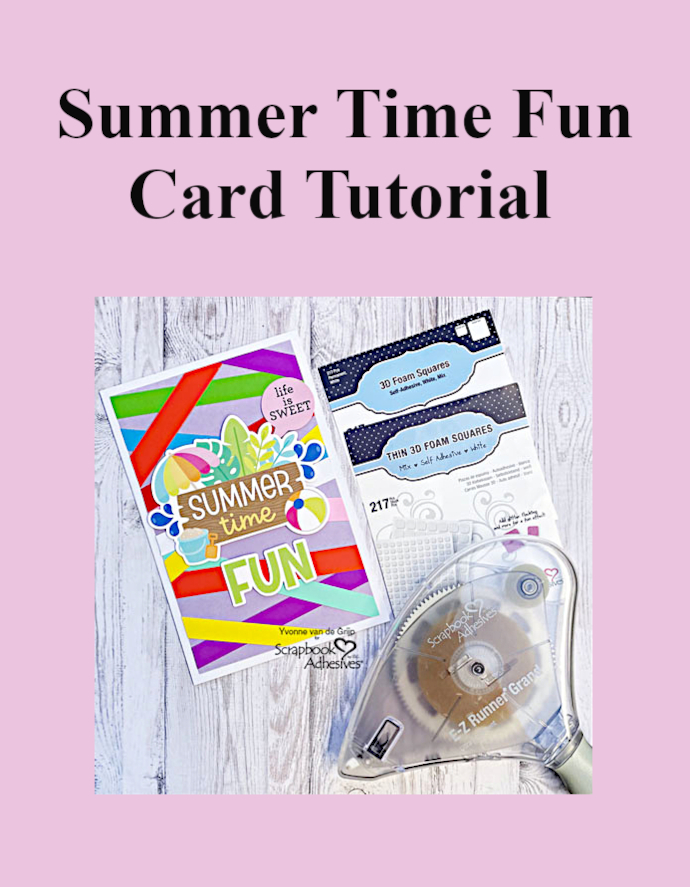
Hi everyone, Yvonne here with a fun and easy to make Summertime Fun Card. Since it’s summer themed, I used bright and happy colors – the background is made with scraps of paper. Isn’t that fun?! The card is very easy to create, making it suitable for beginner card makers. Let’s get started!
Top Card Panel
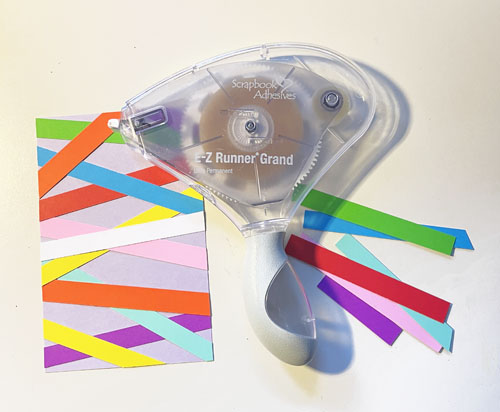
First trim a piece of lilac cardstock into a rectangular card panel. This is the base background of the top card panel for the Summertime Fun Card. Then bright colored paper scraps to strips of about ¼ inch wide.
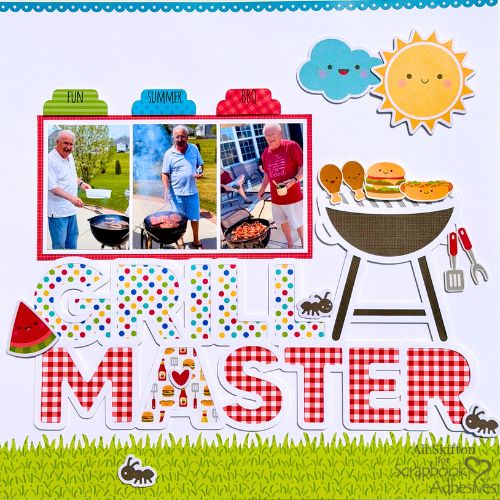
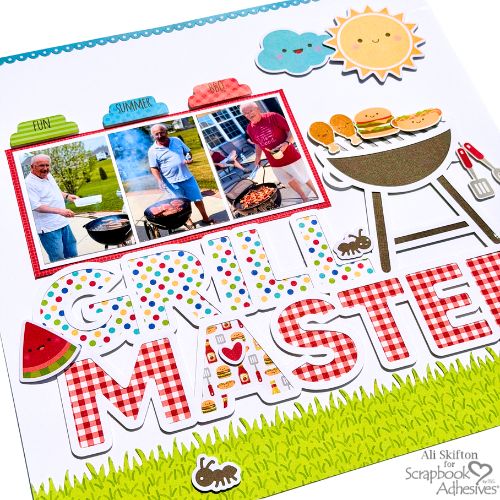
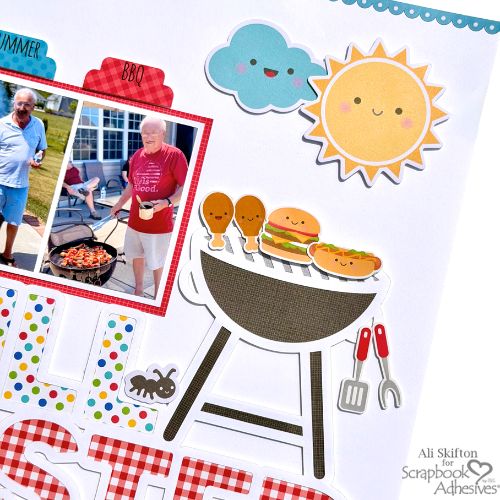
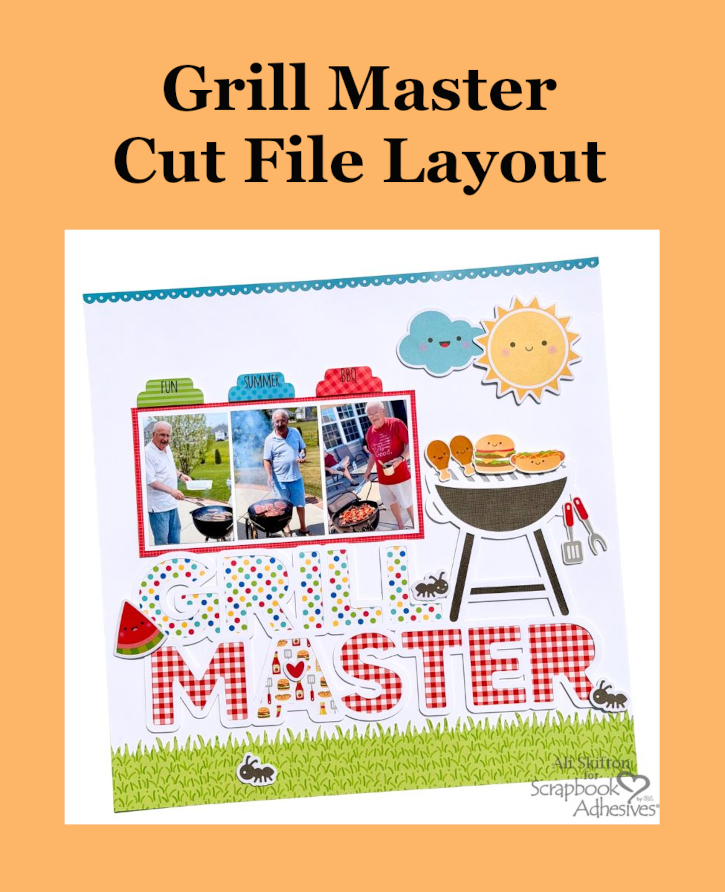
Hi, Ali (FunAdventuresWithAli) here today! I’m having so much fun creating summer-themed scrapbook layouts! This one, Grill Master Layout, features my favorite grill master—my dad. When I saw this adorable cut file, I knew it would be perfect for documenting his annual summer cookouts. Every cut file deserves a little extra dimension, so I reached for my favorite Crafty Foam Tape White 108ft to give this page plenty of pop!
Grill Master Layout Back Story
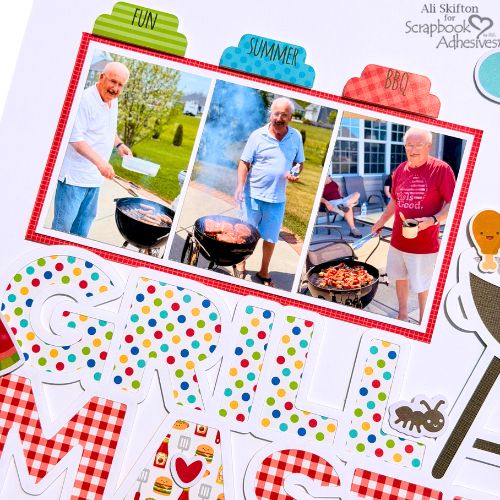
My dad’s grilling season officially kicks off on Memorial Day weekend (which also happens to be my birthday weekend!) and continues through Labor Day. Throughout the summer, he’s always firing up the grill with steaks, burgers, brats, chicken, and his famous baby back ribs. Family cookouts are some of my favorite summer memories!
Creating Dimension with Cut File and Ephemera
To bring this page to life, I backed the cut file with papers from the Doodlebug Design Bar-B-Cute collection. I used three different patterned papers to create a bright, cheerful background that looks like the perfect picnic is about to begin. Then I added fun embellishments like watermelon slices, hearts, and, of course, a few ants! They could smell all that delicious food and didn’t want to miss the cookout either!
The grill was definitely my favorite part of this layout. I had so much fun adding the hamburger, hot dog, and chicken to the grill, and I couldn’t resist hanging a couple of grilling utensils on the side—just like my dad’s grill at home!
I’ve been waiting for the perfect combination of a cut file and collection to document my dad’s love of summer barbecuing, and this one couldn’t have been more perfect. I hope this layout inspires you to document your own favorite summer traditions before grilling season comes to an end.
Happy grilling, happy crafting, and thanks so much for stopping by!
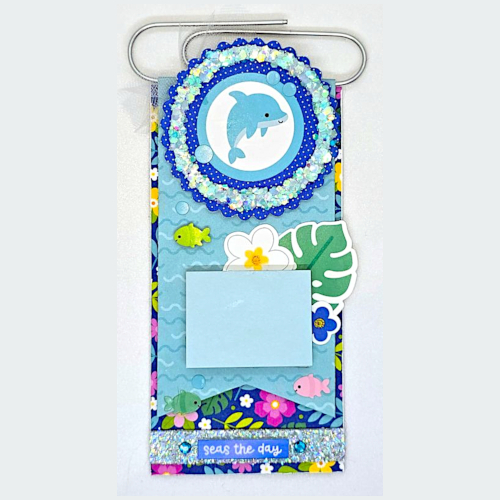
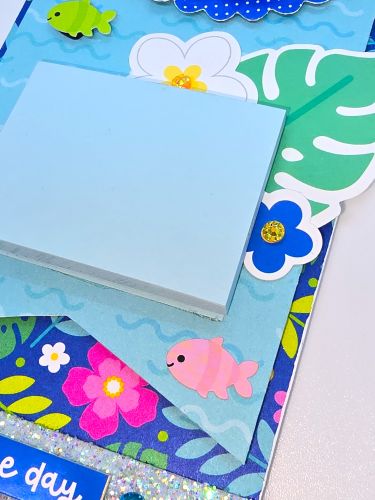
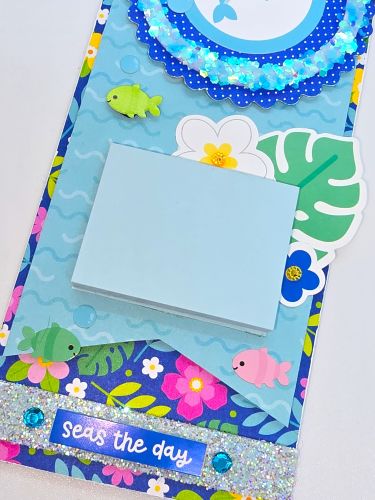
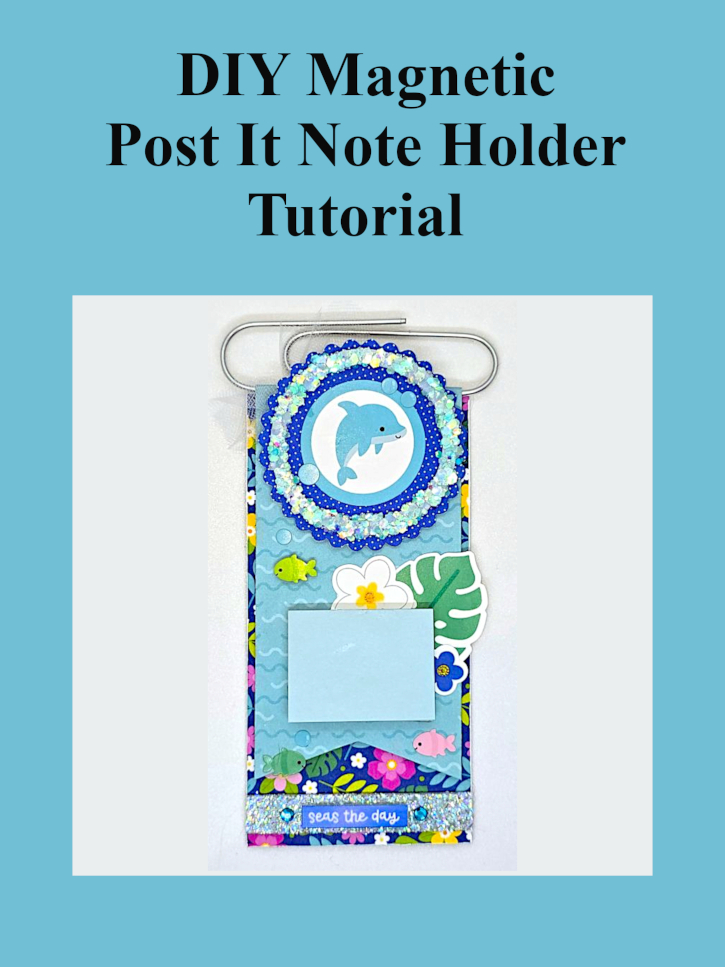
Hello crafty friends, it’s Kristin here today. Are you looking for a fun and functional summer papercraft project? Today I’m sharing this adorable Magnetic Post It Note Holder featuring my favorite adhesives from Scrapbook Adhesives by 3L and the bright and cheerful Doodlebug Design Summer Fun Collection. This easy DIY project is perfect for your office, craft room, or as a thoughtful handmade teacher or friend gift. Not onlydoes this project add a splash of summer to your workspace, but it also keeps your Post-it Notes within easy reach.
Whether you display it on your refrigerator, office cabinet, or craft room organizer, this magnetic holder is sure to brighten your day. Best of all, it comes together quickly using a few supplies and reliable adhesives.
Building the Decorative Focal Point
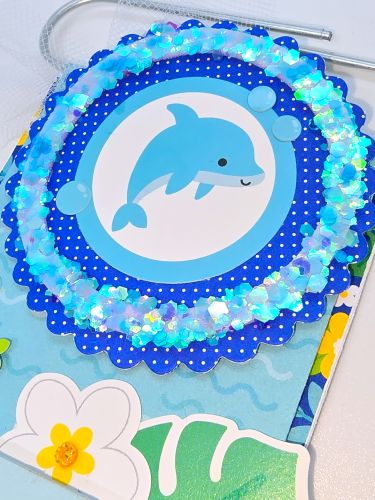
The adorable dolphin becomes the star of this project. I created the layered circle embellishment by die-cutting the polka dot blue patterned paper and layering the dolphin die cuts using 3D Foam Squares White Mix.
For the circle, I used one of the 3D Foam Circle Frames White. You’ll adhere it to the scallop circle first. Then I peeled the backing off and used chunky glitter from scrapbook.com and added it the foam circle. I love how it looks like sparkling water.
Creating the Magnetic Base
Begin by covering the chipboard base with patterned papers from the Doodlebug Summer Fun Collection using the Extreme Double-Sided Tape 1/2in. This adhesive creates a strong bond while keeping everything smooth and flat. I then created a banner slightly smaller than the chipboard and layered that on top of my covered chipboard using, Crafty Foam Tape White 108ft. In order to attach the large paperclip, I left about 1/2″ extra paper at the top of the banner and folded it over the top of the large paperclip. I adhered that extra 1/2″ to the back of the chipboard to secure the paperclip using the Extreme Double-Sided Tape 1/2in.
After that, I added a strip of 3D Foam Strips Large White to the bottom of the chipboard. Like I did with the foam circle frame, I added fine glitter across it for some extra sparkle. I then layered my “Seas the Day” sentiment over the glitter using 3D Foam Squares White Regular to create a little more dimension.
Add the Finishing Details
Attach tropical leaves, flowers, fish, and additional die cuts using a combination of Extreme Double-Sided Tape 1/2in. & 3D Foam Circles White Mix. Mixing flat and dimensional elements creates visual interest throughout the design. Secure the Post-it Note pad with Extreme Double-Sided Tape 1/2in, which will keep the pad firmly in place. Lastly, adhere a magnetic strip to the back of the chipboard using the Extreme Double-Sided Tape 1/2in so your project is ready to display on any magnetic surface.
Happy crafting & thank you for visiting! ✂️ Kristin Rizzo
Other: Patterned Paper and Embellishments: Doodlebug (Summer Fun Collection); Glitter: Scrapbook.com (Mermaid) and Martha Stewart Crafts; Post It Notes; Paper Clip; Tulle; Teal Rhinestones; Chipboard; Magnet