Foiled trees are a wonderful thing! They are even wonderful sparkling throughout my winter wonderland village canvas! Hello friends, Linsey here today sharing my latest project featuring 3D Foam Trees and Craft Foils! Foiled trees have never been easier or more fun! Come take a stroll through my winter wonderland village and see what I mean!
Building A Scene
Allow a layer of white glitter paste to dry over the canvas base. Add a variety of chipboard pieces and stickers and arrange to create a winter village. Add perfect dimension with 3D Foam Circles White Mix, 3D Foam Squares White Mix, and Thin 3D Foam Squares White Mix. The variation allows you to overlap pieces slightly for a more realistic effect.
The 3D Foam Trees have different sizes and shapes, so they are unique and that makes them very cool. Think of how fun it would be to add foils to the trees in other colors like gold, silver, red and blue for the holidays! The 3D Foam Holiday Embellishment Kit is perfect for this and a must-have for the holiday season! I just love foiled trees!!
Imagine gazing into the village shop windows as the glorious green trees glisten along the snow-covered street. How charming, indeed! My little winter village simply wouldn’t be as magical without these fabulous foiled trees! Don’t you agree?
If you recall from a previous post, I was working on an Advent Journal (see it here: Creating an Advent Journal Cover Tutorial) this year instead of a December Daily. Today I am sharing a bit more this journal with you. Here is a bit how I created the pages shared, specifically the one pictured here.
Adding Tabs and Paper Strips
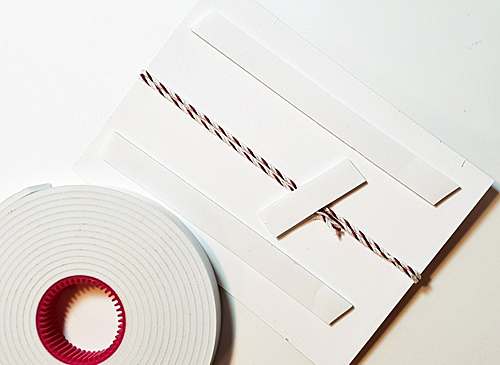
Using my trusty, go-to E-Z Runner Grand Permanent Strips dispenser, I added adhesive to a strip of double-sided Christmas patterned paper.
I had a flap that overlapped from a previous entry, I wanted to use it in a neat way, so I used it as a tip-in. A tip-in is adding a separate piece of paper into your journal. It will add extra space to the entry allowing you to journal or add other elements that wouldn’t normally fit.
Then I added a tab to the tip-in. Again, I used the E-Z Grand Runner to do this, adhering it to either side of the paper.
Journaling is now added, I used a white pen because I wanted to have some softness to the page.
What About That Envelope?
Wondering about that envelope I have in the middle of the page? I have step-out pictures on how it was placed. My envelope was created with an envelope tool, but you can use any envelope you may have around. Maybe you have a favorite envelope you’ve been waiting to use on the perfect project? Pssst?!? I’m telling you, use it now!
I used Adhesive Dots Medium to affix the envelope to the page. Look at the picture above and see how I used 5 dots to do this. Adding the envelope to the page, I then began to add finishing touches here and there to complete the page.
Sharing The Entries
Here is a bit more of the details, I wanted to share as much as possible with you on these pages, the previous entries all kind of run into each other. It’s continuous as the Advent period goes on, I will document pages and have even more ready to share with you next time!
Hello everyone! Are you all set for the holidays? There’s still time to make this Merry and Bright Button Christmas Tree framed home décor piece. Perfect on a mantel, hall table or even on a holiday buffet setting!
A Merry and Bright Button Christmas Tree Frame
First, paint frame black. Set aside to dry.
Cut burlap paper and cardboard to fit in frame opening by using the paper that was in my frame as a guide. Attach the burlap paper to the cardboard using E-Z Runner® Ultra Refillable Dispenser to make the background.
The Button Christmas Tree
Using a piece of white 3D Foam Creative Sheets, cut it to 2¼ x 3½ʺ rectangle. Mark the center on the 2¼ʺ side and draw lines from the center to the corners to create a triangle. Lastly, cut along lines to create your Christmas tree shape.
Trim off about ⅛ʺ from the point. Partially peel back liner starting at the top. Place buttons on 3D Foam allowing them to extend beyond edges. Continue to peel the liner and place the buttons until the tree is covered.
Note: I removed the small green button shown at the top in this photo – it acted as a place holder.
Sprinkle with glitter and shake slightly to settle glitter into buttonholes and spaces between buttons. Remove excess glitter by tapping off or with a small brush. Use lint roller or masking tape to pull off stray glitter, if needed.
The Finishing Details
Place burlap paper and cardboard in the painted frame. Align tree triangle on burlap and fasten by removing its liner from the back. Press in place.
Cut a piece of 3D Foam Creative Sheets for the tree trunk. Remove liner from one side and place it on a scrap of brown cardstock. Trim cardstock slightly larger than 3D Foam piece. Peel the backing and fasten at the base of the tree.
Stamp “merry and bright” on black cardstock. Heat emboss with gold embossing powder. Trim to size. Place small 3D Foam Circles Black Mix on back at each end. Fasten across the tree trunk.
Carefully remove a small star and its outline star together from a sheet from the 3D Foam Holiday Embellishment Kit. Place at the top of the tree.
Take the top liner off of the star. Place gold foil shiny side up on the star, rub to transfer the color, and peel the foil to reveal the foiling. Reapply if there are any missed areas.
Place small circles from 3D Foam Circles Black Mix on top of some of the buttons on the tree. Remove top liner from the 3D Circles and cover with gold foil. Rub and remove foil. Repeat to cover all of the circles.
Tada! Merry and Bright Button Christmas Tree is done!
Have a Merry and Bright Holiday season! Judy Hayes
Other Unfinished Wood Craft Frame, Art Glitter Ultra Fine Opaque Leaf, DecoArt Americana Satin Paint, DCWV Burlap Paper, Memory Box Typewriter Holiday Sentiments, Imagine Crafts/Tsukineko Versafine Onyx Black ink, Ranger Queens Gold Embossing Powder, Green, and Red Buttons, Black Cardstock, Brown Cardstock
Wow, do we have some good stuff for you this holiday season! We have 3, count ’em, 3 great giveaways happening with our partners Favecrafts, Scrapbook and Cards Today Magazine, and Creative Scrapbooker Magazine. See the details and find the links to enter below!
Favecrafts 12 Days of Christmas
At Favecrafts you’ll find this a-door-able Door Card by Beth Pingry, a complete tutorial and a chance to win a Keepsake Paper Crafting Giveaway and a Sleigh Full of Prizes of grand prize!
Looking for some last-minute Christmas card inspiration? Teri here, and I’ve got a quick card to share with you today. It’s quick to put together, plus it’s easy to give a bit of glitz to this card with products from Scrapbook Adhesives by 3L.
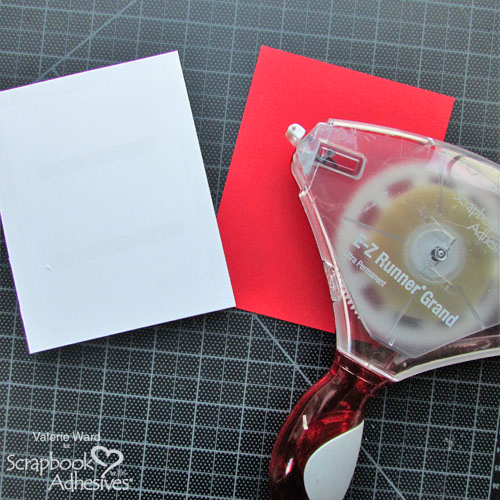
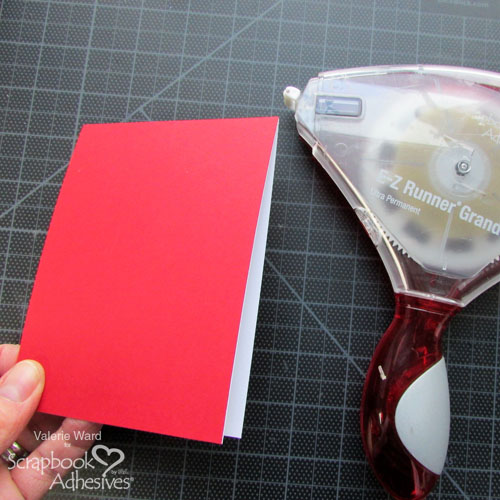
To make a card like mine, the first thing you’ll want to do is create a card base. Fold a 4 1/4″ x 11″ piece of white cardstock in half. Add a 4″ x 5 1/2″ panel of patterned paper to the top. Choosing patterned paper for a project like this can sometimes be difficult. I recommend looking for a paper with a small pattern on it rather than a large pattern.
Making the Tree
Next, you want to stamp and die-cut a Christmas tree and a couple presents. Use stamps like I used or pick something similar. Color your images in with markers and adhere them to your card. Want the presents to really pop? Mount them to the card with Thin 3D Foam Squares.
Now, place five to eight 3D Foam Circles onto the tree. Remove the backing paper and burnish Metallic Transfer Foil (or the foil from the 3D Foam Creative Embellishment Kits) onto each circle. Use your fingers or a bone folder to do this.
You can either use one color of foil or use several. There is no limit to the possibilities when using foil.
Add Some Stars
Now, stamp some snowflakes, starbursts or stars around the tree with black ink. The more stars you add, the merrier. Randomly place Adhesive Dots onto some of them. I prefer the Adhesive Dots Micro because of their small size. You may prefer a larger size. That is fine!
Remove the backing sheet and burnish some foil onto the Adhesive Dots. Be sure to really push the foil with your fingers onto the dots as you burnish them to ensure each dot gets completely covered with foil.
Complete your card by cutting a strip of cardstock that goes entirely across your card. Stamp a sentiment onto it and then adhere it with Thin 3D Foam Squares.
Other:
Christmas Scribbles Stamp Set and Matching Dies by Julie Ebersole for Ellen Hutson; The Brights 6×6 Paper Pad by Avery Elle; Green, Red and Yellow Markers by Copic; Black Ink Pad; White Cardstock
Welcome back, crafty friends! Are you ready for Christmas? Today I have some quick and easy Christmas place cards to share. I love everything about Christmas, and especially holiday crafting.
The holidays can get hectic, and if you haven’t pre-planned, there is probably not a lot of spare time to craft. Here are three quick and easy place card ideas that won’t take hours to create and will add holiday flair to your dinner table.
Pink and Sparkly Place Card
First up, the sparkly pink Christmas place card. For that unconventional tablescape.
This first place card consists of simple layers and a little bit of dimension. Use Adhesive Dots Medium Ultra Thin to add the snowflake die cut and the mini poinsettia. The glitter cardstock is added using 3D Foam Squares White Mix. The name plate is cut from white cardstock using a punch and added using 3D Foam Squares White Mix.
Sleek and Modern Place Card
The second place card gives more of a sleek modern Christmas vibe, for those that like a “less is more” table design.
Christmas joy made easy, okay maybe that’s a stretch. But capturing Christmas Joy was certainly made easier by the best adhesives around from Scrapbook Adhesives by 3L! Christine joining you today with a Christmas Scrapbook Layout and one especially fabulous tip!
Christmas Joy Layout Close-ups
This Christmas layout has lots of little details but there’s a couple I want to really focus on! First off, let’s talk about how amazing the E-Z Runner Grand Dot Permanent Refill is! A recent tip from team member, Margie, led me to try this refill for my cut-file title. I simply set the cut-file onto some scratch paper and rand my runner all over the backside of it. It picked up the dots and made it ready to adhere. Here’s a close-up look!
I’ve used several adhesives on my cut-files before – the E-Z Runner with the Micro Refill, Adhesive Dots, and the Dual Tip Glue Pen. While all of those worked well and got the job done, I think the Dots Refill is the easiest and quickest! I’m not sure why I had never thought of it before – but it certainly will be a standard in my arsenal now!
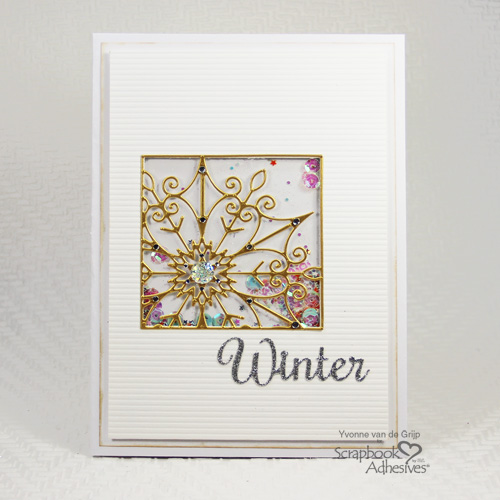
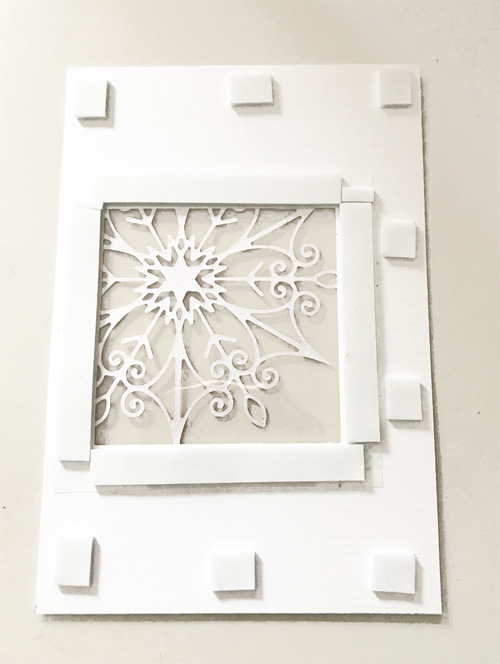
As I created this Christmas layout I cut out half-inch strips and laid them all across my cardstock. I did not aim to keep them straight – I just wanted a lot of wonky lines! I also didn’t know if I was going to cut out the tree and use it or use the negative space. Both ideas worked in my brain, but I need to get a visual! Because of that, and my uncertainty as to which direction I was going to go, I used the E-Z Runner Grand with the Dots Repositionable Refill to start. I then went back and secured them with the Dots Permanent Refill later!
All of this will make a little more sense in my video!
It’s a snow flurry kind of day here on the Scrapbook Adhesives by 3L blog. Hello friends, Terri here, and todayI’m showing fun ways to add texture and sparkle to your wintry themed Christmas cards.
Versatility of Products
I always look for versatile ways to use my products. If a product can be used in multiple ways, it’s liable to find a permanent home in my craft space. The 3D Foam Creative Embellishment Kit fits the bill. You can glitter it, emboss it, color it and even top it – as in snow!
Snow All The Things
To begin, I grabbed some inexpensive iridescent bagged snow. I trimmed my creative embellishment sheet into a slope shape, peeled the lining and pressed it into the snow. Once this was applied to my card panel, I used scissors to trim the ragged edges.
My Stampendous snowman needs a little frost, don’t you think? I applied glue from my Dual Tip Glue Pen along the entire left edge, then sprinkled with crystal glitter. It’s a great way to Wear Your Adhesive On The Outside!
Lastly, I added lots and lots of tiny snow dots to my distress ink blended background on watercolor paper. A white gel pen is great for this. Make sure your background is completely dry, or your white gel will turn the color of your background!
Give these fun techniques a try and let the kids help with the snow! If you’d like more information on the products that I used, stop by my blog at Waving My Wand.
During the holidays we share special keepsake projects. These two beautiful pieces are brought to you by Yvonne van de Grijp and Tracy McLennon on this last day of the Christmas inspiration week using Graphic 45 products. We hope you enjoy them. Remember to stay with us to the end and enter to win.
I created a keepsake box for special small Christmas memories such tiny gifts, cards, labels, photos, and embellishments… wouldn’t it be great to create a box each year to cherish each Christmas?
To create the box, ink all edges of the Regular Book Box – Ivory using grey ink and paint the inside of the box with grey paint.
A Keepsake Holiday Scrapbook Page by Tracy McLennon
I am always inspired by Graphic 45. I have a love for creating heritage or vintage inspired layouts. So Graphic 45 and I are a great fit. I found the perfect photo to pair with this young at heart vintage collection, and really wanted to showcase some of the beautiful tags and pockets. A great way to do that is using dimension, and 3D Foam Squares.
Are you enjoying all the inspiration shared so far? We have two unique box projects and both so different: Diorama and Keepsake Box projects! Learn how each was created and read through to the end to enter our giveaways 🙂
From the moment that I saw the Deep Square Matchbook Box, I knew that I wanted to make a light-up Christmas Diorama coupled with the sweet Christmas Magic Collection.
To begin, I traced a battery-operated tea light onto the top (inside) of the box and cut out with a Xacto knife. Next, I used the Extreme Double-Sided Tape 1/4″ around the base of the light and inserted it into the hole.
To cover the box, I used one of the red/cream striped papers from the collection kit and adhered it with Extreme Double-Sided Tape 1/2″. Make sure to create an opening in the front of the box.
For the fun part, I cut apart matching journal cards and layered the cut-out portion to the full rendition with 3D Foam Squares White Mix. Two bottle-brush style trees were added to the inside with Adhesive Dots 3D.
When I want to turn on the light, I simply slide the box out and flip the switch! Adorable in a child’s bedroom or end table and what a fun conversation piece! On my blog, I have a step-by-step tutorial so CLICK: Christmas Diorama Shadow Box Project.
I created this lovely decorative box with compartments for storing your favorite keepsakes, craft supplies or jewelry. The beautiful patterned papers from the Twelve Days of Christmas Collection were used to cover the Ivory Book Box.
I fussy cut some of the rose clusters and decorated with my Dual Tip Glue Pen and crystal glitter. I also added a chipboard button embellishment with burlap string, using the 3D Foam Circles Black Mix for my button layers.
Inside my box, I created a faux mirror, using the silver foil in the 3D Foam Creative Embellishment Kit and running it through my die cut machine with an oval-shaped die. A sticker is adhered just below the mirror, popped up with a strip of Crafty Foam Tape Black for added dimension.
Additional glue from my Dual Tip Glue Pen is used to edge my box, with gold glitter generously applied. The final accents to my decorative box are the Graphic 45 Antique Metal Door Pull, plus mini floral ribbon wrapped around my base.
Other: May Arts Ribbon, Spellbinders Platinum 6 Die Cut Machine, Lawn Fawn Oval Stitched dies, scissors, We R Memory Keepers Trimmer, Doodlebug Design Glitter